Statements
see what’s new with our products
A Message From Our Team
Happy October! 🎃 Fall into our latest batch of updates designed to make managing your financial institution even smoother. This month, we're excited to highlight new features for the Banno Support app case queue, seamless browser-based key generation for developers, the launch of our new Origination Pilot & Beta Hub for lending and deposits, and so much more. Dive in below to see what's new!

Big changes to Mobile and more!
With so much news again this month, don't let these articles fall off the radar if you filter the Statement:
- Improved Statement Experience: Learn about a few minor changes that should lend well to consuming Statement content.
- Mobile App UX Design Evolution: Banno Mobile 3.40 comes with Liquid Glass on iOS and new minimum supported OS versions for Android and iOS.
- Tap2Local Enrollment Presentation Enhancements: See how our Tap2Local crew is working to funnel additional opportunities your way.
Improved Statement Experience
As you read through the October Statement, you’ll notice a handful of notable user experience (UX) enhancements based on feedback we’ve received since unveiling our major redesign on June 15. For details, continue reading this article.
This first round of design iterations centered on the main Statement feed:
- Monthly content: The Statement feed now populates all articles for the current month on initial load. The Show more button at the bottom of the feed will load all articles for the previous month, as the dynamically updated button label reflects – e.g., Show September 2026 or Show August 2026 and so on.
- Opening individual articles: You can now click the title to open each article outside of the main feed. If viewing a single article, you won’t have to click the Read more link to expand it. Note that you can still click the Copy link icon to the left of each article to grab the URL for sharing.
- Permissions formatting: To help mentions of required permissions stand out from other UI labels (which are italicized), permissions are now displayed in
monospace. - Grouped office hours: Rather than publishing a separate article for each set of office hours, we’ll combine the info in one Upcoming Jack Henry Office Hours article each month moving forward. This brings consistency with how we’ve been handling the Upcoming Meetups articles.
Next up? Our Statement UX squad is exploring ways to enhance the individual article design, opportunities to improve article tags, and more. Stay tuned for additional iterations fairly soon.
In the meantime, if you have input to share, we want to hear from you: Statement feedback form
Mobile App UX Design Evolution
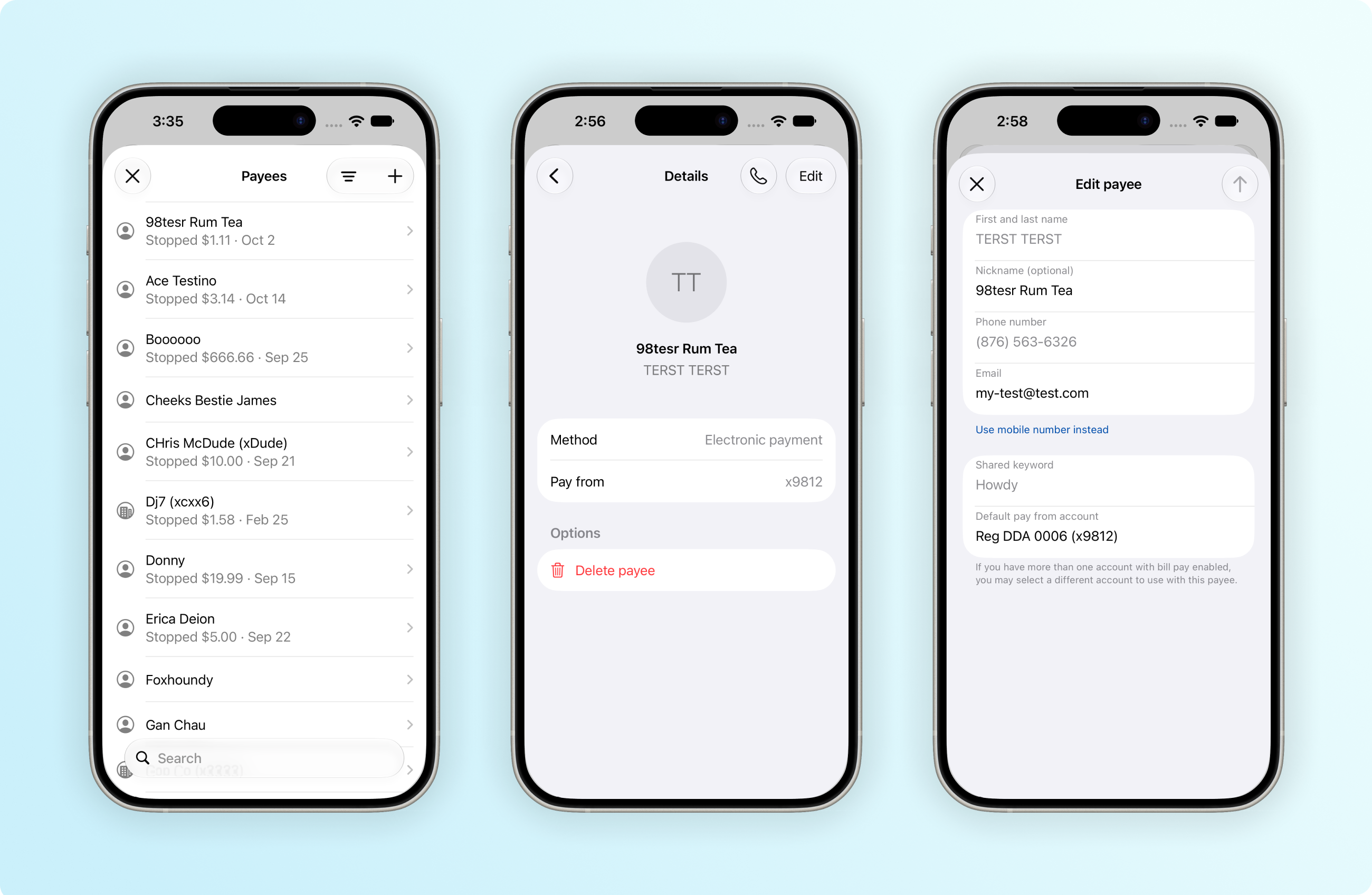
As you read last month (and in an SLA we sent on Oct. 14), we will enable Liquid Glass with Banno Mobile 3.40 on iOS. Currently on track to hit App Stores in the second week of November, the 3.40 release will also bring an update to the minimum supported OS version on both iOS and Android:
- iOS: The new minimum supported OS for iOS devices will be iOS 26.3, which is compatible with the iPhone 11 and all newer models.
- Android: The new minimum supported OS for Android devices will be Android 11.0, which is supported across compatible Google Pixel and OEM devices.
- Reminder: Accountholders on older devices will maintain access via mobile browsers.
For more details on the UX design changes expected with Mobile 3.40, continue reading.
iOS App
Along with the official adoption of Liquid Glass, Banno Mobile 3.40 on iOS will come with a few final UX refinements to buttons and cards. This includes consistent labeling and icons in the toolbar as well as expanded use of rounded corners.
As you can see in the image above, the Bill Pay screens will also receive final updates to embrace Liquid Glass standards. The Payees screen will feature convenient search functionality and simplified sorting. The payee Details screen will be modernized with streamlined navigation and a decluttered layout, and accountholders will be able to delete payees more quickly.
You can read – and see! – additional details in the iOS App UX Evolution Knowledge Base doc.
Liquid Glass Enablement
As a reminder, once we enable Liquid Glass with the release of Mobile 3.40, we can no longer deploy with the legacy design system. This is one reason we’ve broadly communicated our mobile app UX evolution changes so often while strategically adopting new themes and layouts over many months.
Enabling Liquid Glass lets us better support new iOS products. For example, it will simplify the work needed to support the new iPhone Duo. This article explains how the process works and what to expect in the meantime. Our engineers are actively optimizing for Duo. While we don’t have a specific version to announce, we are targeting no later than our February 2027 release.
Liquid Glass also lets your accountholders adjust the design system’s opacity. To adjust Liquid Glass opacity, they can follow these steps:
- Open the Settings app on the iPhone or iPad (or System Settings on Mac).
- Tap Appearance (or click Display on Mac).
- Select Liquid Glass.
- Drag the continuous slider – left for a clearer, more transparent look or right to increase the tint and make the elements more opaque.
We hope you share our excitement for Liquid Glass. Adopting the native design system will help maintain consistency with standard components throughout the app and further ensure that users trust your digital banking app to continually evolve with the operating system as a whole!
Android App
Banno Mobile 3.40 will mark a change to how we theme newly designed screens moving forward. Accountholders will start to notice higher contrast and more consistent layering between sections on each screen. Though most related updates will be subtle, this work will greatly improve accessibility in key areas of the app.
To see an example screenshot of the new theme colors, visit the Android App UX Design Evolution Knowledge Base page – where you can also read the plan for Mobile 3.41 and beyond.
Tap2Local Enrollment Presentation Enhancements
On the heels of last month’s Tap2Local.com rollout, we’re working on several enhancements to help funnel more opportunities your way!
Results-Driven Changes to Enrollment Status Cards
Very early this November, we’re introducing a new set of Tap2Local enrollment status cards – along with a system change that will position us to implement refinements across the platform without needing to wait on each mobile release. So if the in-app messaging for a given enrollment status proves less effective than expected, we can adjust the UX and then deploy the changes straightaway. That means faster design iterations driven by real-world results.
As for the new set of status cards we’re introducing, each will include a call-to-action link directing users on next steps, complete with eye-catching imagery and compelling copy.
As a reminder, here is each status that Tap2Local enrollment can involve:
- Begin Enrollment: The merchant has not started enrollment.
- Application Under Review: The merchant has submitted enrollment details, and the system is reviewing the information.
- Additional Information Needed: The merchant has submitted enrollment details, but the system found information they must correct.
- Continue Enrollment: The merchant started enrollment but has not completed the submission.
Note that the descriptions next to each status above are provided for your reference and are not reflected in the app.
New Tap2Local Marketing Ads
If your bank or credit union offers Tap2Local, soon you’ll have fresh new ads at the ready to highlight the Tap2Local features merchants need! Keep an eye trained on your Banno Marketing templates, as new ads promoting the product catalog, invoicing, and more will drop soon.
To support awareness of new features as they’re released, we will also leverage cards similar to these ads in our current “enrollment card” real estate for enrolled merchants.
New Home for Tap2Local Pricing Overview
Enrollment is losing a potential barrier to entry. Enrolling merchants will no longer get distracted reading through pricing details before they’ve seen what Tap2Local can do! Soon, they can jump in, explore the powerful features, and then agree to pricing at the moment it matters most – when they’re ready to accept their first card payment through tap to pay, payment links, or invoices.
Your actual fees and terms are not changing, and this move affects new enrollees only. This is simply one more step toward an enrollment experience that asks for less reading up front and lets business owners see Tap2Local’s value first.
Not Yet Offering Tap2Local?
These enhancements (and many of the others we’re cooking up) are designed to showcase the solutions merchants need, right there in your banking app. No additional contract is required.
If you’re among the few holdouts who haven’t enabled Tap2Local yet, it’s not too late. Give our Support team a shout to hop on a train that delivers opportunities to take back what’s yours – the right to win the loyalty of SMBs!
Banno Consumer Wires
Banno has another exciting feature moving to beta. In collaboration with Jack Henry Wires, we’re bringing support for retail wires to our SilverLake customers. Your retail customers will be able to create and send a wire from within Banno Online and Mobile, without needing to come into a branch. Your financial institution admins will have control over permissions and wire limits to help enhance fraud prevention and mitigate unauthorized exposure.
This feature requires a contract for Jack Henry Wires. Please contact your Digital Experience Sales Executive to learn more. And stay tuned for more info as Banno Consumer Wires gets closer to general availability.
Create Wire from Template Workflow
We’re updating the wire workflow for banks so that editing a wire created from a template no longer alters the underlying template itself. Previously, changes made during the wire creation process would update the original template parameters. With this enhancement, all template details remain intact and unchanged, aligning bank functionality with existing credit union behavior.
No additional contract is required. If your bank has Banno Business Wires enabled, the new feature will automatically become available once it’s released – currently targeted for Mobile 3.40 in the second week of November and slated for Online right around the same time.
Developer's Corner: Generating Keys in Your Browser for the Client Credentials Flow
Client Credentials Flow is an authentication method designed for server-to-server or machine-to-machine interactions. Now let’s assume that you’ve decided to implement the Client Credentials Flow, which requires you to generate a private key and public key pair. That doesn’t need to be as daunting as it once was.
Generating keys via command-line OpenSSL can be tricky and frustrating, particularly for Windows users or non-developers. Fortunately, modern web browsers already ship with built-in APIs to create keys seamlessly without ever opening a terminal.
Check out the Client Authentication Keys page and navigate to the Create a key pair in your browser section, where you can generate key pairs right in your web browser.
Exception Manager: New Layout for Decisioning Rapid Transfer Exceptions
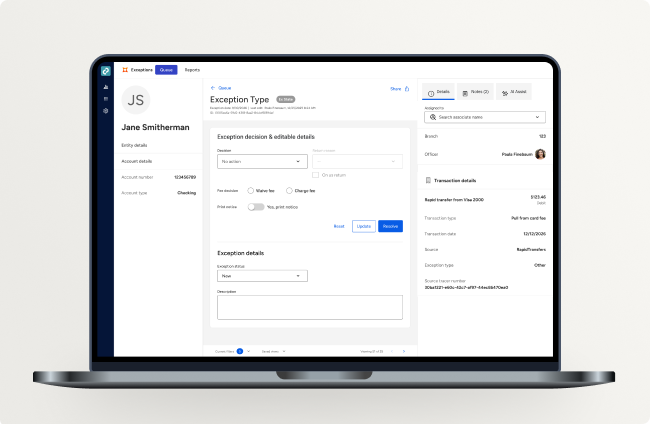
Coming this November, we’re introducing a refreshed layout to the Exception Manager review and decisioning screen, designed to give you a clearer, more efficient view of every item.
What’s Changing?
To help eliminate unnecessary vertical scrolling and make better use of your screen space, information has been reorganized into dedicated left and right panels:
Left Panel – Account Details: Account-level details (such as account holder name, account number, and account type) now live permanently in the left margin, giving you immediate context at a glance.
Right Panel – Transaction Details & Assignment: The right panel is now streamlined to focus on assignment, branch/officer details, and transaction-specific metadata (such as transaction type, source, tracer number, and assessed fee).
Center Stage – Exception Decisioning: The central workspace remains focused on reviewing exception details, making edits, and taking action without having to scroll back and forth between stacked cards.
What Isn’t Changing?
Your core workflow and decisioning process remain exactly the same. Retry and Manual Post continue to be your two standard decisioning options – now simply housed in a layout built for faster, more comfortable navigation.
Keep an eye out for these visual enhancements rolling out across Exception Manager next month!
FDIC Non-Deposit Disclosure
In the latest Banno Release Notes, we announced that our work related to the FDIC’s final rule regarding logo display was complete and that the option to designate non-deposit products would hit Banno People later in October. That work is also complete.
An authorized admin can now grant the Manage deposit insurance display permission to the necessary groups, and group members can then configure which account types are considered non-deposit. After designating certain account types as non-deposit accounts, your accountholders will see the “Not FDIC insured; no bank guarantee; may lose value” disclosure displayed on account detail views. By default, no account types will display a disclosure until one of your employees updates the configuration.
This enhancement requires no additional contract or support ticket; the functionality and related permission are available now. Please check the Institution Settings section of the Knowledge Base for documentation early next week, as we are finalizing details and will add a new sub-page very soon.
Jack Henry Wires for Treasury Management and Banno Business
As of July 2026, Jack Henry Wires – our cloud-native wire solution built on Jack Henry Platform – is integrated with both Treasury Management and Banno Business. The integration is currently in Expanded Beta as we continue to bring on additional financial institutions.
Here’s what that unlocks:
- A continuous enhancement cycle: Because Jack Henry Wires is cloud-native, wire improvements ship on the same steady cadence you’re used to from your digital products – not on an annual release schedule.
- Real-time API checks: Account Status confirms the debtor account is in good standing and not dormant or closed. Available Funds verifies sufficient funds for the total wire amount – before the wire moves.
- Approvals on both sides: Company users and your back-office staff each get their own configurable approval chains, from zero up to three required approvals.
- Platform Managed Entitlements: Permissions like
create wireandapprove wireare administered directly in Jack Henry Platform.
Please note: This integration is in expanded beta and will transition to Early Adoption as we continue rollout to our Beta institutions. There is no sign-up at this time – we’ll announce general availability, along with how to get started, in a future Statement.
Where to Learn More
- Jack Henry Wires on the Knowledge Base: Read a thorough rundown of what Jack Henry Wires does on Jack Henry Platform today. Please be aware that some Jack Henry Wires features available on Jack Henry Platform are not available in this integration.
- Jack Henry Platform on the Knowledge Base: Learn more about what Jack Henry Platform is and where it’s headed.
- Keep an eye on the monthly Statement for new features as they roll out.
Questions? Reach out to the Go-To-Market team at productsalessupport@jackhenry.com.
Positive Pay ACH Filters for SilverLake Banks
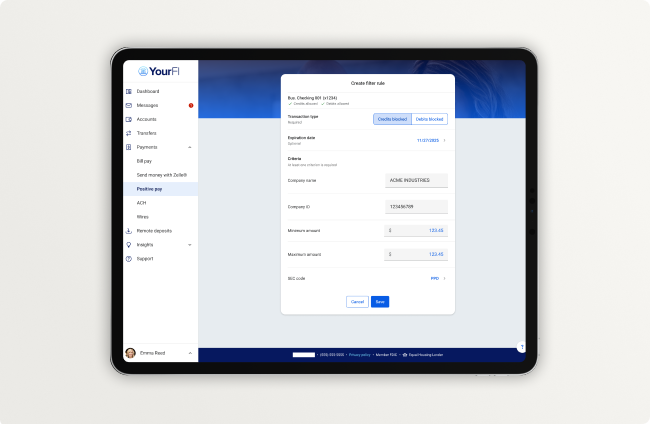
We know you’ve been patiently waiting for this, and we’re excited to share that we’re now in the beta testing phase! With the new ACH filter rule feature, SilverLake banking customers will be able to enable business users to create and manage ACH filter rules directly within Banno. Financial institution admins and business admins can maintain precise oversight through configurable view, create, and edit permissions, while core-created filters will be seamlessly brought into Banno. Institutions will also retain full flexibility to determine whether business users have the ability to edit or delete those core-level filter rules.
No additional contract or support ticket is necessary. This feature will automatically be available to SilverLake customers once it passes beta testing, and we will provide updates here in the Statement.
Shape What's Next in Lending & Deposits
Get ready to shape the future of Jack Henry technology! We’re thrilled to announce the launch of our brand-new Origination Pilot and Beta Hub. This fresh space is your go-to destination to discover and apply for our upcoming technology testing programs.
Whether you want to test-drive cutting-edge AI lending tools or get an early look at expanded compliance management features, we have an exciting lineup waiting for you. As a participant, you’ll collaborate directly with our operations and product management teams to refine usability and catch missing requirements before these tools hit the market.
Ready to join the action? Simply head over to the hub, check out the available programs, and submit your interest form today!
Support App: Case Queue Cleanup
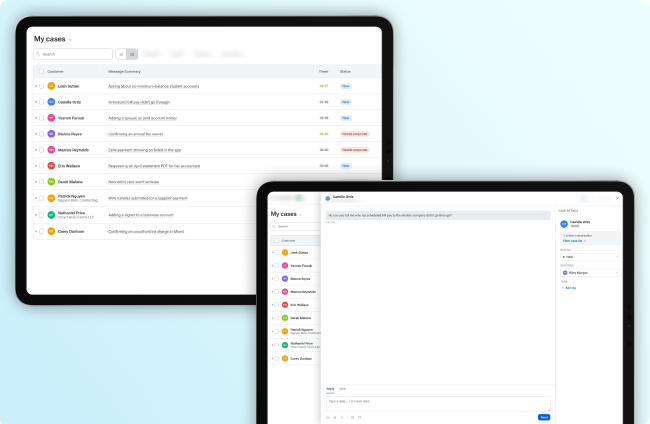
In our August 2026 Statement, we provided insight into the case queue enhancements happening in the Banno Support app. This month, we’re excited to announce that many of these updates will be going live soon. These include the following features:
- List view: Condense your entire case queue into a single, organized screen.
- Drawer view: Clicking a case will now open it as a drawer, simplifying workflows and making it easier than ever to switch between cases.
- Sortable columns: Options will include Status, Channel, and Ascending or Descending order.
- Date range filter: Options will include Today, Last 7 days, and Last 30 days.
No additional contract or support ticket is necessary. Keep an eye out for these enhancements to land in the Banno Support app very soon, and keep your other eye on the Statement and/or release notes for updates regarding the Customer segment and Channel filters that will follow soon after.
Update! ACH Prefunding Balance Validation for Treasury Management
ACH Prefunding Balance Validation is currently in a closed Beta with select Treasury Management banks. This new capability validates available funds in a designated prefunding offset account before ACH payments are transmitted, helping reduce failed transactions, strengthen payment controls, and improve visibility into prefunding requirements.
General Availability (GA) is planned before the end of November.
Note: This enhancement will not impact your users or transactions until you choose to enable it via Treasury Management Back Office.
View Card Details
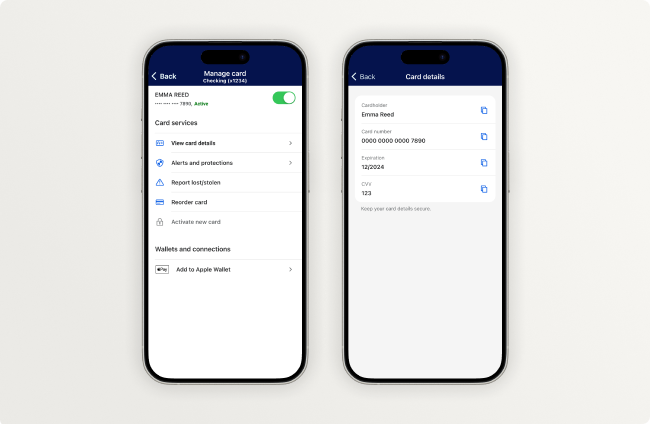
View Card Details is now available to all Jack Henry CPS card issuers for Visa and Mastercard debit and credit cards. Your cardholders can now see their name, full card number, expiration date, and CVV right in the app, so they have everything they need to shop online or pay a bill without digging for their physical card. To keep that information safe, cardholders will need to pass a high-risk action check before their details are shown.
This is a natural partner to in-app provisioning, which lets cardholders add their card to a digital wallet right from the app. Together, they help your cardholders start using a new card the moment it’s issued, whether they’re paying in store or online. That said, you don’t need in-app provisioning to offer View Card Details.
If you’d like to enable View Card Details, please submit a support ticket requesting that we add your institution to our configuration list.
Upcoming Jack Henry Office Hours
It was such a treat to see so many of you at Jack Henry Connect this month. Truly, what a pleasure it was to celebrate our 50th anniversary with the people who we serve and partner with. We trust the time was as meaningful and fun for you as it was for all of us. Thank you!
With Connect in the rearview, we’re ready to resume our various office hours in November.
Based on feedback regarding how people prefer to learn about upcoming office hours, this month we’re pivoting. Rather than separate articles for each session, you can see all the info (and registration opportunities) in one article. Keep reading to learn about the upcoming sessions.
Treasury Management
Get time with Treasury product experts during our upcoming Treasury Management Office Hours:
- Mon., Nov. 23, 2026 at 10:00 a.m. CT
- Mon., Dec. 28, 2026 at 10:00 a.m. CT
- Mon., Jan. 25, 2027 at 10:00 a.m. CT
Reminder: Treasury sessions are relevant for SilverLake Banks only.
Tokenized Money
Join our strategy, engineering, and product leaders to ask your questions, hear their latest analysis of industry events, and see demonstrations of the working software we’re building to address emerging use cases.
Register now for our next office hours on Wed., Nov. 18 at 1:00 p.m. CT. And watch previous office hours recordings any time on the For Clients Portal.
Reminder: These sessions are relevant for Banno and Jack Henry Platform customers.
Tap2Local + Rapid Transfers
Join SMEs from Jack Henry and Moov to see demos on the latest updates to Tap2Local and Jack Henry Rapid Transfers and share your questions or enhancement ideas. Register now for office hours in November:
- Tap2Local: Tues., Nov. 10 at 3:00 p.m. CT
- Rapid Transfers: Wed., Nov. 18 at 3:00 p.m. CT
Jack Henry Intercept
Those of you contracted for NuDetect and/or Jack Henry Intercept are invited to join our product and security SMEs for recurring office hours. We’ll demo and discuss configuration options and answer your questions to help ensure a smooth migration to Intercept!
Since these sessions involve sensitive security matters (and are limited to customers contracted for NuDetect and/or Intercept), we’re not posting the registration link publicly. Instead, please email gotomarketstrategy@jackhenry.com from your financial institution email address to request an invite to any of the following sessions:
- Tues., Nov. 10, 2026 at 10:00 a.m. CT
- Tues., Dec. 8, 2026 at 10:00 a.m. CT
- Tues., Dec. 15, 2026 at 10:00 a.m. CT
Zelle® for Small Business
As our Zelle for SMB offerings progress, our product team wants to help you fully understand how the functionality will benefit the small businesses your financial institution serves! As such, we’re kicking off a new series of office hours, where we’ll conduct live demos and answer all your questions.
Please register now to join us during any of the following sessions:
- Tues., Nov. 17, 2026 at 2:00 p.m. CT
- Tues., Dec. 15, 2026 at 2:00 p.m. CT
- Tues., Jan. 19, 2027 at 2:00 p.m. CT
We hope to see you for any or all of our upcoming office hours!
Upcoming Meetups
Please join us for these recurring meetups in November:
- Product Security Meetup: Wed., Nov. 4, 2026 at 3:00 p.m. CT
- Developer Office Hours: Tues., Nov. 10, 2026 at 11:00 a.m. CT
- Digital Banking Meetup: Fri., Nov. 13, 2026 at 11:00 a.m. CT
We’ll see you there!
Updated Documentation
Be sure to study the Knowledge Base documentation we added or edited during October:
- Financial Crimes Defender Watchlist & Watchlist Plus Product Overview: We released a new product overview that highlights the new Watchlist and Watchlist Plus features of Defender.
- Financial Crimes Defender Scams & Scams Plus Product Overview: We released a new product overview that highlights the new Scams and Scams Plus features of Defender.
- Jack Henry Tax Reporting: We added Jack Henry Tax Reporting to our existing State of Jack Henry Platform page.
- Jack Henry AI Fabric: We released a new product overview that acquaints customers with Jack Henry AI Fabric.
- Notifications for Jack Henry Exception Manager: We added new information about how to set up notifications for new exceptions.
- Jack Henry Wires Reports: We added a new page dedicated to the preset wire reports available in Jack Henry Insights.
- Banno Marketplace: We launched a new Banno Marketplace page that will evolve with our Banno Marketplace offerings.
- Agents Closing Conversations: We added documentation that walks customers through how to set custom messages when conversations are closed by agents in Banno People.
- Banno Business Bill Pay: We added a new page covering bill pay functionality in Banno Business.
Reminder: Due to browser behavior beyond our control, some PDF links may open directly in this same browser tab.
Jack Henry Intercept Rollout Starts Soon!
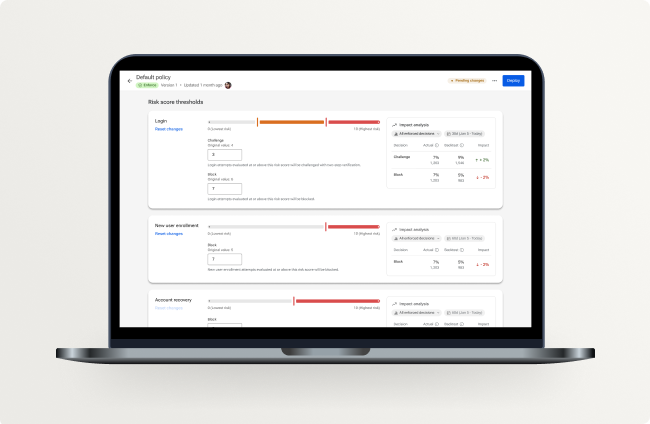
Jack Henry Intercept is marching toward general availability, with rollout scheduled to start this October. If you’re still wondering if Intercept is right for your financial institution, check out the fraud-protection benefits we described in last month’s Statement. Then, be sure to get the ball rolling with your Sales Executive!
Preparation for Current NuDetect™ Customers
If you haven’t contracted for Intercept yet, it’s critical to make the move well before Dec. 31, 2026, when Mastercard™ will officially retire NuDetect and the product will no longer function. While we’re nearly past our Oct. 1, 2026 date guaranteeing your installation prior to the NuDetect retirement, we’ll still make every reasonable effort to prevent a gap in security coverage when NuDetect becomes defunct. We urge you to coordinate with your Sales Executive right away. And be sure to join us for bi-weekly Intercept Office Hours, which are open to customers contracted for either NuDetect or Intercept.
Support App: Agent Saved Replies
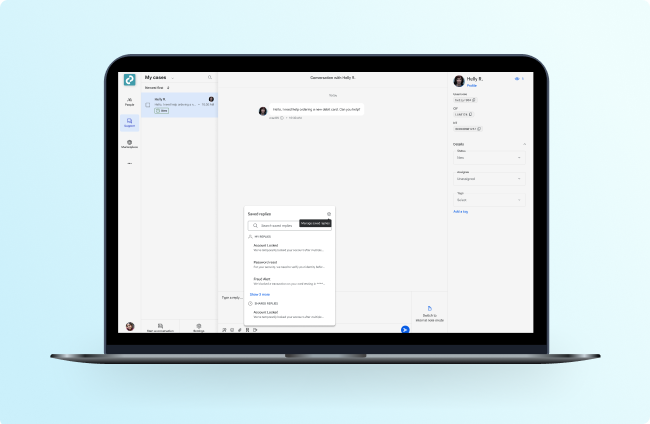
Agent Saved Replies arrives next week to help your support teams save time and energy through maintaining personal reply collections directly in Jack Henry Conversations. With saved replies, your support reps can reuse message templates that are easily inserted into a conversation – ensuring consistent communication for those frequently asked questions.
Now, what about for your staff members who handle more specific or niche service areas looking to customize their replies? This feature covers them too! With My Replies, individuals now have the option to create their own saved replies, visible only to them.
Check out the Saved Replies documentation on the Knowledge Base to learn more about how you and your team can start leveraging these functionalities. No additional contract or support is required. Your team can use Agent Saved Replies as soon as it’s released, which is currently targeted for the week of October 5.
2026 WebAward Winners

Guess who showed out in the 2026 WebAwards competition. Yep, that’s right: Banno institutions cleaned up again this year! We’re thrilled to have so many Jack Henry customers trust Banno Content for your website design and development needs, and our Web Solutions team is proud to help many of you bring home some hardware! Keep reading for all the glorious details.
WebAwards Competition
Now in its 30th year, the Web Marketing Association’s WebAwards program is the longest-running annual website award competition dedicated to setting standards of excellence for website development. Experts from around the world judge sites across 96 industries on several criteria, including design, innovation, content, technology, interactivity, copywriting, and ease of use.
For each industry, the website that receives the highest score wins Best Website in Industry. Outstanding and Standard of Excellence are scores that fall above the average in that category.
- 🥇 Best Website of Industry
- 🥈 Outstanding Website award
- 🥉 Standard of Excellence
This year, we submitted 10 entries (5 Banks and 5 Credit Unions) and placed all 10 of those entries, including Best Bank Website. We have been submitting websites to WebAwards since 2020 and with these latest awards, our running total is now 36 WebAwards!
Bank Winners
Check out each website and award description (two links per bullet) for our bank winners:
- 🥇 Great Southern Bank - Community Matters | Best Bank Website
- The First Bank - Damariscotta | Outstanding Website
- Cornhusker Bank | Outstanding Website
- First Farm Bank | Bank Standard of Excellence
- Wellworth Bank | Bank Standard of Excellence
Credit Union Winners
Take a look at each website and award description (two links per bullet) for our credit union winners:
- Vibe Credit Union | Outstanding Website
- Unison Credit Union | Outstanding Website
- Kalsee Credit Union | Credit Union Standard of Excellence
- Memphis City Employees Credit Union | Credit Union Standard of Excellence
- First Financial Credit Union | Credit Union Standard of Excellence
Next Year’s Winners
Listen, we can’t perfectly predict future winnners, but our Web Solutions team’s track record is pretty stellar. If you’d like to learn more about our award-winning team’s approach or want to see some of our showcase sites and custom sites, you can check out the Websites & Marketing page on Banno.com. When you’re ready to talk shop, just reach out to your Sales Executive.
Mobile App UX Design Evolution
Our UX Evolution journey for iOS is nearly complete; however, we have decided to use Mobile 3.39 as an opportunity to fine-tune a large set of screens in final preparation for enabling Liquid Glass with Mobile 3.40. We want to get the remaining UX changes in your accountholders’ hands as soon as possible, so we can find and address any lingering issues ahead of Mobile 3.40. As such, please be aware that we may push additional patches to Mobile 3.39, if any tweaks prove necessary.
Editor’s note: The paragraph above was edited on Oct. 13, 2026.
Note that we also expect more meaningful UX changes for the Android app with Mobile 3.40, though we will not enable Material Design 3 quite yet.
Why are we taking a little more time? Put simply, we want to get this right. Adopting Liquid Glass and Material Design 3 is exciting modernization work, and we’d like to review the details carefully before turning on the new native design systems. Once Liquid Glass is enabled (and later, Material Design 3 for Android), we won’t be able to return to the previous design system, so a bit of extra care now is worth it. We’ll keep refining and improving the app over time, and the Liquid Glass aesthetic will be a lasting part of that.
Upcoming Minimum Supported OS Version Change
When we enable Liquid Glass (with Banno Mobile 3.40 on iOS), we will update the minimum supported OS version to iOS 26.3, which is compatible with all iPhone models that support iOS 26. This includes the iPhone 11 and newer models.
With that same Mobile 3.40 release, the minimum supported OS version for Android devices will advance to Android 11.0, which is supported across compatible Google Pixel and OEM devices. Because the Android ecosystem comprises thousands of phone models across hundreds of manufacturers, Google doesn’t publish a page listing every compatible device for Android 11.
Note: Your accountholders on older iOS and Android devices will still maintain access via mobile browsers.
As always, you can visit our Mobile UX Design Evolution page on the Knowledge Base to learn more about our plans for upcoming releases.
Jack Henry DevCon: Early Bird Registration
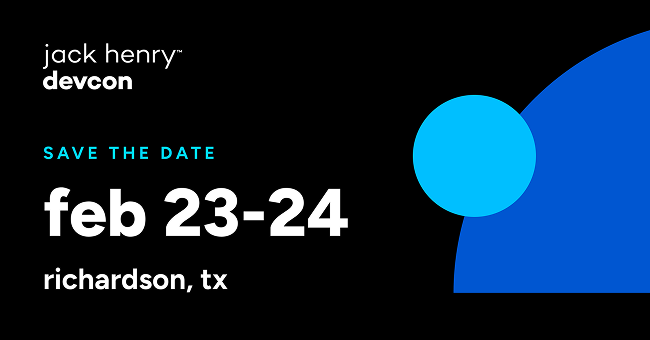
We can’t wait to welcome our financial institutions’ engineers and third-party developers back for another awesome Jack Henry DevCon experience! We’ve put together an incredible lineup again for this year’s conference.
What can you expect from your DevCon experience? This is your opportunity to connect directly with Jack Henry’s technical leaders, gain insights from expert speakers, explore our latest innovations, and dive deep into the future of financial technology.
Early bird registration is officially open! Better lock in your spot today at our lowest rate.
Event Details
Here are the key details to know about DevCon 2027:
- Dates: February 23–24, 2027
- Location: UT Dallas, Bass Lecture Hall
- Address: 800 West Campbell Road, Richardson, TX 75080
- Early Bird Pricing: $499
- Early Bird Deadline: October 31, 2026
To take advantage of the Early Bird Pricing, grab your ticket right away: Register now!
Developer’s Corner: Community Spotlight – Serverless Plugin Hosting
Looking to start building, but feeling stuck or unsure where to begin?
Check out Go Build Something: A Challenge to Credit Unions by Alexander Carlston, Chief Innovation Officer at Great NorthWest FCU.
Carlston shares how someone without a traditional web-dev background used AI (Claude) and Cloudflare Workers to build and host a live Banno plugin in just six hours. It’s a compelling proof of concept showing that anyone can bridge technical gaps to build custom solutions for their account holders.
Dive deeper: Check out Carlston’s GitHub repo, watch his quick demo video, or explore the official Banno SDK docs for the Plugin Framework to build your own!
Enhanced Access Control with Suspend Users
Coming soon, your financial institution will have the option to suspend digital banking users directly within Banno People. This new capability will let your employees immediately block access, halt background device syncing, and cease alerts for a given accountholder – making this an ideal tool for managing inactive users or instantly securing an accountholder that’s under review. Unlike a permanent deletion, suspending a user is fully reversible, so your team can manually reinstate access and restore the user’s profile at any time!
Stay tuned for future updates as this project moves closer to completion.
Enhanced Swap Loan Details
During the first full week of October, look for an impactful enhancement to land for your institution admins and Banno Business users! We’re updating the account details screen in Banno to deliver full transparency for swap loan accounts.
Previously, these accounts displayed only the underlying variable rate and payment amount, creating confusion around a borrower’s true contractual obligations. With this release, active swap loans automatically update primary interest rate and payment due fields across Banno Online, Mobile, and your administrative channels to reflect the borrower’s fixed contractual rate and total payment amount.
Beyond updating primary loan values, accounts with active rate swaps will feature a dedicated Rate Swap information metadata section in the account details sidebar. Surfaced directly from SilverLake, this section provides comprehensive visibility into agreement terms – including billed principal and interest breakdowns, agreement expiration dates, accrued interest, and early termination penalties. Your staff retains complete administrative control, as all new metadata fields integrate directly with the Accounts screen in Banno People for easy customization and management.
Note: Swap loans are designed primarily for business users. However, the swap loan data will be evaluated and displayed for any user who has a loan with an active rate swap record attached.
No additional contract or support ticket is necessary, and we’ll roll out this enhancement to everyone in early October.
Exception Manager Rapid Transfer Email Notifications
Starting Tuesday, October 6, your administrators can configure email notifications directly in Exception Manager to receive alerts whenever a Rapid Transfers exception item is created.
While exceptions for Rapid Transfers are uncommon, configuring notifications will ensure your team is alerted when action is required, enabling faster decisioning and streamlined processing for Rapid Transfer exceptions. Notifications are sent at most once every 30 minutes per configuration.
To configure the notifications, an admin can follow these steps:
- Access Notification Settings: In the top-right corner of the Exceptions screen, click the Settings (gear) icon to open Exception Manager Options.
- Create a Notification: Under New exception email notifications, click + Add notification.
- Select the Source: Under Exception Sources, select the RapidTransfers checkbox to trigger email alerts specifically for rapid transfer exceptions.
- Add Recipients: Under Notification Emails, enter the target email address and click Add recipient. You can add one or more recipients to a single notification configuration.
- Save Changes: Click Save to apply your new settings.
For more info on setting up notification rules and managing email recipients, please reference the updated Exception Manager guide on the Knowledge Base.
Speed Bumps for External Apps: Available Now
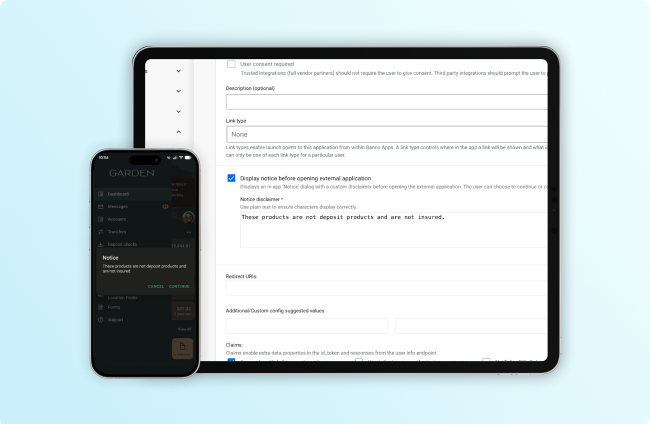
Now your financial institution has the option to inform accountholders if they’re navigating to any external application you think deserves a “speed bump” message!
No additional contract or support ticket is required for configuration. To get started, check out the details we provided last month or visit the External Applications Knowledge Base doc.
FDIC Display Updates
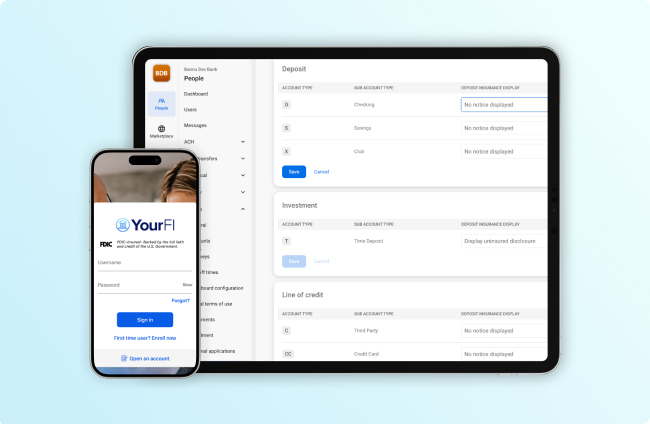
We’ve wrapped up our work to satisfy requirements from the final rule from the Federal Deposit Insurance Corporation (FDIC) regarding logo display and designation of non-deposit products. This gives your institution plenty of time to make any needed configuration changes well ahead of the April 1, 2027 compliance date.
The result is three distinct features, all in various stages of rollout:
- The speed bump, now available to all institutions, lets you notify accountholders when they are leaving your app for any external application promoting or supporting non-deposit products.
- FDIC logo display is being added to login and related screens as of Banno Mobile version 3.39, slated to hit stores in October, and will begin appearing in Banno Online as well as JHA OpenAnywhere within the next week or so.
- Designation of non-deposit products is also rolling out in October. When available, you’ll be able to grant the
Manage deposit insurance displaypermission to the necessary groups, and then configure which account types are considered non-deposit. Account types designated as such will display the “Not FDIC insured; no bank guarantee; may lose value” disclosure on account detail views. By default, no account types will display a disclosure until your institution makes this change.
No support case is required; we’ll automatically roll all of these features out to applicable institutions.
Jack Henry Intercept Office Hours
Now that the Jack Henry Intercept rollout is nearly underway, we’ve kicked off recurring office hours to help you get started with this powerful fraud-protection product. Our product and security experts look forward to answering your questions and discussing configurations, so we can help ensure a smooth migration to Intercept!
Since these sessions involve sensitive security matters, we’re not posting the registration link publicly – but we will gladly provide the link to customers contracted for either NuDetect or Intercept. Just email gotomarketstrategy@jackhenry.com from your financial institution email address to request an invite to any of the following sessions:
Tues., Oct. 13, 2026 10:00 a.m. CT
Tues., Oct. 27, 2026 10:00 a.m. CT
Tues., Nov. 10, 2026 10:00 a.m. CT
Tues., Dec. 8, 2026 10:00 a.m. CT
We hope to see you there!
Jack Henry Wires Reports: Now Available
The native Jack Henry Wires reporting described in the June Statement is now available in Jack Henry Insights!
Preset Reports
Your authorized admins will find six preset reports for Jack Henry Wires:
- Wire Total Count: Grouped by Incoming and Outgoing wires, this report shows the total number of incoming and outgoing wires.
- Monthly Totals: This report shows the total count of wires processed per month.
- Wire Status: Grouped by Status, this report shows the total number of wires that are complete, processing, and rejected.
- Wire Total Amount: Grouped by Incoming and Outgoing wires, this report shows the total dollar amount of wires.
- Value Messages: Grouped by message definition, this report shows the total count of accountholder (pacs.008) and financial institution (pacs.009) wire transfers.
- Non-Value Messages: Grouped by message definition, this report shows the total count of non-value messages (not pacs.008 or pacs.009).
Soon, an optional add-on will be available to let your admins build their own custom reports for Jack Henry Insights, including custom Wires reports. We’re working to finalize the required AI disclosure agreement, and we will alert our financial institutions as soon as it’s ready.
Required Permissions
To access Jack Henry Insights and the new Jack Henry Wires reports, your admins must be granted the following permissions:
- Manage Insights: Grants access to see and click the Insights button, which is displayed after clicking ••• (More) in the primary navigation of Banno Admin. Assign this permission via Banno Groups, in the Platform section.
- View Insights: Grants access to see and click the Insights icon (bar graph) within Jack Henry Platform as well as view dashboards and reports within Jack Henry Insights. Assign this permission via JH Permission Sets, in the Insights section.
- View Reports: Grants the ability to view wire reports in Jack Henry Insights. Assign this permission via JH Permission Sets, in the Wires section.
Documentation
For more information on functionality and granting access, check out the following Knowledge Base docs:
Finally, there is no support ticket or additional contract needed for Jack Henry Insights or the new Jack Henry Wires reports. Insights is enabled for all institutions, and the new preset reports are available for all Jack Henry Wires customers.
Your JH Connect Survival Guide
Let’s be real – a massive conference like Jack Henry Connect can get a little wild. Between packed halls, endless coffee runs, and dozens of session options, decision fatigue is very real. We want your Connect experience to be high-value and low-stress, so we did the heavy lifting for you!
To help you get the absolute most bang for your buck, we strategically structured our session lineup into three distinct pathways. Think of this as your personalized navigation map – pick a track, zero in on your goals, and skip the scheduling stress. There are more sessions than those listed below, and we encourage you to explore all of the awesome content, but maybe this can make things a little easier for you.
The Platform Pathway
Consider this pathway your blueprint for maximizing efficiency, mastering workflows, and getting the most out of Jack Henry Platform:
- Mainstage – Jack Henry Platform: An Ecosystem Built for Your Ambition
- In Case You Missed It: JH Platform Highlights
- The Future of Entitlement, Limits, and Permissions
- Modernizing Traditional Payments with ACH
- Wires Start to Finish
- Jack Henry Platform Leadership Q&A
- Smarter Exception Management with Jack Henry Platform Exception Manager
The Digital Pathway
This pathway is your front-row seat to the future of fintech, AI shifts, and modern payment orchestration:
- Mainstage – Techno Disruption: The Collision of Banking, AI, and Digital Monetary Systems
- Integrating Rapid Transfers into Any Financial Institution Workflow
- Digital Leadership Q&A
- Money in Motion: The Future of Payments
- Stablecoin Simplified: Orchestrating On-Chain Assets Within Your Core
The Treasury Pathway
Follow this pathway for insights into the state of Treasury Management today and where things are headed tomorrow:
- Mainstage – Techno Disruption: The Collision of Banking, AI, and Digital Monetary Systems
- Supporting Your Business Customers’ Integration Needs
- How Automation Can Help You in Business Onboarding
- Treasury Management Year-in-Review & Roadmap
- Treasury Management Q&A
- Bonus: Business Treasury Digital Banking Roundtable
No Wrong Turns!
Whether you stick to one trail or build a custom hybrid, you really can’t go wrong! This cheat sheet is simply intended to provide curated options that help make your event seamless. See you at Connect! #JHConnect
Loan Number Generator for SilverLake + LoanVantage
Manually assigning and re-keying loan numbers is about to be a thing of the past in LoanVantage. Coming on Wednesday, October 14 in release 2026.5, SilverLake customers will have the option to enable the new Loan Number Generator capability.
How It Works
This add-on enables LoanVantage, when used with SilverLake, to generate account numbers before the round-trip process has been completed. LoanVantage can generate the number using data from the core system, or the user can adjust the account number manually. Here are a few other important details to know:
- Loan number generator functionality works with jXchange cores.
- When the loan number generator functionality is activated, a new button appears next to the Loan Number/Description field in the facility. This icon is only available in edit mode.
- Some fields must be completed on the file and facility for the functionality to operate.
Getting Started
To get started with Loan Number Generator, please open a jSource case and the operations team will assist you.
Power Up Alloy with Alloy Journeys
We’re powering up the existing OpenAnywhere integration with Alloy! Work is underway to support Alloy Journeys workflows and incorporate the Alloy Journeys SDK to enable the step-up verification methods provided by integrated vendors.
We’re working with Alloy to plan a phased rollout to help existing Alloy customers to migrate from workflows to Journeys. More information is on the way!
Feature Unlocked: Beneficiaries in OpenAnywhere
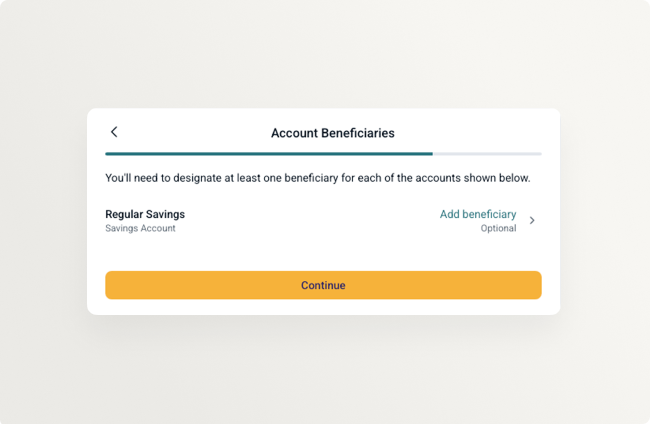
Remember when we said Beneficiaries for OpenAnywhere were coming soon? Well, they’re here and available for all Jack Henry cores. Raring to unlock the functionality? Just open a support case on the For Clients Portal to let the OpenAnywhere operations team know you want them to reserve your spot in the implementation queue. It’s a light lift that’s covered by a two-hour CWR. Reach out today!
New Look, Same Great Tech: Login Logo Update
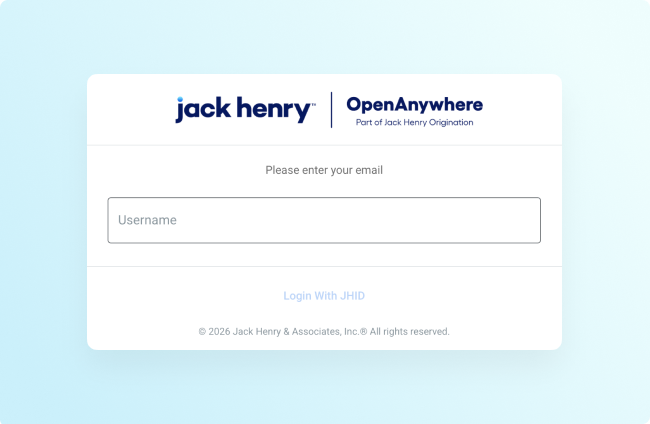
We’re updating our in-app and login logos for OpenAnywhere and LoanVantage to better highlight their role in delivering new Jack Henry Origination functionality. The update is live in LoanVantage and coming to OpenAnywhere in October. Please let your teams and internal users know ahead of time so they recognize the new OpenAnywhere design!
Membership Eligibility Is On the Way!
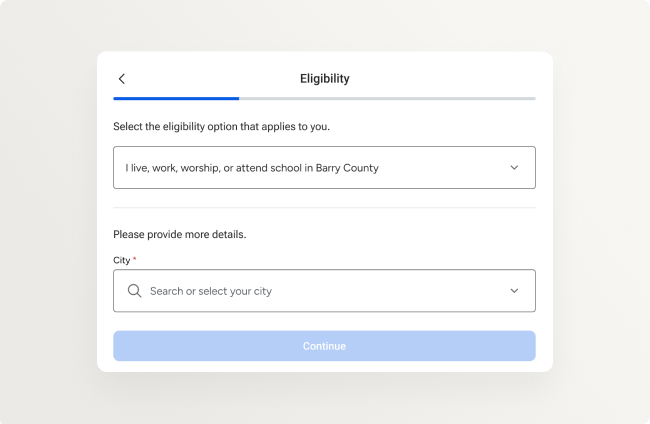
Credit unions using OpenAnywhere can soon capture applicant membership eligibility data during onboarding, mapping these inputs directly to designated code values inside the Symitar core.
Testing was completed over the summer, and we’re preparing for general release now. Stay tuned for more details!
Tap2Local + Rapid Transfers Office Hours
Since we’ll be busy having a blast with customers at Jack Henry Connect, there are no Tap2Local and Jack Henry Rapid Transfers Office Hours scheduled for October. It’s not too early to register for our November sessions, though:
Tap2Local: Tues., Nov. 10 at 3:00 p.m. CT
Rapid Transfers: Wed., Nov. 18 at 3:00 p.m. CT
If you have questions or suggestions for our SMEs, we’d love to see you there.
Tap2Local.com Now Live!
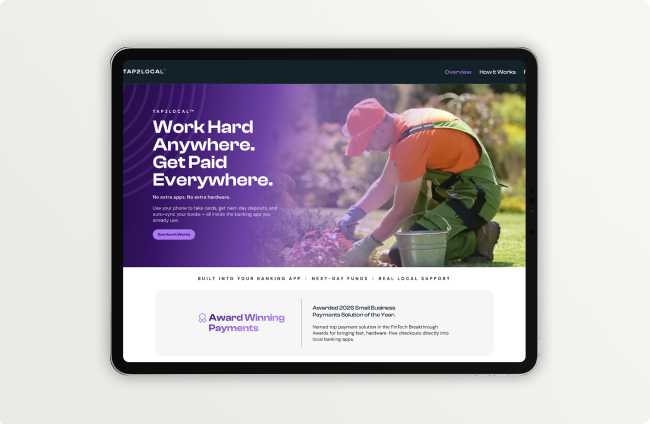
As noted in the SLA sent earlier today (Sept. 30) to all Banno institutions, this month we launched Tap2Local.com. The new website is designed specifically for Tap2Local merchants, including prospective small businesses and sole proprietors interested in learning more about the solution.
The site provides an overview of Tap2Local’s key features and benefits, explains how the solution works, shows merchants where to access Tap2Local within your financial institution’s banking app, and answers frequently asked questions.
Coming soon, the website will feature use cases for common business types, and we’re adding a search tool that will help prospective users identify participating banks and credit unions that offer Tap2Local.
Check out more details below.
Increasing Adoption via the Search Directory
To ensure that your bank or credit union benefits from the adoption-driving institution search feature, simply enable Tap2Local and we’ll take it from there! If your institution already offers Tap2Local, you’re all set. Jack Henry will continually manage this search directory, which will consist of all banks and credit unions that have enabled Tap2Local.
Opting Out of the Search Directory
If you’d rather be excluded from the upcoming institution search feature, you can opt out. Just open Marketplace in Banno Admin and click Learn more under the Tap2Local.com Institution Availability Opt Out heading to complete your request. Once received, we will exclude you from the site.
Opt-Out Deadline: If opting out, please complete this process by October 30, ahead of our targeted November 3 go-live date for the institution search feature.
Choosing Wisely
Before deciding whether to include your bank or credit union in the institution search directory, we encourage you get familiar with Tap2Local.com. We believe an award-winning payments solution like Tap2Local deserves an award-worthy showcase – and the Jack Henry Marketing team crafted an intuitive, compelling experience that’s sure to motivate even more merchants into trying Tap2Local.
Tokenized Money Office Hours
If all the news about stablecoins, tokenized deposits, and other forms of tokenized money has you asking how your financial institution should respond, this event is for you.
Whether you’re a tokenized money newbie or a self-proclaimed expert, our strategy, engineering, and product leaders at Jack Henry are here to give you their analysis of current industry events, demonstrate the working software we’re building to address emerging use cases, and – like any good office hours – answer all your burning questions.
Register here for our next office hours session on Thurs., Nov. 18 from 1:00-2:00 p.m. CT and catch up on previous office hours recordings any time on the For Clients Portal.
ACH Prefunding Balance Validation for Treasury Management
Soon, you’ll gain greater control and confidence over ACH prefunding with our upcoming ACH Prefunding Balance Validation feature.
Before ACH payments are transmitted, Treasury Management will automatically validate available funds using the ACH company’s designated prefunding offset account. Banks will have the flexibility to configure which account balance is used for validation. If sufficient funds are available, payments proceed as expected. If funds are not available, users will receive clear messaging indicating the payment could not be processed due to insufficient funds.
This enhancement will help reduce failed transactions, strengthen payment controls, and provide greater visibility into prefunding requirements before ACH files are sent for processing. Stay tuned for more details as we prepare for launch!
Treasury Management Office Hours
Get time with key Treasury product experts during our upcoming Treasury Management Office Hours! Heads up that we’ve removed the October session (due to Jack Henry Connect) from the slate of upcoming Office Hours:
- Mon., Nov. 23, 2026 10:00 a.m. CT
- Mon., Dec. 28, 2026 10:00 a.m. CT
- Mon., Jan. 25, 2026 10:00 a.m. CT
We hope to see you there!
Upcoming Meetups
Remember, we won’t be hosting our recurring meetups during October, but we hope to see you at Jack Henry Connect in Kansas City, MO on October 19-21!
We’ll resume these recurring meetups again in November:
- Product Security Meetup: Wed., Nov. 4, 2026 at 3:00 p.m. CT
- Developer Office Hours: Tues., Nov. 10, 2026 at 11:00 a.m. CT
- Digital Banking Meetup: Fri., Nov. 13, 2026 at 11:00 a.m. CT
Please reserve your seat today!
User Management Role Name Change
In the coming months, all Banno Business customers will notice a minor label update in User management and People. The Role field is getting renamed Management access across all Banno Business and household accounts. The options are also shifting from Admin, Viewer, and User to Admin access, Viewer access, and None to better reflect that this setting specifically controls access to the User management tool itself.
This is strictly a terminology change in support of our strategic direction to expand role permission entitlements and give end users greater flexibility to manage their own roles. There is no action required on your end, though you may want to update any internal documentation or training guides that reference the old labels.
Updated Documentation
Be sure to study the Knowledge Base documentation we added or edited during September:
- LoanVantage Express Product Comparison: We updated our LoanVantage Express product comparison to reflect new support for flood services in LVX.
- Symitar in Jack Henry Platform Permissions: This new page describes the permissions available to credit unions using Symitar in Jack Henry Platform.
- Households: We updated this documentation with new information about auto-deleting household users.
- Jack Henry Wires Integrations: We updated this page to reflect newly completed integrations with Banno and Banno Business and added a new section for core integrations.
- FactorSoft Key Integrations: We added a new product overview to help FactorSoft customers and prospects better understand available integrations.
- Jack Henry Wires Saved Views: We updated the “Jack Henry Wires” page with details on the new saved views feature.
Reminder: Due to browser behavior beyond our control, some PDF links may open directly in this same browser tab.
Jack Henry Intercept Is Coming (for Fraudsters)
Intercept is a powerful, configurable tool that proactively identifies and prevents fraud attempts, enhancing security for both institutions and their accountholders. By leveraging advanced scoring from multiple specialized providers and real-time data, Intercept gives your financial institution the direct control you need to stop fraud before it happens – all while preserving a smooth user experience for your accountholders.
We are now preparing to deliver the final pieces of Intercept functionality to our beta testers, while simultaneously taking steps toward full rollout. Once generally available, contracted institutions will benefit from:
- Powerful and flexible risk policy management, allowing you to confidently monitor and block login, account recovery, digital enrollment, and high risk authorization attempts.
- An incredibly data-rich decision record, giving your team access to user, device, location, and signal data – and simple clicks away from drilling in during fraud investigations.
- Easy-to-manage allow and deny lists, giving you peace of mind knowing you can block attempts from countries, IPs, and devices regardless of score. Plus, ensuring you can grant access to verified users without compromising your risk policy.
- Reporting available via Jack Henry Insights, where you can start with a pre-built report and make it your own to compare risk policy approaches, review scores and signals, and a whole lot more.
You can learn more on our Knowledge Base, and there are even more detailed instructions in the Help Center user guides en route.
This is just the beginning, Intercept will evolve to monitor transaction rails, pause transactions for review, and make fraud investigation more efficient than ever thought possible. If you’re not along for the ride yet, reach out to your Digital Experience Sales Executive today!
Preparation for Current NuDetect™ Customers
If you haven’t contracted for Intercept yet, it’s critical to make the move well before Dec. 31, 2026, when Mastercard™ will officially retire NuDetect and the product will no longer function. Only contracts signed prior to Oct. 1, 2026 are guaranteed to be installed prior to the NuDetect retirement. It’s not too late to prevent a gap in security coverage when NuDetect becomes defunct. We urge you to coordinate with your Sales Executive right away.
Jack Henry Insights: Live Now!
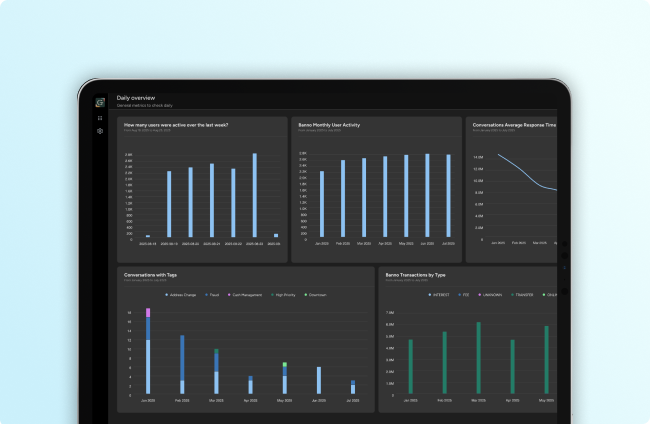
One of our go-forward Jack Henry Platform offerings, Insights is the modern reporting and visualization tool that lets your team create, edit, and maintain custom queries as wanted or leverage several out-of-the-box report templates to help you hit the ground running – today!
Out of the gate, you’ll find four crucial datasets supported for Insights:
- Activity and App Usage
- Bill Pay
- Remote Deposit Capture
- Conversations
We’re already working on additional datasets, so stay tuned for updates as we add others.
Allowing Access
Editor’s note: This section was edited on September 11, 2026 for additional clarity.
In Banno Admin, there are two separate groups of permissions that control access to Insights: Banno Groups and JH Platform Groups
Updating the Banno Groups
For the Insights icon to appear in the More menu (•••), an authorized administrator will first need to assign the Manage Insights permission to the existing Banno Groups of your users:
- Click the More menu (•••) and select Users & Groups.
- Click Group list, click Banno Groups tab, and select (or create) a group.
- Scroll to the Platform section, select the
Manage Insightscheckbox, and click Save (or Create, if making a new group).
If applicaple, repeat the steps above for each group that should have access to Insights.
Updating the JH Platform Group
To save your admins as much time as possible, our support team created a JH Platform Group, named Insights, on your behalf and prepopulated it with the required View Insights permission.
To grant access to your team, an authorized administrator must open Banno Admin and assign individuals to the Insights group:
- Click the More menu (•••) and select Users & Groups.
- Click Group list, click the JH Platform Groups tab, and search/select the Insights group.
Note: You will then see the “Insights” title at the top of the screen, and the Permissions tab should be active. - Click the Users tab, click Add user, search the individual/s you want to join the group, and click Add next to their name/s.
Important: With new features, additional permissions may become available that your administrators can add to the Insights group. Please reference the Insights Permissions documentation on the Knowledge Base for details on the available permissions.
Accessing Insights
You can access Insights through Jack Henry Platform or through Banno Admin.
To open the reporting through Jack Henry Platform:
- Open Banno Admin.
- Click the Platform icon.
- In the left-hand navigation of the Platform app, click the Insights icon (the bar graph).
Note: For this path, Insights will open in the same browser tab.
To open the reporting through Banno Admin:
- Click the More menu (•••).
- Select Insights.
Note: For this path, Insights will open in a new browser tab.
Taking Your First Steps with Insights
Once you’ve accessed the tool, the best way to start using it is by leveraging the pre-built reports along the right side of the landing page. These can immediately provide valuable intel and can help you understand how the reports are built.
To get more familiar with this powerful reporting tool, please reference our Jack Henry Insights product documentation on the Knowledge Base and user guides on Help Center.
Finally, as mentioned in our July Statement, there is no contract or support ticket needed for Jack Henry Insights. The tool is already live for all institutions and ready to use. And keep an eye out for additional enhancements to be made available in the very near future!
Support App: Case Queue Cleanup
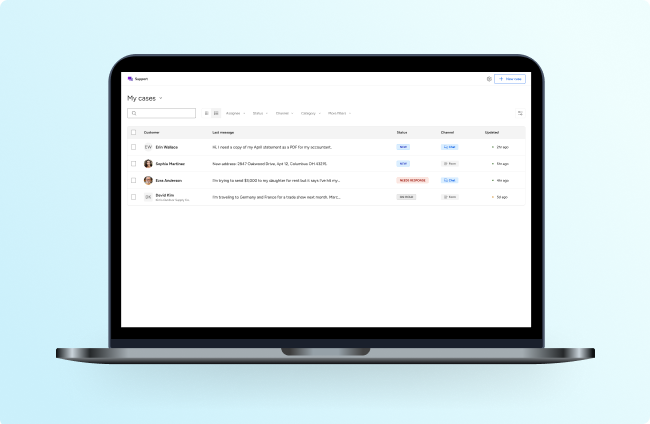
In our May 2026 Statement, we announced our work to redesign the Banno Support app to provide a more intuitive, unified experience for your financial institution’s support team. These changes will be delivered in a series of releases over the coming months, and we are happy to announce that the first big release is right around the corner.
Get ready to welcome a cleaner, faster way to manage Support cases! Soon, a new list view will condense your entire case queue into a single, organized screen.
Want to tailor the queue even further? With the upcoming filtering and sorting options, staff members can each take their workflow to the next level by customizing their view of the queue:
- Sortable columns: Options will include Status, Channel, and Ascending or Descending order.
- Date range filter: Options will include Today, Last 7 days, and Last 30 days.
- Customer segment filter: Options will include Retail, Business, and Unverified.
- Channel filter: Options will include Chat, Forms, and Email.
Responding to your accountholders is about to get easier, too! Need to send the same response to multiple cases at once? Clicking Reply all will let your support representatives simultaneously message a batch of selected cases – saving time and resources, all in an audit-friendly method.
Slated to debut in late September, the enhanced Support case queue is just scratching the surface of our Support app evolution. Check out the Support App, Reimagined page on the Knowledge Base to follow our progress and preview what’s to come!
Developer’s Corner: Where Developers Go for Answers
Stuck on a problem, or have a how-to question, or seeing a weird error message from an API?
Join the conversation in the Jack Henry Developer Relations Community and get help from fellow developers and our team.
Speed Bumps for External Apps
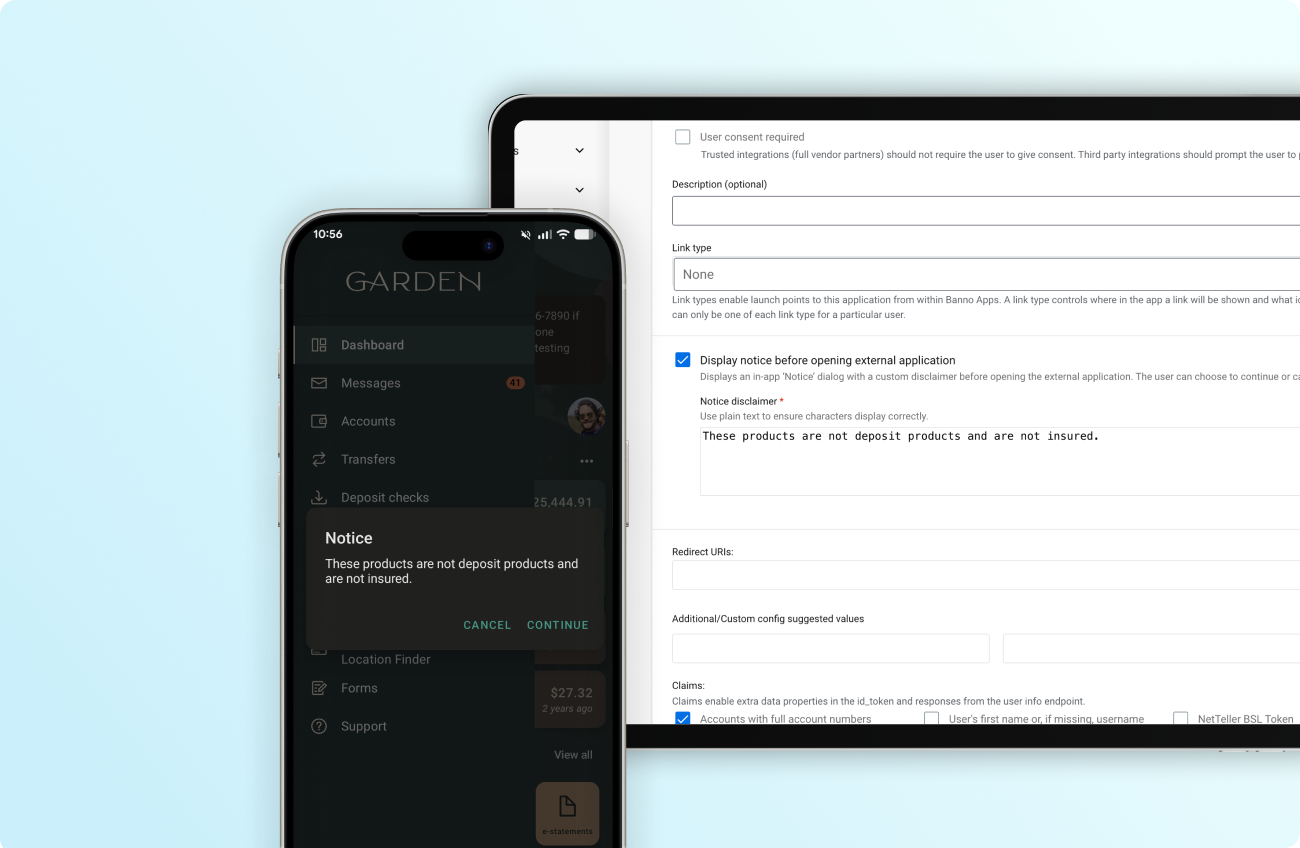
As discussed last month, your financial institution will soon have the option to let accountholders know when they’re navigating to any external application you think deserves a “speed bump” message.
When configuring any external application (via Users & Groups in Banno Admin), your authorized staff will be able to select the Display notice before opening external application checkbox and enter a message in the text field. Accountholders will then see that message presented as a speed bump after clicking the external application link in Banno.
For configuration details, please see our External Applications documentation on the Knowledge Base.
Jack Henry Wires: Saved Views
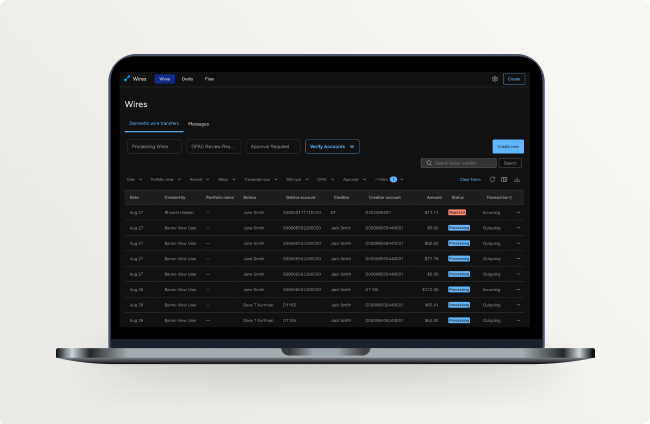
Jack Henry Wires Saved Views makes it easier to access the wires and wire messages that matter most to your administrators. Now you can select filters and save them as reusable views, letting you quickly switch between different filtered views and pick up where you left off without losing your filters.
There are four initial preset views – Processing Wires, OFAC Review Required, Approval Required, and Verify Accounts. You can also create additional personalized views with your preferred combination of filters! Check out our documentation for more information.
Up next on this front? Soon, we will work on giving your admins the option to create unique preset views and display them for specific employee groups. Currently, each custom view is only accessible to the user who created it. There’s no timeframe to share yet, but you can bet we’ll provide updates as this follow-up enhancement progresses.
Loan Number Generator: It’s Almost Here!
Driven by IdeaLab feedback that tells us this feature is in high demand, we are working toward making seamless core connectivity a reality for LoanVantage customers!
Our new Loan Number Generator feature eliminates manual entry errors, enforces consistent formatting, and significantly reduces application friction by generating a unique identifier directly within your workflow.
The first iteration of our new Loan Number Generator module focuses specifically on the successful integration and call handling between LoanVantage and the SilverLake core, but support for Symitar and other Jack Henry and third-party core systems will follow.
We’ll be rolling this out in the coming weeks, so keep your eyes peeled for a formal announcement!
Mobile App UX Design Evolution
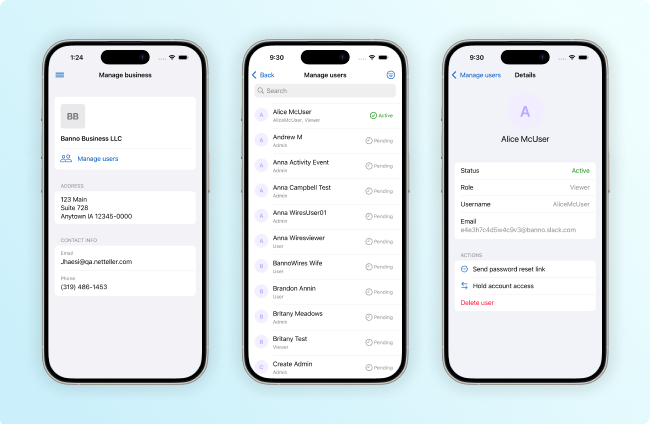
Our Banno Mobile 3.38 release will start to wind down our UX Evolution journey for iOS. As you’ll see below, our Android team ran into some additional work to finish before pushing hard toward fully implementing Google’s updated Material Design 3.
Important: When we enable Liquid Glass for Banno Mobile on iOS, we will also set the minimum supported OS version to iOS 26.3. This change may occur as soon as our Mobile 3.39 release; however, we will keep you posted on timing and provide advanced notice beforehand.
iOS App
Your Banno Business users will see numerous screens modernized in Mobile 3.38. And retail users will see updated UX designs for Remote Deposit Capture (RDC) screens and the Transactions landing screen, which will adopt the new list style.
Specifically, we will update the following screens in 3.38:
- Banno Business screens
- Manage business landing screen
- Manage users landing and details screens
- ACH landing
- ISO Wires landing and details screens
- Positive pay landing and details screens
- Retail screens
- Deposit checks landing and details screens
- Transactions landing screen
For additional details and multiple screenshots, please see our iOS App UX Evolution Knowledge Base article.
Android App
Our Android team is continuing internal work (on features that will be included in upcoming releases) to better understand the requirements of designs going forward. While accountholders won’t see UX evolution updates in 3.38, this work will help set us up to increase the pace of screen modernization in coming releases.
Stay tuned to our Android App UX Design Evolution doc for more updates soon.
New Activity Events for Unified Identity Service
Today, whether the action is taken by a Banno end user or a Unified Identity Service end user, all events related to authentication and profile activity are lumped together under the same Activity event filters (User > Authentication and User > Profile). We recognize that this isn’t ideal for reporting purposes.
To mitigate this, Unified Identity Service will soon become an events publisher for Jack Henry Enterprise Events Service. This will initially include events for any updates end users make to their Recovery Phone and Recovery Email fields for now, but we will continue adding events incrementally.
More information to come – once we’re ready to share release timing and specific event names.
Jack Henry Rapid Transfers: Webinar Updates
Jack Henry Rapid Transfers are making a powerful impact for our financial institutions and your accountholders, and we want to be certain that your bank or credit union knows all you need to know about the feature. Therefore, in addition to our recurring Office Hours, we’ve scheduled a couple of important one-off webinars – one on compliance considerations and another on driving adoption.
A Deep Dive into Compliance: Jack Henry Rapid Transfers
Navigating the regulatory landscape for faster payments doesn’t have to be a roadblock for your institution. Join our upcoming compliance-focused session to gain actionable strategies for managing regulatory considerations, streamlining compliance, and strengthening your fraud mitigation framework for Jack Henry Rapid Transfers.
The webinar is on Thurs., Sept. 3, 2026 at 11:00 a.m. CT. Save your seat!
Editor’s Note: The start time of the webinar was corrected on Tues., Sept. 1.
Real-World Rapid Transfers
Missed our Real-World Rapid Transfers webinar on August 5? Or maybe you just want to revisit some of the valuable insights shared during the session? We got you covered! You can catch the recording to hear Jack Henry experts and financial institutions share rollout successes, simple activation steps, and deposit-driving strategies – including how you can easily leverage the free promotional campaign available through the Jack Henry Marketing Center.
The session was packed with actionable takeaways on how this feature transforms the experience for both institutions and accountholders. Mark Gandy, CIO at DOW Credit Union, captured the core benefit best: “It’s not just about moving money faster. It’s about solving some of the timing and convenience problems.”
Unlock Rapid Transfer Insights today!
Session Inactivity for Banno Admin
Previously, Banno Admin required your employees to reauthenticate by starting a new session after 30 minutes of inactivity. This 30-minute session inactivity timer was implemented as a security measure that was effective at preventing security attacks such as session hijacking.
Recently, we updated the Banno Admin inactivity settings to match that of Jack Henry Identity, due to the robust protections our Identity authentication framework offers. Sessions now remain active for 24 hours (as of June 2026) rather than forcing users to continually ensure their session remains active – since that’s no longer necessary, we also removed the dialog that used to prompt users after 29 minutes of inactivity.
Driving Tap2Local Adoption: Upcoming Webinar
Discover how leading financial institutions are driving Tap2Local adoption and growing merchant services. In this one-hour webinar, you’ll gain actionable strategies to identify high-potential merchants, equip staff with practical resources to support business clients, and leverage proven marketing materials to increase adoption and drive growth.
We’ll preview the event during the Sept. 11 Digital Banking Meetup, with registration details available on the For Clients Portal and via email invitation later in September.
Save the Date: Tues., Sept. 29, 2026 at 2:00 p.m. CT
Registration opens soon. Secure your place on the attendee list early by emailing “Save my seat” to MarketingCenterSupport@jackhenry.com.
Tap2Local + Rapid Transfers Office Hours
Engagement is still high for our recurring Tap2Local and Jack Henry Rapid Transfers Office Hours, and our SMEs from both Jack Henry and Moov are happy to keep these interactive sessions rolling! If you have questions or enhancement suggestions, we’d love to hear to them.
Please register today for these upcoming sessions:
- Tap2Local: Wed., Sept. 2 at 3:00 p.m. CT
- Rapid Transfers: Wed., Sept. 16 at 3:00 p.m. CT
Heads up: We won’t be holding these Office Hours during October, because we will be deep in preparation for Jack Henry Connect. But we look forward to seeing you for Office Hours again in November. Stay tuned to the Statement for details and registration links.
Treasury Management Back Office v2 Is Live!
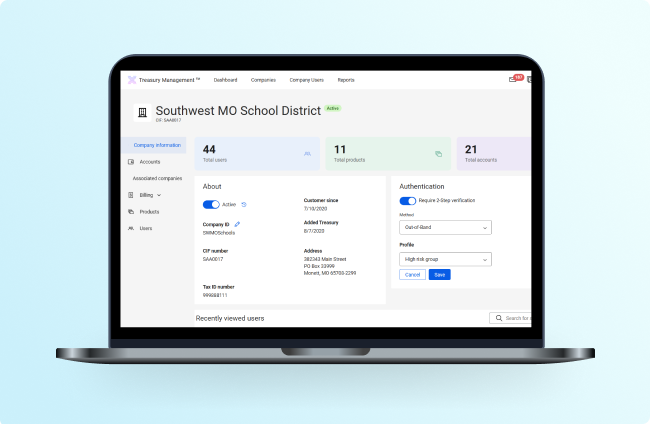
We officially launched the redesigned Treasury Management Back Office (TMBO) user experience on Friday, August 14. The updated experience is designed to offer a more intuitive, efficient workflow while aligning TMBO with the broader JH Digital platform strategy, paving the way for greater consistency across products and faster adoption of features.
The legacy interface will remain available as a fallback option through October 1, giving users time to transition. As with any major platform transition, our teams are hard at work resolving issues being reported by Treasury Managment banks during the rollout. We will continue to leverage office hours and SLAs for ongoing communication.
Treasury Management Office Hours
Don’t miss our upcoming Treasury Management Office Hours! Register now for all scheduled sessions. We won’t ask you to plan too far into the future, but here are dates and times for our next three:
- Mon., Sep. 28, 2026 10:00 a.m. CT
- Mon., Oct. 26, 2026 10:00 a.m. CT
- Mon., Nov. 23, 2026 10:00 a.m. CT
Our Treasury team looks forward to seeing you there.
Upcoming Meetups
We hope to see you at the next round of these long-standing, recurring meetups:
- Developer Office Hours: Tues., Sept. 8, 2026 at 11:00 a.m. CT
- Digital Banking Meetup: Fri., Sept. 11, 2026 at 11:00 a.m. CT
- Product Security Meetup: Wed., Nov. 4, 2026 at 3:00 p.m. CT
Be sure to save your spot today!
Updated Documentation
When you visit the Knowledge Base (or our Wistia demo channel for the Tap2Local demo linked below), be sure to check out some of the more notable pieces of documentation we added or edited during August:
- Tap2Local Payment Links Demo: We’re happy to share a new demo video showing the payment links functionality of Tap2Local.
- Bulk Deleting ACH Batches: The Knowledge Base has a new section dedicated to bulk deleting ACH batches in Banno Business.
- Treasury Management Consulting Services Overview: We created an overview document that dives into Treasury Management’s new Micro Engagement Model for Consulting Services.
Reminder: Due to browser behavior beyond our control, some PDF links may open directly in this same browser tab.
UI Enhancements
Early this September, you’ll notice some nice user interface (UI) enhancements to the Knowledge Base. Especially noteworthy is that we will begin adopting elements from Forge™, Jack Henry’s design system.
Here are a few highlights of the UI enhancements to expect:
- Improved search functionality: We’re launching a few key improvements to our search, from better results descriptions to search query highlights and tag lists.
- Enhanced navigation experience: Opening and closing the primary navigation menu now offers better interactions, easy-to-use accordions, and color highlights.
- A better mobile experience: We’re deploying sweeping updates to our mobile experience that address menu interactions, content card sizing, spacing, and much more.
- Animated hover states: Certain components (such as card callouts) now have handy animated hover states.
Jack Henry Insights Is Rolling Out!
Ready for the next chapter of reporting in Banno? We are so excited to turn the page with a go-forward Jack Henry Platform product – Jack Henry Insights!
Insights is a reporting and visualization tool designed for high-level, user-friendly reporting anyone at your financial institution can use. Not only does Insights include a number of report templates to help you get started, but you can also create your own with queries unique to your curiosities.
Initially, the following datasets are supported, and so many more are on the way:
- Activity and App Usage
- Bill Pay
- Remote Deposit Capture
- Conversations
For more information on Insights, and how to set up your users when the time comes, check out our Knowledge Base. Take note that Platform permissioning works a little differently than Banno, so you will want to read those details as well. For a more thorough walkthrough of Jack Henry Insights, please reference our Help Center documentation.
You may be wondering, “What about Banno Reports?” You can rest easy knowing that Banno Reports aren’t going anywhere, anytime soon. You’ll be able to continue leveraging those reports and CSV exports. Over time, we will be ensuring all current reports are available in Insights, at which time we’ll communicate more about next steps with the Banno Reports app.
Insights will begin rolling out to all Banno institutions starting in mid-August, and should be complete within just a few weeks. There is no contract nor support ticket necessary.
ACH Bulk Delete
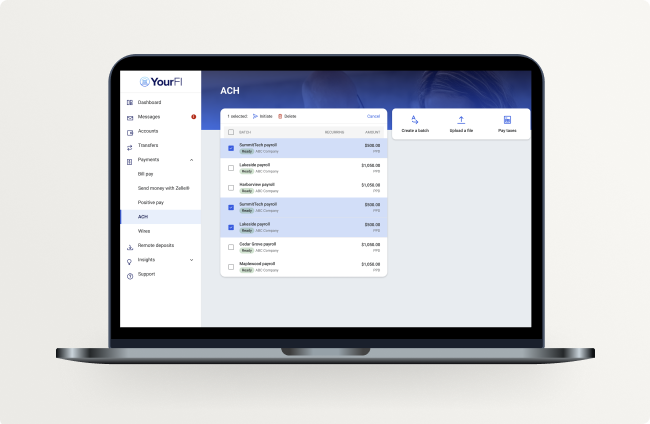
Banno Business users will soon be able to select and delete up to 10 ACH batches simultaneously from their batch list. Delivering this bulk delete feature for ACH will eliminate the current need to clear out accidental duplicates or outdated files by clicking through a tedious, one-by-one deletion process.
This update will remove that administrative friction, allowing commercial clients to tidy up their workspace in seconds. With this feature, your finanicial institution will deliver a self-service cleanup tool, reducing the volume of support calls for your staff.
Once the feature has passed testing and is ready for prime time, we will roll it out to all Banno Business customers – no additional contract or support ticket required.
August Mobile Release Update
As we move through several critical development efforts, as well as ongoing work to adopt the new native design systems, we’ve made the decision to adjust our normal release cadence for this next cycle.
Rather than delivering our upcoming Mobile 3.37 release in early August, we are shifting that release so we can incorporate a set of important changes – some of which we will deliver with Mobile 3.37 and some with Mobile 3.38.
We anticipate that the 3.37 release will be delayed by about two weeks. The 3.38 release should then follow on the normal cadence, so that will likely hit the App Stores in early September. Please be aware that this will result in a shorter window between the 3.37 and 3.38 releases than normal.
As always, we’ll keep you informed of any other changes to our release cycle – either here in the Statement or via SLA – and will publish our standard Release Notes on the For Clients Portal once the builds are finalized.
Commercial Insights Summit
Interested in financial spreading and risk management excellence? Check out Jack Henry’s Commercial Lending Insights Summit, coming up on September 16-17, 2026 in Dallas. This comprehensive two-day event for both banks and credit unions features in-depth presentations by industry expert Richard Hamm and discovery sessions that will let you influence the future of commercial origination at Jack Henry. Learn more or register today on the event page.
DDA Interest Display for Treasury Management
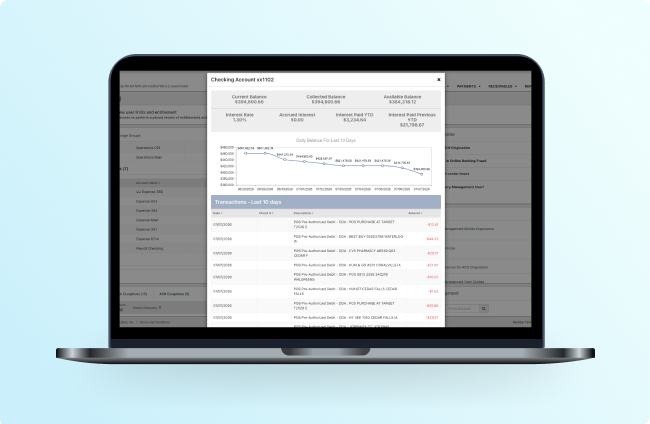
Based on the popularity of an IdeaLab request, we gave you Loan Interest Rate viewing last year. Thanks to another popular IdeaLab request, now it’s time to deliver the same for Demand Deposit Accounts (DDA)! Deposit Interest Display is coming to Treasury Management at the close of business on August 11. This is a baseline change that cannot be disabled, so you’ll want to be sure that your customers are aware of the changes headed their way.
This enhancement will surface these new fields in the Accounts widget (Details) as well as Account Transactions to help your Treasury users better understand their interest:
- Interest Rate
- Accrued Interest
- Interest Paid YTD
- Interest Paid Previous YTD
We will also send a follow-up SLA once this feature is live!
Developer’s Corner: Making Sense of OAuth and OpenID Connect
The Authentication Framework is built on open standards like OAuth and OpenID Connect (OIDC). They’re foundational technologies for developers, but some of the concepts can be difficult to grasp if you’re new to authentication and authorization.
We’ve sourced some fantastic, short videos from across the developer community. They do a great job of breaking down complex ideas into engaging, bite-sized pieces.
We’ve linked to these videos as external resources on our External Resources page, so folks can dive deeper or just get a fresh perspective on the topics.
Stay On Our Corner!
You probably noticed the rebrand for this recurring Statement article, from Toolkit Corner to Developer’s Corner. Not to worry – this is still the right place to see regular updates, tips, and guidance from your trusted Developer Relations team.
So why change the name? With the recent shift from the Banno Toolkit to the Banno SDK, it makes sense for the Statement updates to shed the “Toolkit” moniker moving forward. As such, if you visit previously published “Toolkit Corner” articles, you’ll notice that we’ve added the “Banno SDK” tag; however, rather than rewrite history completely, we’ve left the name of the older articles in tact.
Exception Manager for Rapid Transfers Widely Available August 11
Following the launch of Exception Manager for SilverLake banks, we are excited to expand availability to all other Jack Henry foundational cores (Symitar, Core Director, and CIF 2020) on Tuesday, August 11!
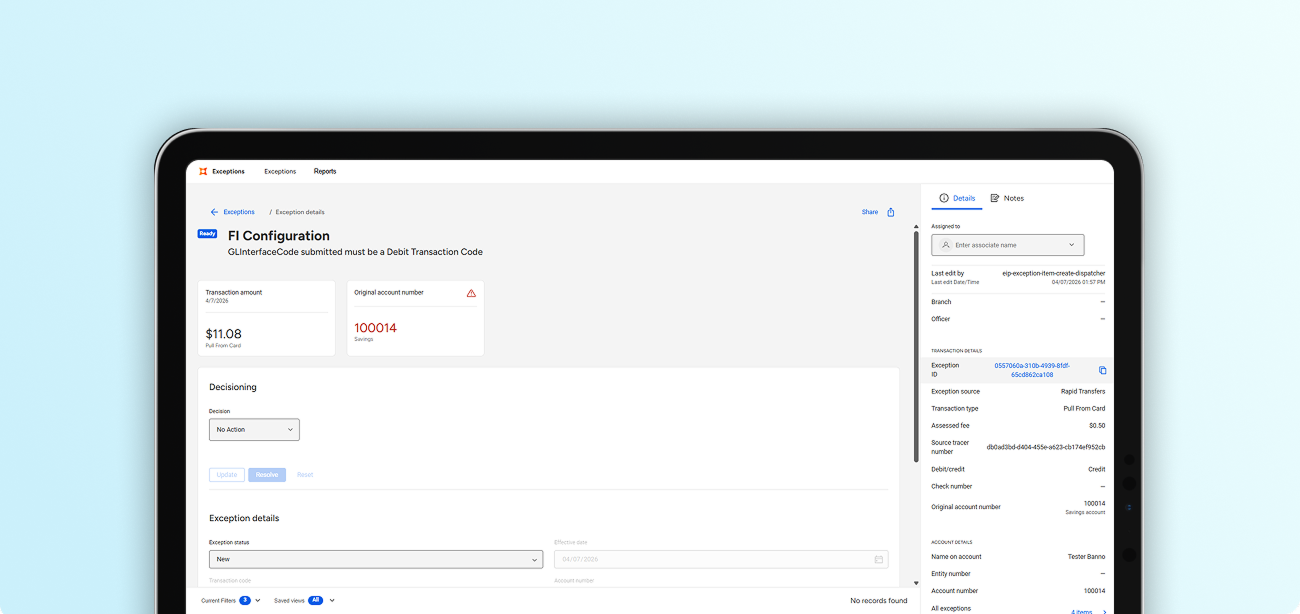
As a quick recap, Exception Manager helps streamline the process of handling Rapid Transfer exceptions – which we should note are rather rare – by giving your team clear decisioning options right within Banno Admin.
Authorized admins can manually post the exception or retry it with ease. Furthermore, Exception Manager uses detailed transaction types to clearly explain which part of the transfer failed, empowering your staff to resolve issues efficiently without additional, unnecessary postings to your General Ledgers.
Here’s a bit more detail on what to expect:
- Setup: To access the tool, administrators must enable the Platform icon (so it displays in the main navigation) and create a JH permissions set and JH Platform group for Exception Manager. For complete instructions, please reference this guide on the Knowledge Base.
- Training: After logging in via the For Clients Portal, you can access the Overview of Exception Item Manager for Rapid Transfers eLearning module on Jack Henry University.
Update on the FDIC-Required Display Changes
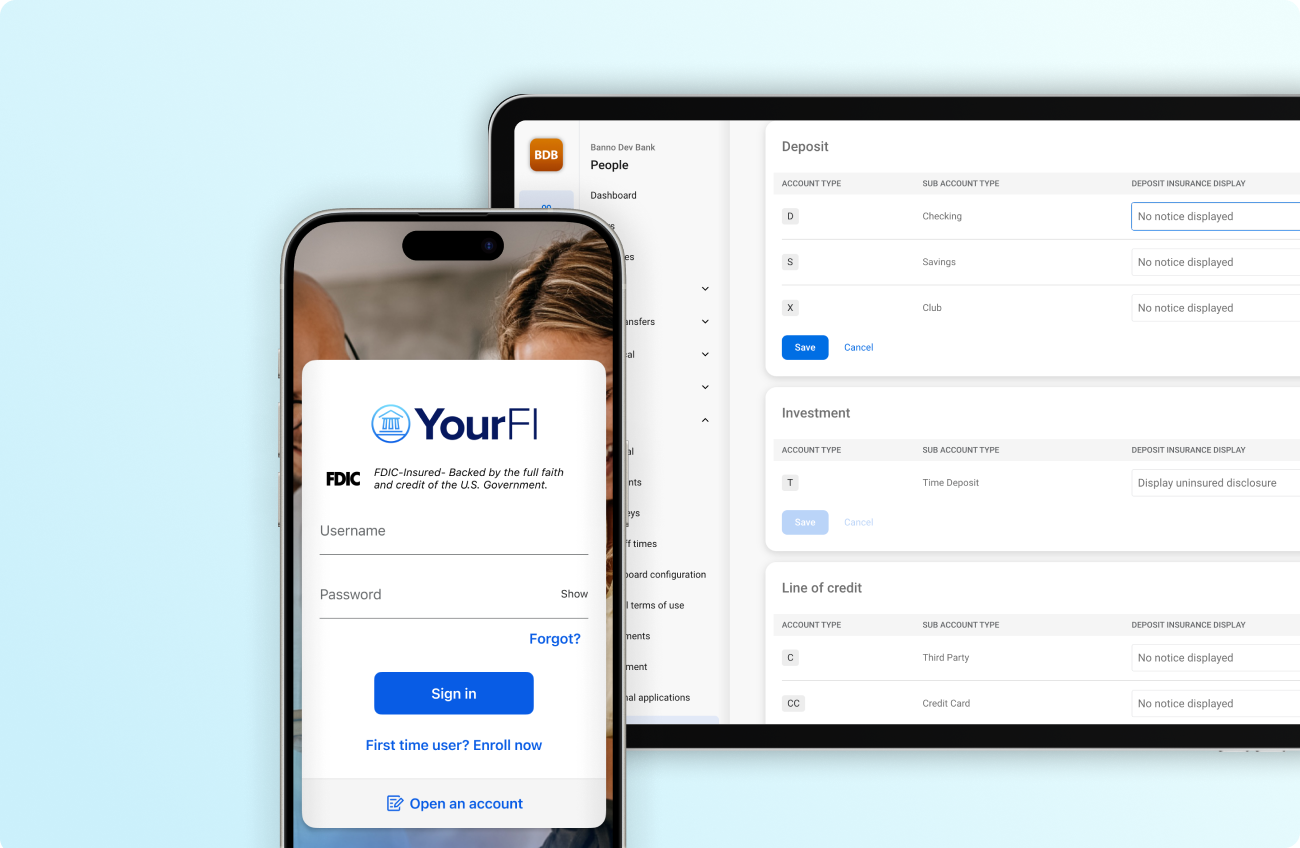
Now that the dust seems to have settled on the final rule from the Federal Deposit Insurance Corporation (FDIC) regarding logo display and designation of non-deposit products, we’re hard at work implementing the requirements and preparing for rollout this fall. Rest assured, we plan to implement all required changes well ahead of the updated April 1, 2027 compliance date.
Banno International Wires Setting at the Organization Level
Last July, Banno Business introduced support for International USD wires with a global institution entitlement. This month, we’ve enhanced the experience with more-granular control! Your authorized administrators can use the new International wires permission to control who has the option to transmit international wires. For more information, check out our Knowledge Base documentation.
Important: Access to the International wires permission also requires enabling the institution-level International Wires entitlement. If your financial institution has already had this turned on, there is no further action required. If you’d like us to enable the institution-level entitlement, just submit a support ticket, and we will get you squared away.
Jack Henry Wires Comments: Available Now
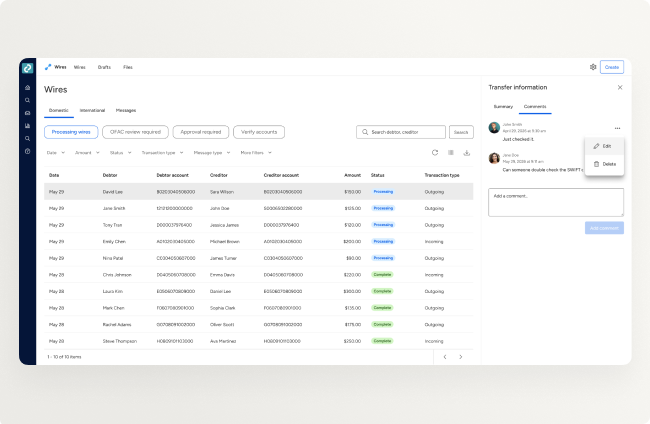
Earlier this week, we released Wire Comments, which gives your authorized staff the option to – you guessed it – add internal comments to a wire without leaving the Jack Henry Wires user interface.
In case you’re wondering about the related wire attachments feature mentioned in the June Statement, we encountered a slight hiccup in testing and are working on resolving it before releasing the feature. As always, we will keep you updated on our progress in future Statements!
Note: Please be aware that comments are purely for internal communication purposes and will not be transmitted to the Federal Reserve or your accountholders.
To discover how you can begin utilizing this feature, please reference our Knowledge Base documentation for more information.
Jack Henry Wires Digital Integrations
In our May 2026 Statement, we announced our work to integrate Jack Henry Wires with both Treasury Management and Banno Business for SilverLake. This integration allows for wires digitally initiated in these experiences to automatically show up for processing within Jack Henry Wires.
Note: This functionality already exists for Banno Business credit unions.
Earlier this month, we completed our Treasury Management integration and started closed beta testing. While we’re still developing our Banno Business for SilverLake integration, it’s not far behind, and we anticipate closed beta testing for that integration will begin soon.
As always, we’ll continue to keep you updated on our progress in future Statements.
Find General Ledger Account for Jack Henry Wires: Available Now
We’ve expanded the Find Account feature in Jack Henry Wires! In addition to customer or member accounts, users can now search for general ledger accounts when creating a wire, helping streamline wire creation and reduce manual entry for required debtor fields.
To dive deeper, visit our Knowledge Base for details on feature functionality.
Mobile App UX Design Evolution
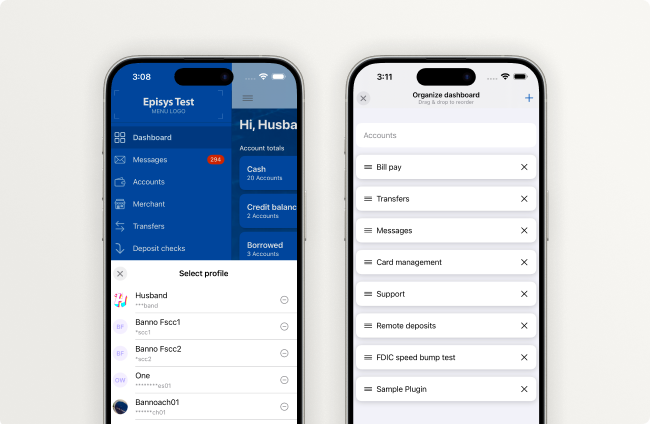
Our Banno Mobile 3.37 release will mark significant advancement in our UX Evolution journey, and your end users will start to notice elements of Apple’s Liquid Glass design system and Google’s updated Material Design 3 implemented more widely (though not entirely) throughout the apps.
To learn what you can expect in the upcoming release, hop over to our Mobile App UX Evolution Knowledge Base docs for an even closer look.
iOS App
On iOS, Mobile 3.37 will include a new, expanded color palette system that leverages your financial institution’s brand colors plus the native Liquid Glass palette. This will let us follow Apple’s recommended color usage guidelines (including important ADA considerations) while also expanding the system colors to fully harmonize with the brand your accountholders recognize – yours!
Here are the specific screens – further described on the Knowledge Base – that we plan to update in Mobile 3.37:
- Menu
- Account landing and details screens
- Transaction details
- Bill pay landing, Payment details, and Payee details screens
- Self Service Forms landing
- Messages landing
- Dashboard screens
- Settings screens
Important: To see many additional details and images so you fully understand the upcoming changes, please visit our iOS App UX Evolution doc on the Knowledge Base.
Android App
On Android, Mobile 3.37 will introduce an updated flow for High risk authorizations. Your end users will see the new design on the Recently used devices screen only; all other screens will use the existing style.
Learn more about these and other upcoming changes in our Android App UX Design Evolution Knowledge Base article.
Beneficiaries in JHA OpenAnywhere
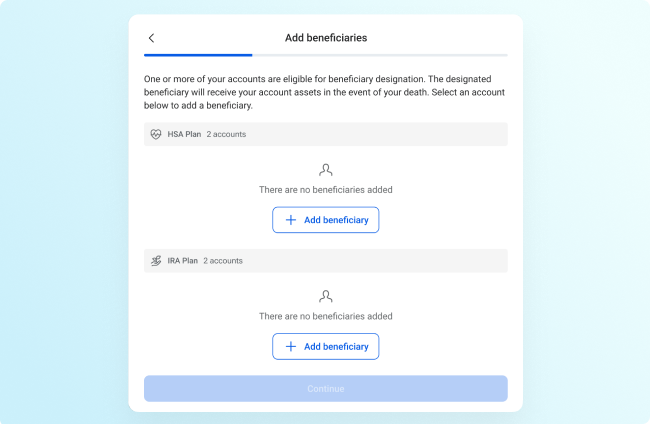
Know Your Customer rules have made it tricky to offer beneficiary enrollment in the past, but now your applicants can designate beneficiaries within the OpenAnywhere account opening workflow.
We’re wrapping up the beta testing and will be rolling this out on a per-core basis as it becomes available. Stay tuned for more updates!
Internal Transfers in JHA OpenAnywhere: Available Now!
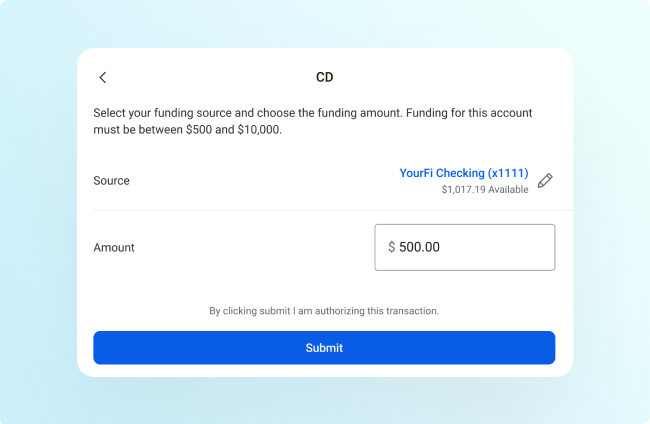
Remove friction from the new account funding process with the new internal transfers feature of OpenAnywhere. Active checking, savings, and time deposit accounts can be designated as potential funding sources for internal transfers, though banks and credit unions can choose to limit the account types displayed at your own discretion.
Support for this highly anticipated functionality is live for all Jack Henry core systems, so open a support case if you’d like to join the queue for implementation.
Tax-Favored Accounts in OpenAnywhere: We Need a Symitar Beta Partner
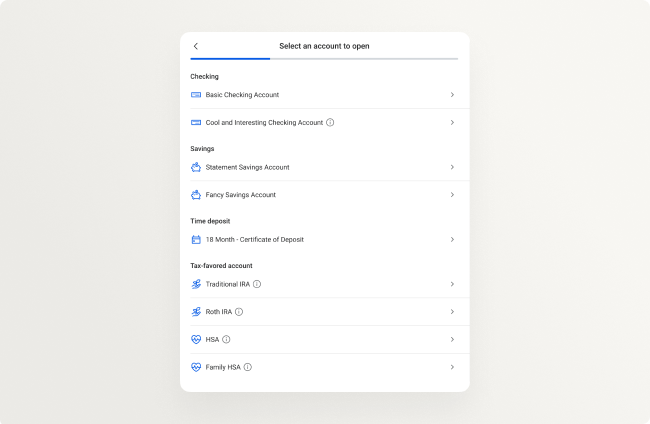
Help us break through the sheer volume of rules surrounding tax-favored accounts (TFAs) with support for Individual Retirements (IRAs) and Health Savings Accounts (HSAs) inside OpenAnywhere!
This functionality is currently in beta with SilverLake, CIF 20/20, and CoreDirector banks, but we’re looking for a Symitar OpenAnywhere customer to help us test this new feature that will make it easier than ever to increase deposits and deepen accountholder relationships. Please reach out to Senior Product Manager Kevin Campion if you’re interested in participating.
Banno Positive Pay Payee Name Field
We understand that uploading a file of issued items or manually entering a check can be frustrating if your Banno Business users cannot enter their payee information precisely as it’s stated on the check itself. Therefore, we have updated the related Payee field to now accept up to 80 characters (expanded from 35 characters) for better alignment and fewer exceptions.
This update went out in the SilverLake and CIF 20/20 R2026 release. Once your bank recieves that release, this functionality will automatically become available to you. No further action or support ticket is required.
Rapid Transfers: CSV Export for Settlement Reports
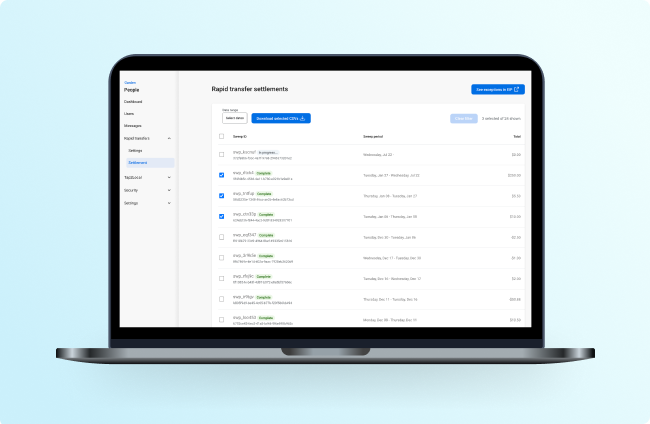
As you hopefully read in the Release Notes published on July 14 (on For Clients Portal), your authorized administrators can now export comprehensive Settlement reports as CSVs that include the same data displayed in Banno People.
They can also pull the exported CSV into whatever tool or process your financial institution uses to manage settlement. In short, now people can skip the time they used to spend manually copying and pasting that data!
While working with these reports, your staff will be glad to see that we expanded the reporting window from 7 days to 90 days. That change is intended to help you address less-common cases that require reviewing data that’s more than a week old.
No additional contract or support ticket is required for either of these feature updates. Both are already live and available for use.
Rapid Transfers: Upcoming Webinars
The demand for faster, more convenient money movement continues to grow. Join our upcoming webinars and learn how to drive adoption, master compliance, and maximize the value of Jack Henry™ Rapid Transfers at your institution.
Real-World Rapid Transfers
Curious how other financial institutions are driving adoption? In our Real-World Rapid Transfers webinar (announced last month), you’ll hear how your peers are successfully rolling out Rapid Transfers and learn how to leverage a free promotional campaign available through the Jack Henry Marketing Center™.
A Deep Dive into Compliance: Jack Henry Rapid Transfers
In this compliance-focused session, attendees will gain a deeper understanding of the regulatory landscape, compliance considerations, and fraud mitigation strategies for implementing Rapid Transfers.
Don’t forget to save your seat and mark your calendars:
- Real-World Rapid Transfers: Wed., Aug. 5, 2026 at 1:00 p.m. CT
- A Deep Dive into Compliance: Thurs., Sept. 3, 2026 at 1:00 p.m. CT
Sort ACH Recipients
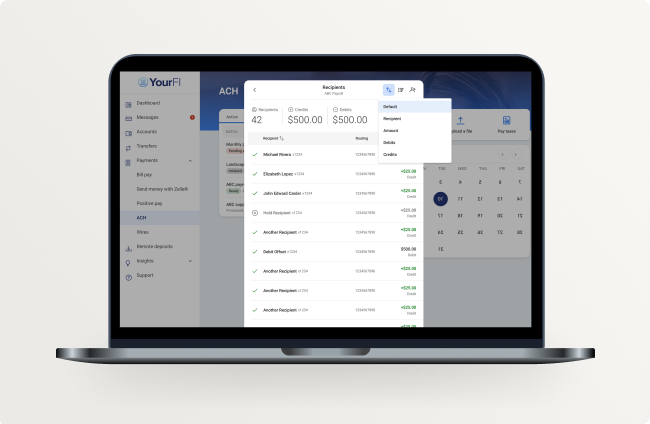
Banno Business users can now sort recipients within any payment batch by name, amount, or transaction type (credit/debit). This feature, which was highly requested via IdeaLab, is live and ready for your commercial accounts!
For your business clients, this eliminates the frustration of scrolling through disorganized lists. Users can now align the digital layout with their internal spreadsheets, making it faster to edit batches and verify totals. By matching their existing workflows, this feature directly reduces costly manual entry errors, such as applying funds to the wrong vendor or mistakes in payroll.
Whoa There! Speed Bumps for External Applications Are Coming
If you have a need to make your accountholders aware when they’re navigating to certain external applications, you’ll soon have the ability to do so. We’ve made it as easy as a checkbox and free-form text field on any given external application, giving your team complete control over which applications this applies to as well as the message you need to pass along.
You can learn more about configuration and nuances associated with Plugins on our Knowledge Base.
While this was designed to satisfy the FDIC’s final rule regarding disclosure of non-deposit accounts, we’ve implemented it in a generalized way to be used by any institution.
This will roll out to all institutions in the coming weeks, at which point your users with access to External Applications configuration will be able to add these speed bumps as needed.
Tap2Local Updates
We’re giving Tap2Local merchants even more control over how they collect payments and stay informed on daily business activity with two major updates – User-Defined Payment Amounts and Customizable Notifications.
We also want to provide an update regarding merchant eligibility.
Merchant Eligibility
Recently, we identified better ways to help discover eligible merchants for Tap2Local enrollment. We did not anticipate the level of engagement that we would see, which was great, but we definitely wanted to give you that same awareness so you could be on the lookout for inbound inquiries from your accountholders.
Going forward, we will make sure to notify you before we make any major adjustments to how we discover eligible merchants, so you and your teams have a heads up! Because embedding these features is a new experience we’re creating, we appreciate the feedback you’ve shared, as it helps us continue to iterate how we deliver these enhancements to you.
Reminder: If you ever see a merchant who you do not want to have access to this functionality, admins can modify their access in Banno People.
User Defined Payment Amounts
Merchants will soon have the option to generate flexible payment links and QR codes that let the buyer set the final transaction amount rather than requiring the merchant to configure the price. This is ideal for non-profit donations, open-market retail, or custom invoice balances. While the buyer sets the total, funds will still flow securely through the Moov Wallet and follow the standard next-day settlement process.
Customizable Notifications
Soon, Tap2Local merchants can directly control the notifications that matter to their businesses! Once released, the new notification system and customizable settings suite will give merchants real-time oversight of these critical business activities:
- Enrollment alerts
- Transaction and payment link alerts
- Disputes
- Settlement alerts
- Tap2Local service updates
- Document availability
To see everything else that’s coming down the pike for Tap2Local, keep your eye on our Tap2Local Evolution Knowledge Base page.
Tap2Local + Rapid Transfers Office Hours
Please swing by our Tap2Local and Jack Henry Rapid Transfers Office Hours, featuring experienced SMEs from both Jack Henry and Moov. We’d love to hear about your experience to date, answer any questions, and collect any ideas you have for future enhancements!
Register now for our upcoming sessions:
- Tap2Local:
- Wed., Aug. 5 at 3:00 p.m. CT
- Wed., Sept. 2 at 3:00 p.m. CT
- Rapid Transfers:
- Wed., Aug. 19 at 1:00 p.m. CT
- Wed., Sept. 16 at 1:00 p.m. CT
Tokenized Money Office Hours
If you haven’t heard, heads up that our product, strategy, and engineering leaders are hosting recurring Tokenized Money Office Hours, where they discuss the direction of all tokenized money (such as stablecoins). Please join us for their important insights and to see demos of the software – including previews of in-flight work – that will help your bank or credit union bridge across crypto and fiat monetary systems.
Register now for the two sessions remaining in FYQ1:
- Tues., Aug. 4 at 12:00 p.m. CT
- Tues., Sept. 1 at 12:00 p.m. CT
The Evolution of Treasury Management Back Office Is Upon Us!
As mentioned in the most-recent Treasury Management Quarterly Meetup, the new Back Office will be live after close of business Friday, August 14. We believe the new experience will provide a more intuitive and efficient workflow, helping users navigate Treasury Management Back Office (TMBO) with greater ease and confidence. In addition to usability improvements, the new architecture aligns with the broader Jack Henry Digital platform strategy.
We will provide updates via SLAs and weekly Office Hours for Back Office! Register for TMBO Office Hours here: Monday sessions | Thursday sessions
Treasury Management Office Hours
Please join our product team for our recurring Treasury Management Office Hours. You can register today for all dates we have scheduled, including these three upcoming sessions:
- Mon., Aug. 24, 2026 10:00 a.m. CT
- Mon., Sep. 28, 2026 10:00 a.m. CT
- Mon., Oct. 26, 2026 10:00 a.m. CT
To fully support your staff as everyone gets familiar with the new Treasury Management Back Office, we’re also hosting special Office Hours for Back Office. Register now for the Monday sessions or Thursday sessions, or join us for all four:
- Mon., Aug. 3, 2026 10:30 a.m. CT
- Thurs., Aug. 6, 2026 01:00 p.m. CT
- Mon., Aug. 10, 2026 10:30 a.m. CT
- Thurs., Aug. 13, 2026 01:00 p.m. CT
New for Treasury Management! Positive Pay Issued Item Modifications
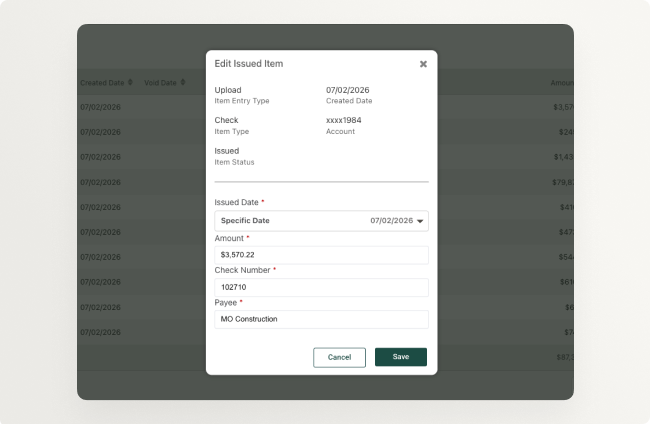
Positive Pay users can now correct any mistakes made when entering issued items, whether it be a check number, amount, or date. This takes the burden of making these corrections away from the bank and puts the power in the user’s hands!
This impactful enhancement was enabled for all Treasury Management banks on Tuesday, July 21. For more information, please visit the Knowledge Base.
Upcoming Meetups
You won’t want to miss our upcoming events in August:
- Developer Office Hours: Tues., Aug. 11, 2026 at 11:00 a.m. CT
- Digital Banking Meetup: Fri., Aug. 14, 2026 at 11:00 a.m. CT
- Product Security Meetup: Wed., Aug. 19, 2026 at 3:00 p.m. CT
We’ll see you there!
Updated Documentation
Head over to the Knowledge Base to read the documentation we added or edited during July!
Here are some of the more notable documentation updates we made this month:
- Domain Configuration Options for Jack Henry Identity: We launched a new page that walks your authorized admins through the process of choosing the authentication method that works best for your unique email domain.
- Jack Henry Identity for LoanVantage FAQ: You asked. We answered – with an extensive set of new FAQs from the most recent Office Hours sessions.
- Jack Henry Identity and EntraID for LoanVantage FAQ: We created a handy new FAQ guide to help those of you with LoanVantage and EntraID navigate the upcoming adoption of Jack Henry Identity.
- Guest Chat for Jack Henry Conversations Overview: Check out our net-new overview discussing the key features of Guest Chat and how it can benefit your financial institution.
- Advanced Guidance for Jack Henry Conversations Overview: We published a net-new overview outlining the benefits of Advanced Guidance, an integral part of the Support Suite for Jack Henry Conversations.
- Jack Henry File Transfer: Check out our net-new product comparison that details the similarities and differences between Jack Henry’s modernized file transfer offering and the legacy MOVEit product.
- State of Jack Henry Platform: We launched a new page that breaks down the latest and greatest with Jack Henry Platform.
- FactorSoft Merge Assistance Feature Overview: Mergers and acquisitions in the factoring industry have created the need for consultative support and a streamlined process when two FactorSoft factoring institutions need to merge databases. This new feature overview outlines how we can help.
Reminder: Due to browser behavior beyond our control, some PDF links may open directly in this same browser tab.
Statement Feedback
We hope you’re loving the new Statement experience. If we can say so without breaking an arm patting the ol’ back, we certainly think it’s a major upgrade. Still, our Statement team is already noodling on ways to continue iterating.
How about you? Are you digging the new experience? We’d appreciate your insights and any ideas you have for further improvements. Please take a minute to complete this short form.
Automatic passkey creation
Passkeys are among the most secure multi-factor authentication (MFA) methods for protecting users from malicious actors; therefore, we are further refining the Banno user experience to ensure broader education and adoption of passkey functionality.
Coming relatively soon, we’re implementing Conditional Create for consumer users of Banno Online who also have credentials saved in a password manager. Once released, when such users successfully log in again, the Conditional Create feature will automatically create a passkey on their behalf – without requiring additional work from the user!
Once the end user’s passkey is created in the browser, that passkey will be available for use anywhere that Banno Online supports passkey authentication, including initial login, two-factor authentication (2FA), high-risk actions (HRA), and account recovery.
This feature is still in the ideation phase, so be on the lookout in future Statements and meetups for more information as the project progresses. For a refresher on passkey functionality on Banno, check out our Knowledge Base doc and our more-detailed passkey guide on the For Clients Portal.
For more insights on Conditional Create, see this post on Google’s Chrome Developers site.
Banno Admin session logout
Now that more products are onboarding with Jack Henry Identity, we’ve implemented Initiated Logout for Banno Admin and/or Jack Henry Identity sessions. When an administrator logs out of any app in Banno Admin (as they normally would), now they see a dialog confirming whether they want to completely sign out of Jack Henry.
The admin has two options:
- Fully sign out: Clicking Fully sign out will end the Jack Henry Identity session entirely, including any sessions related to other integrated products.
- Stay signed in: Clicking Stay signed in will end the session for the specific app from which they initiated logout without terminating the admin’s Jack Henry Identity session as a whole.
The admin can also close out all browsers to end each of their Jack Henry Identity sessions.
Creating businesses with Enterprise Workflow
We are pleased to announce the general release of our new Enterprise Workflow integration for SilverLake bank customers who have Banno Business and Enterprise Workflow (EWF).
This integration automatically generates the NTID and initial business administrator directly through your customized onboarding workflows. By bypassing traditional core NETPAR menus entirely, this enhancement eliminates sync delays, allowing the new business and user to appear in Banno People instantly.
Your team can now finalize Banno permissions and send the user invite without a single moment of downtime, dramatically accelerating your business onboarding timeline. For complete implementation and configuration documentation, please see this Onboarding with Enterprise Workflow Knowledge Base doc.
Digital Provisioning for Mastercard® credit unions and credit cards
It’s here. Digital provisioning for Mastercard credit unions and credit cards is now generally available for all CPS customers.
This has been a long time coming. We hit some real friction along the way, specifically iOS encryption errors that made this harder than it should have been. We worked through it, and we’re glad we did.
Here’s where we stand today: Apple Wallet and Google Wallet are now supported across the board. If you’re a Card Processing Solutions (CPS) customer on Banno, your cardholders can add their cards to either wallet, on both Visa and Mastercard, whether it’s a debit card or a credit card.
We know some of you have been waiting on this. Your members have been waiting too. We’re thrilled to report that the wait is over. To get started with digital provisioning for Mastercard credit cards, please submit a support ticket. If your credit union isn’t contracted for CPS, please contact your Digital Experience Sales Executive to learn more.
Documentation updates
Knowledge Base enhancement
As you dive into our latest documentation updates, you’ll want to know about a handy enhancement to the Knowledge Base – Copy links for headings. Simply hover over any heading (first- through fourth-level headings), click the Copy link icon, and share the link to send someone directly to that heading!
Documentation updates
Here are a few of the docs we’ve added or updated this month:
- Auto-Add Accounts with Enterprise Workflow: Read the new Treasury Management Back Office guide, which walks you through auto-adding accounts with Enterprise Workflow.
- Treasury Management Integrations List: Track our growing list of Treasury Management integrations. We will update this reference list as additional integrations become available.
- iOS App UX Design Evolution: Find newly added details regarding upcoming changes in Banno Mobile 3.36, 3.37, and 3.38.
- Jack Henry Exception Manager: Learn how to configure permissions for Exception Manager in Users & Groups.
- Support Suite for Jack Henry Conversations: Check out an enhanced overview outlining key updates such as the merging of Co‑Browse and Video Chat & Screen Sharing to Conversations’ new name, Advanced Guidance.
- AI Summaries for Jack Henry Conversations Overview: Study the net-new overview discussing the details of AI Summaries, part of the Support Suite for Jack Henry Conversations.
- Consumer Lending in OpenAnywhere Feature Overview: See the new feature overview for Consumer Lending in OpenAnywhere – the first piece of Jack Henry Origination that ties together LoanVantage and OpenAnywhere.
- Jack Henry Identity for LoanVantage FAQ: Prepare for the upcoming move to Jack Henry Identity this July (relevant to LoanVantage customers).
Note: Due to browser behavior beyond our control, PDF links may open directly in this same browser tab.
Exception Manager for Rapid Transfers slated to ship next month
Following our initial announcement in May, Exception Manager is currently on track to land for SilverLake banks on Tuesday, July 14.
As a quick recap of what we shared last month, Exception Manager helps streamline the process of handling Rapid Transfer exceptions by giving your team clear decisioning options right within Banno Admin. Once released, your authorized administrators can manually post the exception or retry it with ease. The feature also uses detailed transaction types to clearly explain which part of the transfer failed, empowering your staff to resolve issues efficiently without additional, unnecessary postings to your General Ledgers.
Here’s a bit more detail on what to expect:
- Setup: To access the tool, administrators must enable the Platform icon and create a JH Permission Set and JH Platform group for Exception Manager. For full setup instructions, please refer to this guide on the Knowledge Base.
- Training: After logging into the For Clients portal, use this link to access the Overview of Exception Item Manager for Rapid Transfers eLearning module on Jack Henry University.
Finally, please note that we also have plans to make this new functionality available on all other foundational cores in the future (we don’t have a timeframe to share yet).
Jack Henry Identity: Federation to Entra ID
Jack Henry Identity now supports identity federation to Entra ID in addition to Active Directory. This allows more flexibility for your financial institution to determine which identity provider works best for your team.
While the added flexibility is an obvious win, it’s also important to understand that this configuration will impact the user experience in various ways. As one example, once federation is configured, all self-service password rules and resets will be handled within Entra ID.
Future enhancement
Jack Henry Identity does not yet support group-mapping for Entra ID, so your administrators will currently need to manage access permissions for each integrated product (such as Banno) in both Entra ID and the integrated product separately. Supporting group-mapping is an enhancement we have on the radar, but there’s no timeline to share yet.
More details and getting started
For additional details pertaining to Entra ID, see our Jack Henry Identity documentation on the Knowledge Base.
If your financial institution would like to implement federation to Entra ID, please submit a support ticket.
Jack Henry Wires
We’re happy to announce a new feature via our Data Hub integration as well as some exciting news about some upcoming enhancements that should ship soon!
Data Hub Integration: Available Now
The Jack Henry Wires History data set delivered by Jack Henry Data Hub now includes near real-time data! Customers with the Jack Henry Wires History data set can now receive near real-time data into your data warehouse. From there, you can then query the data or integrate with other tools for advanced data modeling and further use cases.
Visit our Knowledge Base to learn more about Jack Henry Data Hub and the other data sets it offers. You can also see our JackHenry.Dev documentation to learn more about the Jack Henry Wires data set.
Wire Reports: Coming Soon
We’re in the home stretch with our native wire reporting, delivered through Jack Henry Insights. This functionality will let Jack Henry Wires customers view and create wire reports within Jack Henry Platform back office, using Jack Henry Insights. This feature will come with pre-created wire reports for your financial institution that you can configure and customize in addition to creating net new reports with your wire data.
We’ll announce further details and release timing in future Statements.
Comments & Attachments: Coming Soon
We’re wrapping up development work on our Comments & Attachments feature, which will let your financial institution staff add internal comments to a wire or attach relevant files all without leaving the Jack Henry Wires user interface. All comments and/or attachments are purely for internal communication purposes and will not be transmitted to the Federal Reserve.
We anticipate that this feature will roll out in the coming weeks. Keep your eyes peeled for future Statements announcing this feature’s availability!
Mobile App UX Design Evolution
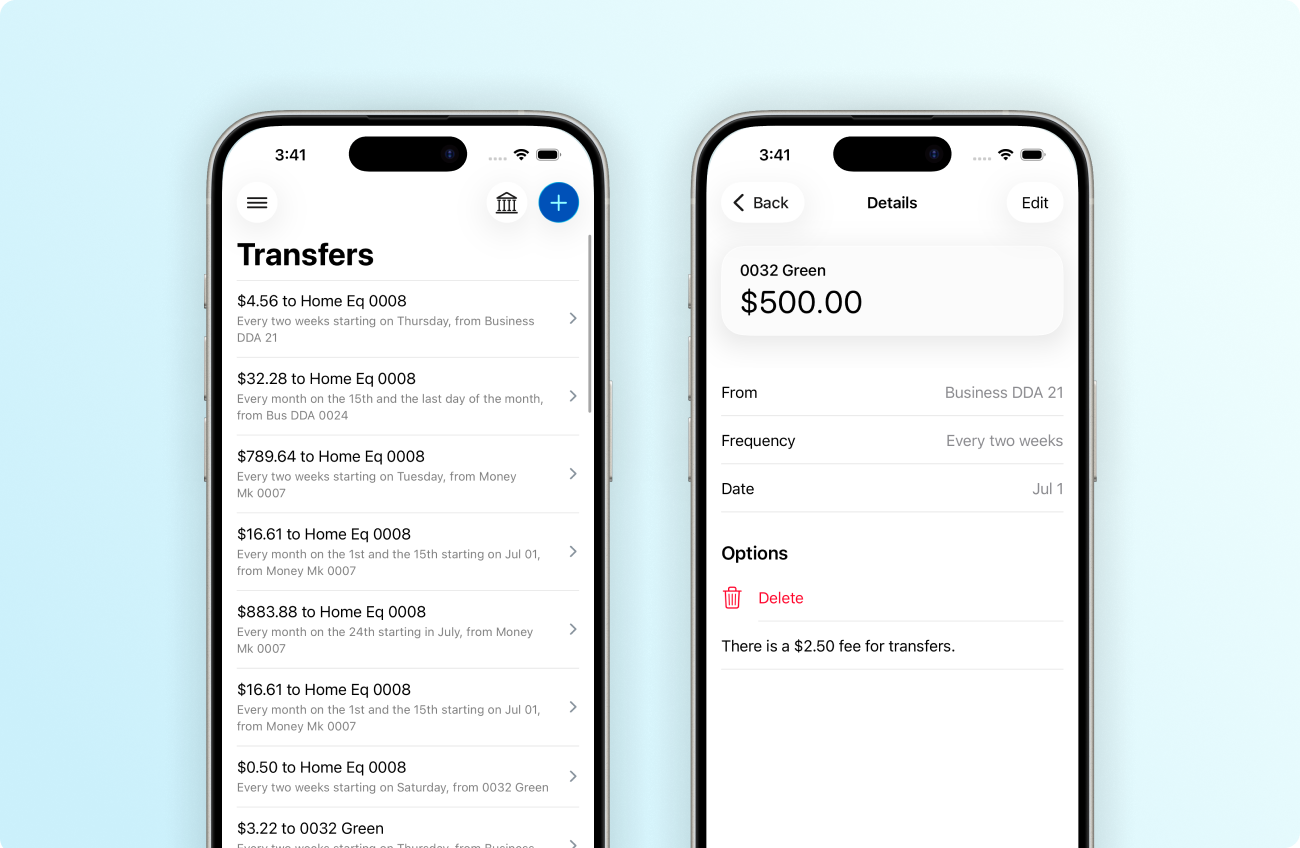
As our iterative work continues progressing toward the complete cutover, later this summer, to Apple’s Liquid Glass design system and Google’s updated Material Design 3, you can follow our user experience (UX) updates and plans on the Knowledge Base – Android App UX Evolution.
iOS App
After upgrading to Banno Mobile 3.36, your accountholders will see that we’ve refined additional money movement forms throughout the app. The animation changes are particularly evident.
These and other updates in 3.36 free us to further extend the app in ways that weren’t previously possible. For example, the app will be able to support more robust deep linking – something that (in the future) we may leverage to implement consumer-facing AI assist functionality or, perhaps, build an integration with the impressive Siri AI experiences Apple announced earlier this month.
In Mobile 3.36, the Scheduled transfers and ACH batch details screens will inherit the same style changes we shipped for Rapid Transfers in Mobile 3.35. The new design reduces visual clutter by swapping boxed cards for a clean, full-width list, improving text hierarchy, and moving action buttons into the top navigation bar to maximize screen space.
For details on the specific screens we’re updating in version 3.36, please reference our iOS App UX Evolution Knowledge Base article.
Android App
With Mobile 3.36 for Android, your accountholders will see a refreshed look on the Alert settings screen, much like the previously released UX changes to the Recently used devices screen.
Additionally, to create a new alert, now accountholders will tap the + button in the lower-right corner of the Alert preferences screen. They will then see the menu of available options. When creating or editing an alert, they should also notice that the details are presented on a full screen rather than the more-compact dialog that previous versions of the app used.
See additional information about what to expect with version 3.36 for Android (and beyond) on the Knowledge Base.
Webinar: Build loyalty by ending the transfer wait
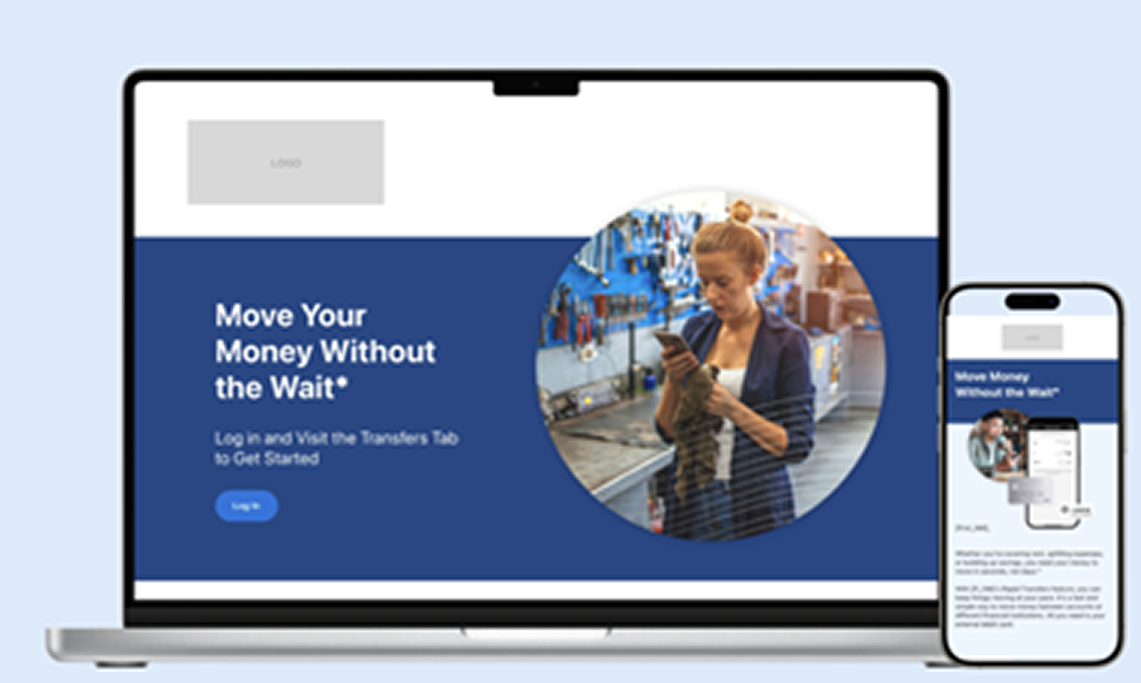
Being a central hub for your users means providing tools that make moving money effortless. With Jack Henry Rapid Transfers, you can help people move quickly and confidently, while strengthening their reliance on your services.
Hear from your peers
Curious how others are driving adoption? Join our upcoming webinar to see how financial institutions are successfully rolling out Rapid Transfers. You’ll also gain practical insights from Jack Henry product experts and learn how to take advantage of a free campaign available in the Jack Henry Marketing Center. Save your seat today.
Stay tuned for what’s next
A new Rapid Transfers campaign is launching next month – complete with ready-to-launch assets designed to boost engagement and keep more funds within your financial institution. From emails and social content to digital banners and more, you’ll have everything you need to promote faster transfers with ease.
Now rolling out: Suspicious and Fraudulent Event Labeling
The ability to flag history events is actively getting rolled out to all financial institutions! Within Banno People and in the Identity app, your designated staff can now flag history events as suspicious or fraudulent as well as add notes to help with any ongoing investigations or to provide context when reviewing past events.
To get started, you just need to grant access to the right staff members by assigning three new permissions – View flags, Manage suspicious flags, and Manage fraudulent flags. The rollout is expected to be complete within the next few business days.
Important: New features released for Identity App are also relevant to customers with Treasury Management, so this update benefits Banno and Treasury customers alike!
Tap2Local: Ever-Evolving
By now, you’re well aware that Tap2Local is the modern, cloud-based payment solution that’s leveling the playing field with specialized fintechs by letting the merchants you serve accept debit and credit card payments right there – in real time! – on their iOS or Android devices.
With this industry-changer now widely available, you may be thinking, “Tap2Local is a solid solution that won’t change much over time,” right? Not by a long shot. Tap2Local is too crucial to your finanical institution’s future for Jack Henry to rest on our laurels. Instead, we’re continually examining new ways that Tap2Local can meet the needs of your small-to-medium sized businesses (SMBs).
The following features and enhancements are either available now or in Building status:
- In-app education during enrollment: Live now, this enhancement ensures that merchants immediately recognize the functionality – and full power – of Tap2Local.
- Add Google Pay support through payment links: Live now, merchants can add Google Pay as a native wallet for Tap2Local payment links, giving Android users a simple, single-tap checkout experience!
- Add notifications & notification settings: Soon, merchants can track crucial business activities in real time with new, customizable alerting options.
- Payee-defined amount for payment links: Soon, businesses and nonprofits can share a payment link or QR code that lets the payer set the price, making Tap2Local the perfect payment solution for fundraising!
- Create and manage recurring payments and subscriptions: This update will let merchants store payment methods at the customer level, so they can automate billing schedules and skip the tedious task of entering card details for every transaction. This will be a seamless addition to the Tap2Local Invoices feature!
To follow progress on the list above, plus the many other Tap2Local enhancements in the works, visit our Tap2Local Evolution Knowledge Base doc.
Tap2Local + Rapid Transfers Office Hours
Do you have questions about Tap2Local or Jack Henry Rapid Transfers? What about enhancement ideas or other suggestions? If so, you’ll want to join our upcoming Office Hours with key experts from both Jack Henry and Moov.
Register now for either session in July:
- Tap2Local: Wed., July 1 at 3:00 p.m. CT
- Rapid Transfers: Wed., July 15 at 3:00 p.m. CT
We’ll see you there!
Tokenized Money Office Hours
Join key product, strategy, and engineering leaders for insights on the direction of all tokenized money (including stablecoins) and to see demos of the software we’re building to help you bridge across crypto and fiat monetary systems.
Register now for any or all of our upcoming office hours during FYQ1:
- Tues., July 7 at 12:00 p.m. CT
- Tues., Aug. 4 at 12:00 p.m. CT
- Tues., Sept. 1 at 12:00 p.m. CT
Toolkit Corner: Enjoy the spoils of victory with Payments Orchestrator
What dovetails perfectly into the Banno Digital Toolkit?
Meet Jack Henry Payments Orchestrator (formerly known as Victor).
We’re helping banks and fintechs work together directly so they can grow faster together. Think: one API for ACH, instant payments, wires, and virtual accounts.
Dive into the docs at JackHenry.Dev
Now available! Targeted messaging to your Treasury Management Company Admin users
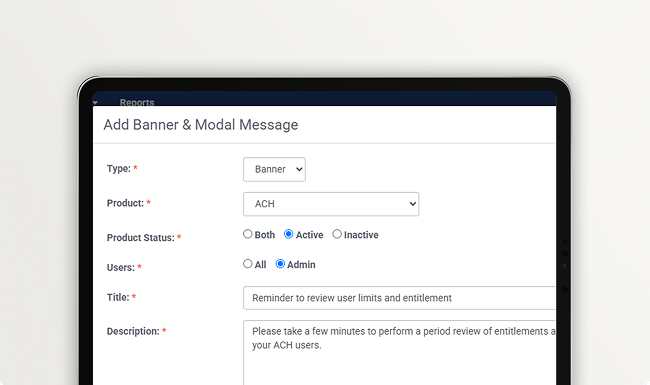
Communication just got smarter! Our Banner and Modal Message solution now features admin targeting, giving banks the ability to segment high-priority messages specifically for business administrators instead of all users.
This targeted approach eliminates digital clutter for everyday business employees while ensuring corporate decision-makers instantly see the compliance updates, system changes, or product offers meant for them. By refining your audience, your bank can drive faster response times on critical action items and elevate the digital banking experience for the entire business.
For additional information, please review our reference guide on the Knowledge Base.
Treasury Management Office Hours
Drop in for our next Treasury Management Office Hours to engage with Treasury product team and learn how this stand-alone platform is providing the solutions your large and/or especially complex businesses need most. You’ll hear about key features available today plus what you can expect from the platform in the short term and long term. Perhaps most importantly, you’ll have the opportunity to ask our experts questions that are pertinent to your bank!
Register today for any or all of our FYQ1 sessions:
- Mon., Jul. 27, 2026 10:00 AM
- Aug. 24, 2026 10:00 AM
- Sep. 28, 2026 10:00 AM
Upcoming Meetups
We’d love to see you for the next round of these recurring mainstay events:
- Digital Banking Meetup: Fri., July 10, 2026 at 11:00 a.m. CT
- Developer Office Hours: Tues., July 14, 2026 at 11:00 a.m. CT
- Product Security Meetup: Wed., Aug 19, 2026 at 3:00 p.m. CT
Welcome to the reimagined Product Statement!
As forecasted in May, the all-new Product Statement experience has arrived. Welcome!
This special-edition 🚀 Launch 🚀 article should give you the lay of the land and help answer some important questions you may have.
First, some insight into the purpose of redesigning the Monthly Statement: While the previous Statement design had served our finanicial institutions pretty well, we’ve been thinking through ways to better accommodate the steady flow of communication you need from our Digital Product and Operations teams (and, fairly often, other teams). The need to evolve has become ever-more apparent as the scope of our Digital team’s product offerings has continually grown. The new Statement experience is designed to help you consume our news more conveniently and efficiently than ever.
Below, you can learn more about the new features, general functionality, and a few user experince (UX) sweeteners the new Statement offers.
Key features and functionality
Here’s a brief summary of the more-notable features and functionality:
- Faceted filtering: Jump to the content most relevant to you with new Article Type and Product filters.
- Modern UX: The clean, responsive design and editorial layout lend well to reading detailed information – whether consumed on desktop, tablet, or mobile device.
- Convenient sharing: The new Copy link feature makes it a cinch to share specific articles.
Prominent callout box
The callout box (with the light-blue background) above the news feed is intended to ensure that you can filter to the content you find most relevant – without missing the news that everyone should see. Examples of ‘featured content’ include minimum version changes, tasks your financial institution must complete, certain meetups/events, and news on breakthrough features (e.g, Tap2Local and Jack Henry Rapid Transfers).
Article Type filters
While we don’t have hard and fast definitions for Article Types, these are the general guidelines we use when determining which to assign each article:
- Coming Soon: Announces an upcoming feature or functionality change OR provides an update on a previously announced feature or functionality change.
- Enhancement: Discusses a released (though, not necessarily enabled) functionality improvement. This is similar to the New Feature tag; however, it is used less frequently and should apply to changes that don’t qualify as full-fledged features.
- Heads Up: Provides new information, an update, or general news that’s not necessarily critical or urgent. We also occasionally use this tag for follow-up details that were discovered after a previous Statement article was published.
- New Feature: Discusses a released (or expected for release within 2 weeks of publication) new feature.
- Reminder: Provides a brief summary of previously published announcements. Typically, Reminder articles will include a link to the original, more in-depth article.
- Event: Focuses on a meetup, office hours, or other event and typically includes a registration link. Note that certain articles include a gray (rather than blue) Event tag, which is intended as a context indicator rather than to allow filtering; examples include the old Forget-Me-Nots and other articles that mention (but don’t focus on) an event.
Product filters
The Product filters consist mostly of products. However, rather than clutter up the filtering with multiple extra columns, we’ve elected to include a couple of environments and services in the list as well:
- Account Origination: Relevant to institutions contracted for (or interested in) Account Origination.
- Banno: Relevant to institutions contracted for (or interested in) any Banno product. You will also see the Banno tag on articles for specific Banno products (e.g., Banno Business).
- Banno Admin: Pertains to any app within Banno Admin (e.g., Banno People, Banno Support, and so on).
- Banno Business: Pertains to Banno Business features.
- Banno Marketing: Pertains to the Banno Marketing app.
- Banno Mobile: Pertains to the Banno Mobile app.
- Banno Online: Pertains to the Banno Online app.
- Banno People: Pertains to the Banno People app.
- Banno Support: Pertains to the Banno Support app.
- Jack Henry Identity: Pertains to the Jack Henry Identity service and the corresponding administrator login and security settings.
- Jack Henry Platform: Pertains to Jack Henry Platform.
- Jack Henry Wires: Pertains to Jack Henry Wires.
- Treasury Management: Relevant to institutions contracted for Treasury Management.
- Unified Identity Service: Pertains to Unified Identity Service and the related functionality on our accountholder-facing apps and/or the corresponding settings managed via the Identity App.
Details next to articles
To provide at-a-glance context about our content, the new design includes key details and visual indicators on the left side of each article:
- Publication date: This indicates the date that the article was published. Please don’t conflate this date with any deliverable timing, due date, or event date – all of which will instead be specified within the body of each article. To help avoid any confusion, when you mouse over the date on the left, you’ll see this tool tip: “Article publication date”
- Copy link: The blue link icon makes it easy to grab a shareable link that will open the specific article on its own page.
- Blue tag: The blue tag corresponds directly to the Article Type filters. No other filterable tags or informational tags are blue.
- Gray tags: The gray tags either correspond directly to the Product filters or simply provide a visual context indicator (e.g., Credit Unions Only, SilverLake Banks Only, and so on.). Moving forward, we’ll also start using these tags to indicate whether a feature is in Beta testing, if it requires an additional contract or support ticket, and more.
🎗️ Gone but not forgotten 🎗️
The recurring “Forget-Me-Not” section we’ve previously used to provide reminders wouldn’t be as helpful now that you can filter by Reminder, Event, or both at once. Therefore, the May 2026 Forget-Me-Nots mark the last occurence. You will, however, still see previous months’ Forget-Me-Nots until each instance reaches the 18-month cutoff and is archived. In other words, this familiar friend is going, going, (soon-to-be) gone.
June Digital Banking Meetup Q&A
Here are answers to questions we received while demoing the new Statement during the June 12, 2026 Digital Banking Meetup:
Q: Can the Statement distinguish between bank-only and CU-only content?
A: Yes. Moving forward, we will add “Banks only” or “Credit unions only” tags to articles when applicable.
Q: Will Statement tags match the tags on the Monthly Meetup deck (roadmap)?
A: We will be aligning the tags as much as possible as we publish new Statement articles; however, not all tags in the Monthly Meetup deck lend perfectly to the Statement. That said, we did (and will) use the deck tags as the Statement’s guiding North Star.
Q: Will the new Statement specify timeframes for releases?
A: We will continue to provide as narrow of release windows/targets as possible. However, since testing and release prep can easily affect release targets, we purposefully avoid stating specific release dates unless something has already passed testing and we’re highly confident in the target date.
Q: Will Monthly Statement updates include older content?
A: Yes. The new Statement provides a continuous feed that lets you load older content as wanted (up to 18 months in the past). The feed (unfiltered) will display the most-recent 20 articles on initial load. You will want to use the Show more button at the bottom of the feed to ensure that you don’t miss any current articles — it’s not often that we publish more than 20 Statement articles in a month, but it can happen.
Q: Is there a search capability for Statement content?
A: There is not a search feature currently. Right now, filtering is the best method to narrow the content in the Statement feed. However, we’re considering adding search as a future iteration.
Q: Will email alerts continue for Statement updates?
A: Yes. Your email notifications will continue to work as they did previously.
Anticipated FAQs
Based on feedback and questions received during our extensive QA testing, we suspect some of you may also have similar questions:
Have the newly designed Statement pages been tested?
Of course! The new Statement experience has been subject to a month-long testing window involving internal stakeholders from numerous Jack Henry teams.
Is there somewhere to submit feedback about the new Statement design?
There certainly will be! After allowing a couple of months for you to get fully familiar with the new Statement experience, we will publish a feedback form so we can learn how the redesign is working for you and gather suggestions for future iterations. Keep an eye out for that form in (most likely) the July 2026 Statement publication.
Is there somewhere to submit more-urgent questions about the new Statement design?
You bet! If you have pressing questions, please email gotomarketstrategy@jackhenry.com, and our Product Go-to-Market team will respond as quickly as we can.
Become the Go-To for Local Businesses
Winning the local market starts with making sure your small business owners know you offer the tools they need to succeed.
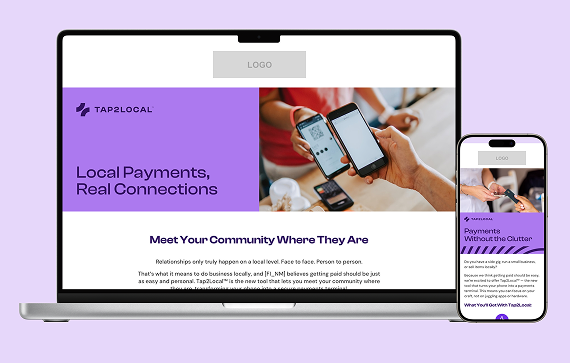
You can now boost Tap2Local adoption and drive engagement by using the pre-built campaign assets in the Jack Henry Marketing Center. This complimentary campaign provides an expanded set of assets – including emails, landing page, banners, brochures, and postcards – to help you empower your community today.
Ready to drive growth? Visit the Marketing Center to access free marketing materials to reach established SMB accounts or uncover consumer accountholders with potential “side gigs” who need a professional way to pay.
Creating Banno Business Users with EWF
Our SilverLake bank customers with both Banno Business and Enterprise Workflow (EWF) will be glad to see this one: We’re wrapping up closed beta on a new enhancement that allows banks utilizing EWF to automatically generate the NTID and initial business administrator right from a customized workflow.
This update completely eliminates the need to dive into core NETPAR menus, cutting out the typical processing delays so the business and user appear in Banno People immediately. Once the workflow runs, your team can instantly finalize permissions in People and send the user invite – streamlining your business onboarding from start to finish.
Keep an eye on future Monthly Statements for the official release announcement and full documentation details. Not yet contracted for Banno Business or EWF? Reach out to your Digital Experience Sales Executive to get started.
Documentation Updates
Here are a few notable Knowledge Base pages (and collateral) we added or edited during May:
- Jack Henry Insights: Read about Jack Henry Insights, which will soon generate user-friendly, human-readable reports that can be easily created or customized.
- Tap2Local Report Exports: Learn about two new reports financial institutions can access and export to better understand merchants’ enrollment, adoption, and usage trends.
- Support App Evolution: See our new page outlining the future-forward updates coming to Banno Support and Conversations.
- Treasury Management Video Resources: Watch two new videos – Treasury Management ACH Files via SFTP and Treasury Management Wire Files via SFTP.
Note: Due to browser behavior beyond our control, PDF links may open directly in this same browser tab.
Introducing Exception Manager for Rapid Transfers
While exceptions for Jack Henry Rapid Transfers are not common, there are, ahem, exceptions to the norm. With that in mind, we’re pleased to announce that the Jack Henry Exception Manager will soon be made available to SilverLake banks to help streamline the process of working Rapid Transfer exceptions.
This will equip your team with clear decisioning options; your authorized admins can easily manually post the exception – right there in Banno Admin – or retry it so that the system picks up right where the Rapid Transfer left off.
Furthermore, the Exception Manager uses detailed transaction types to clearly explain which part of the transfer failed – such as distinguishing between an entire failed transfer or just a failed fee. This empowers your staff to efficiently resolve the issue without additional, unnecessary postings to your General Ledgers.
No additional contract or support ticket will be required for this feature, and we will provide additional details here in the Digital Statement as we get closer to launch.
Note: We also have plans to make this new functionality available on all other foundational cores in the future (we don’t have a timeframe to share yet).
🎗️Forget-Me-Nots🎗️
Please join us at our upcoming events:
- Developer Office Hours: Tues., June 9, 2026 at 11:00 a.m. CT
- Digital Banking Meetup: Fri., June 12, 2026 at 11:00 a.m. CT
- Treasury Management Office Hours: Mon., June 22, 2026 at 10:00 a.m. CT
- Product Security Meetup: Wed., Aug 19, 2026 at 3:00 p.m. CT
Tap2Local + Rapid Transfers Office Hours
Please join our upcoming Office Hours with key SMEs from Jack Henry and Moov. The current cadence (alternating the focus every other week between Tap2Local and Rapid Transfers) will continue each Wednesday through at least June and July. Register now:
- Tap2Local: Wed., June 3 and Wed., July 1 at 3:00 p.m. CT
- Rapid Transfers: Wed., June 17 and Wed., July 15 at 3:00 p.m. CT
Tokenized Money Office Hours
Join key product, strategy, and engineering leaders for insights on the direction of all tokenized money (including stablecoins) and to see demos of the software we’re building to help you bridge across crypto and fiat monetary systems.
Register now for any or all of our upcoming office hours:
- Thurs., June 4 at 12:00 p.m. CT
- Tues., July 7 at 12:00 p.m. CT
- Tues., Aug. 4 at 12:00 p.m. CT
- Tues., Sept. 1 at 12:00 p.m. CT
Stay in the Know!
To receive SLA emails for all things that matter to you, head to our Subscription Manager and subscribe accordingly. Please also spread the word with your colleagues, so your whole team gets the respective SLAs that matter to each of you!
IRS Electronic Filing is Changing: Be Ready
Beginning with Tax Year 2026 filings (submitted in calendar year 2027), the IRS will retire its legacy Filing Information Returns Electronically (FIRE) system and replace it with the Information Returns Intake System (IRIS). This change affects all financial institutions that file information returns such as forms 1099, 1098, 1042-S, and 5498.
These changes are part of the IRS’s broader effort to improve data accuracy, security, and processing efficiency for information returns.
How Jack Henry Is Supporting You
Jack Henry is actively preparing for the IRIS transition and offers flexible options depending on how your financial institution files today. To help you understand what’s required and what steps to take next, we’ve assembled a helpful list of frequently asked questions.
View Our IRS Filing Conversion Resource Center
To help keep you informed, we’ve created a resource site on the For Clients portal that you can bookmark for convenience. We’ll be planning a webinar in the month of June to provide you with an opportunity to hear from our experts and get help with your planning. Watch for the upcoming announcement and make plans to join us!
Supporting SMB Success with the Jack Henry LendingNetwork
Supporting small-to-medium sized businesses (SMBs) has become a key growth driver for many banks and credit unions, but funding SMB growth can challenge traditional lending models and the risk appetites of even the most community-focused financial institutions.
Enter the Jack Henry LendingNetwork, a strategic service that helps your SMB clients access alternative lending sources when the business is not a fit for your institution’s credit underwriting standards.
Join us for a strategic discussion with time for open Q&A, and learn how you can help support SMBs in your market more effectively on Wednesday, June 24 at 1:00 p.m. CT. Register now to save your seat!
Jack Henry Wires
We’re happy to report big progress on a few important features for Jack Henry Wires.
Core Integrations
We completed development on our integrations with both CIF 20/20 and Core Director and each will be entering closed beta testing soon. These integrations are the last puzzle pieces for Jack Henry Wires to support all four Jack Henry foundational cores – a huge milestone that we can’t wait to celebrate! We’ve still got some testing to do before we can officially pop the champagne, but we will continue to keep you updated on our progress in future Statements, so stay tuned!
Digital Integrations
We’re developing our integrations with Banno Business for SilverLake and Treasury Management, which means that wires created in Banno Business or Treasury Management will automatically appear in Jack Henry Wires for processing. Once development is complete, we will move on to closed beta testing before releasing more broadly.
Note: This functionality already exists for Banno Business credit unions.
Scheduled/Recurring Wires
If you’ve got customers or members who need the ability to schedule a recurring wire, we have good news for you. We’re building out support for scheduled/recurring wires, which will let your customers or members schedule a recurring wire through your digital banking experience or let your staff schedule a recurring wire on their behalf. You won’t want to miss this time-saving feature, so we’ll keep you in the loop regarding progress in future Statements.
Jack Henry Identity 2FA Resets
As of May 28, your authorized security administrators can now perform 2FA resets on behalf of other Banno Admin and Identity App users (including Treasury Management back office users).
Your security admins with the newest Users & Groups permissions (View security settings and Delete security settings) can now reset enrollments on behalf of another employee by navigating to the individual’s profile, clicking the Security tab, and removing their established 2FA settings.
As we’re able to integrate more Jack Henry products with Jack Henry Identity, we aim to continue enhancing our service for increased efficiency and ease of use anywhere we can. A couple goals for this ongoing work are to minimize any related need to submit support tickets and to drop the wait time involved when your staff needs changes to their security settings.
Going forward, resetting enrollments for their fellow employees will be the responsibility of your security admins, and the task will only require a support ticket or Jack Henry’s involvement in the rare scenario that all your security admins are locked out of the system.
Mobile App UX Design Evolution
As you know, we've been working to ensure that our mobile apps remain as intuitive, scannable, and seamless as possible while we incrementally adopt standards from Apple's Liquid Glass design system and Google's Material Design 3. Take a look below to see what changes your accountholders will see in Banno Mobile 3.35.
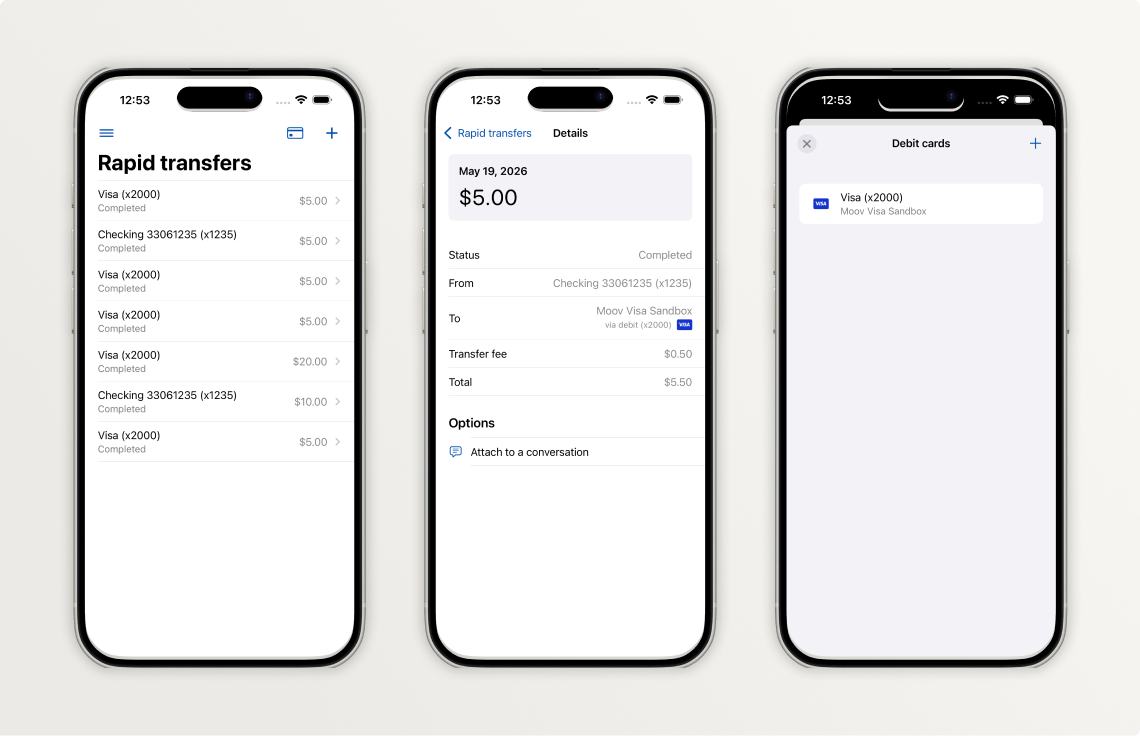
iOS App
In the 3.35 release, we focused on updating our Jack Henry Rapid Transfers screens, which signal the overall aesthetic that will be deployed across the entire app in terms of landing pages and detail screens.
Here is a summary of those changes, some of which you can also see reflected in the three screenshots above:
- Landing screen: Uses larger navigation title and includes an edge-to-edge list, consolidated data for transfer rows, a new way to access cards, and a new + button for making transfers
- Details screen: Now uses an edge-to-edge list and displays the amount in a prominent card (box) at the top
- Debit cards screen: Presented modally with an inset list and includes a new way to remove a card and a new + button for adding debit cards
Important: See more details about these changes in our iOS App UX Evolution Knowledge Base article.
Future versions of iOS will continue to iterate on the foundational pieces we have incorporated earlier this year. We anticipate enabling Liquid Glass in a release later this fall, and we will provide an overview of the visual changes you should expect in a future Statement.
Android App
More work needs to be done in preparation for the next screen redesign. We want to make sure we have our foundations in place before we expand the list of screens to be redesigned.
The next screen we plan to redesign is the Alert settings screen found within account details.
Be sure to reference our Android App UX Evolution Knowledge Base doc for info on additional plans.
New Monthly Statement Experience on the Way
As we teased last month, we’ve been working on a new Monthly Statement experience for you. Final testing and launch prep is underway now, and we’re currently on track to make the cutover the week of June 15.
The redesigned Statement landing page will live at the same URL (banno.com/statements) and will improve upon the current design in meaningful ways. In short, the new experience features a modern design that makes it easier to browse and digest all our product news and announcements – on your desktop or on the go!
Key Features and Functionality
- Faceted filtering: Jump to the content most relevant to you with new Article Type and Product filters.
- Clean, modern user experience and responsive design that feels fresh yet familiar, like your favorite info-rich blog – whether viewed on your desktop, tablet, or mobile device.
- Convenient Copy link feature that lets you easily share specific articles with your colleagues.
Launch Timing and Communication
Here are the key dates remaining in our steady march toward unveiling the new design:
- Pre-launch SLA: Next week (between June 1 - June 5)
- Live demo: During the Digital Banking Meetup on June 12
- Launch target: Monday, June 15 🚀
- Post-launch SLA: Within a few hours of launching
Be sure to join us for the demo during the June Digital Banking Meetup, so you can see what to expect the following week, when we flip the switch on a brighter Product Statement experience!
If You Offer Rate Swap Loans, You'll Love This
Coming soon to Banno – greater clarity, accuracy, and transparency for your rate swap loans. We are rolling out a new enhancement, empowering your accountholders to view their contractual fixed interest rate and accurate total payment amount directly within their account details screen.
Currently, the digital banking platform only displays the underlying variable rate, which can create confusion regarding your exact contractual obligations. For SilverLake customers, this update completely closes that gap by securely integrating your comprehensive swap loan records into Banno Online and Mobile banking views. Once released, your accountholders will always have a precise, real-time look at their true loan terms.
Spending by Category on Banno Mobile
We are thrilled to announce that the mobile version of our enhanced Spending by Category feature (previously referred to as the Spending Wheel) is launching very soon!
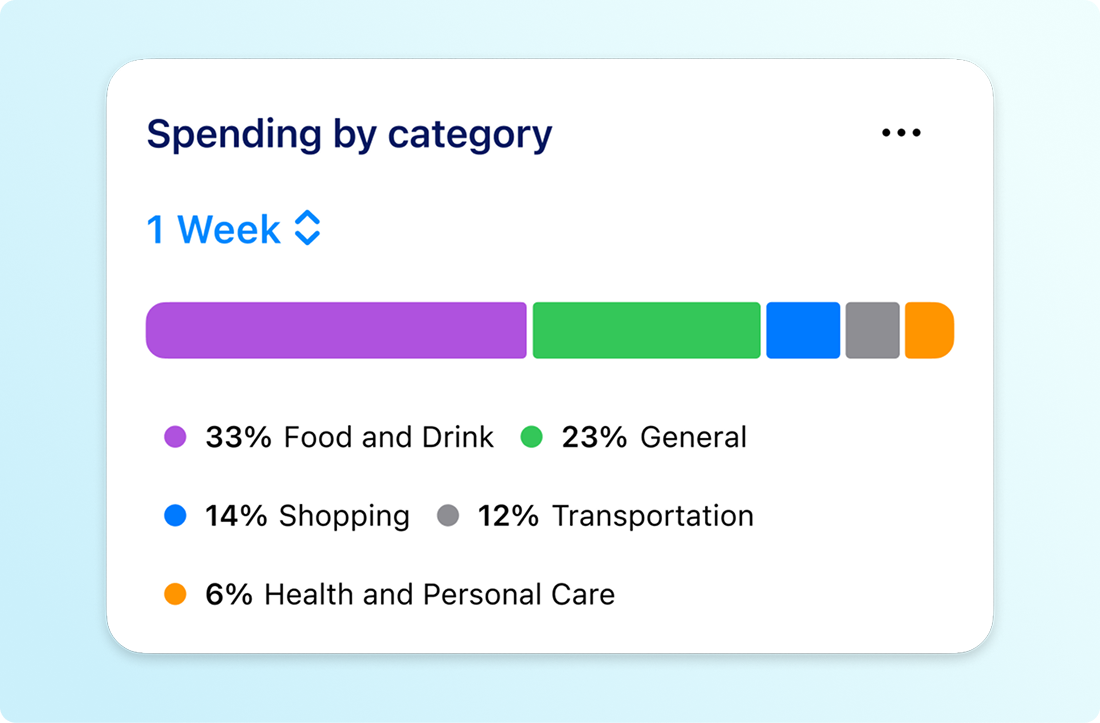
This update brings the powerful functionality of the Banno Online version directly to your accountholders’ mobile devices.
Leveraging our advanced transaction enrichment feature, Spending by Category on Banno Mobile will give your accountholders a fast, highly accurate, and seamless breakdown of their expenses on the go. In short, the feature will empower them to make smarter decisions and improve their financial health wherever life takes them!
If your financial institution has Spending by Category enabled for Banno Online, the mobile version will automatically become available to your accountholders upon release.
Note: Our transaction enrichment service is required to enable Spending by Category. If you have not yet enabled transaction enrichment for Banno, you can get started simply by opening a support ticket when you’re ready.
Support App, Reimagined
Jack Henry is redesigning the Banno Support product from the ground up to create a faster, more unified experience for modern support teams.
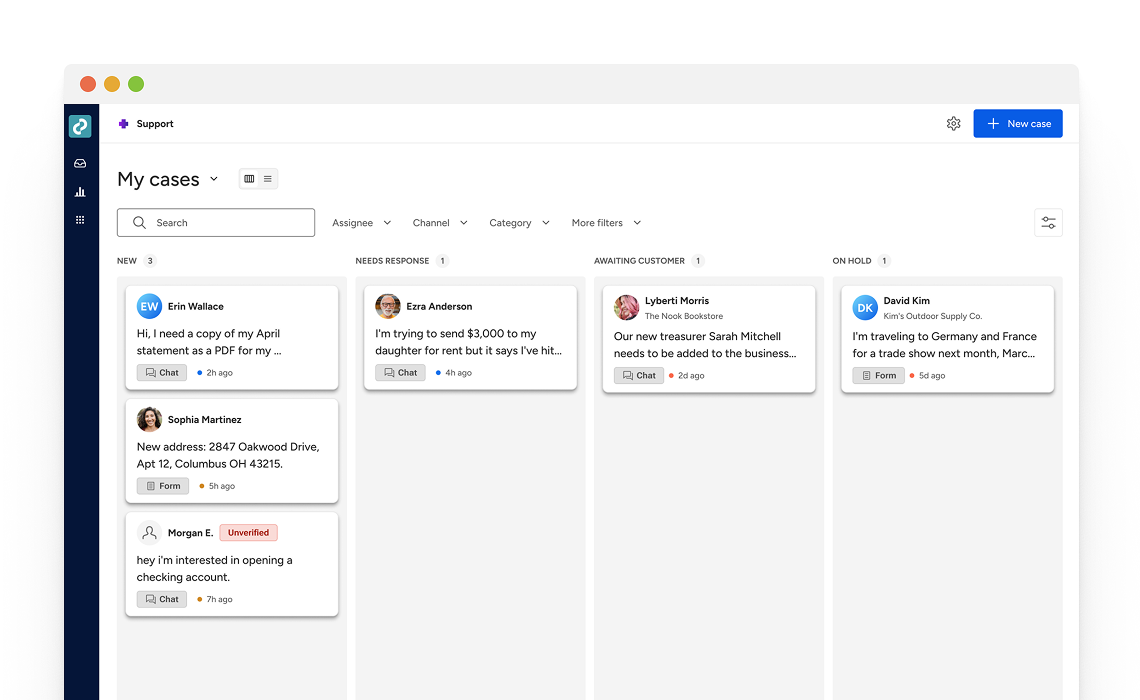
The reimagined Support experience will notably improve how your support staff manages customer conversations by providing quicker access to customer context and smarter tools for case handling in a streamlined workspace built for daily support operations.
As we’re currently doing with the UX Evolution for Banno Mobile, we plan to deliver Banno Support changes in a series of releases over the coming months. To help you prepare, we’ve added a new page to the Service & Support section of the Knowledge Base that provides an early look at where Banno Support is headed. See what lies ahead. →
Suspicious and Fraudulent Event Labeling
Last month, we completed our rollout of Device Removal Reasons. Your users (and your staff) are now prompted to provide a reason when deauthorizing devices. We’re already seeing thousands of reasons flowing through the system, providing us with crucial labeled data we can use to identify suspicious patterns of activity in the future.
Flagging History Events
Within Banno People and in the Identity app, your designated staff will soon be able to mark history events as suspicious or fraudulent as well as add notes to help with any ongoing investigations or to provide context when reviewing past events.
Once released, you just need to grant access to the right staff members by assigning three new permissions – View labels, Manage suspicious labels, and Manage fraudulent labels.
The option to label history events is currently expected to roll out to all financial institutions by the end of June – no support ticket needed.
Important: New features released for Identity App are also relevant to customers with Treasury Management, so this update benefits Banno and Treasury customers alike!
Treasury Management Back Office Is Evolving!
The new back office for Treasury Management has officially entered its next chapter: Beta testing is now underway with five banks.
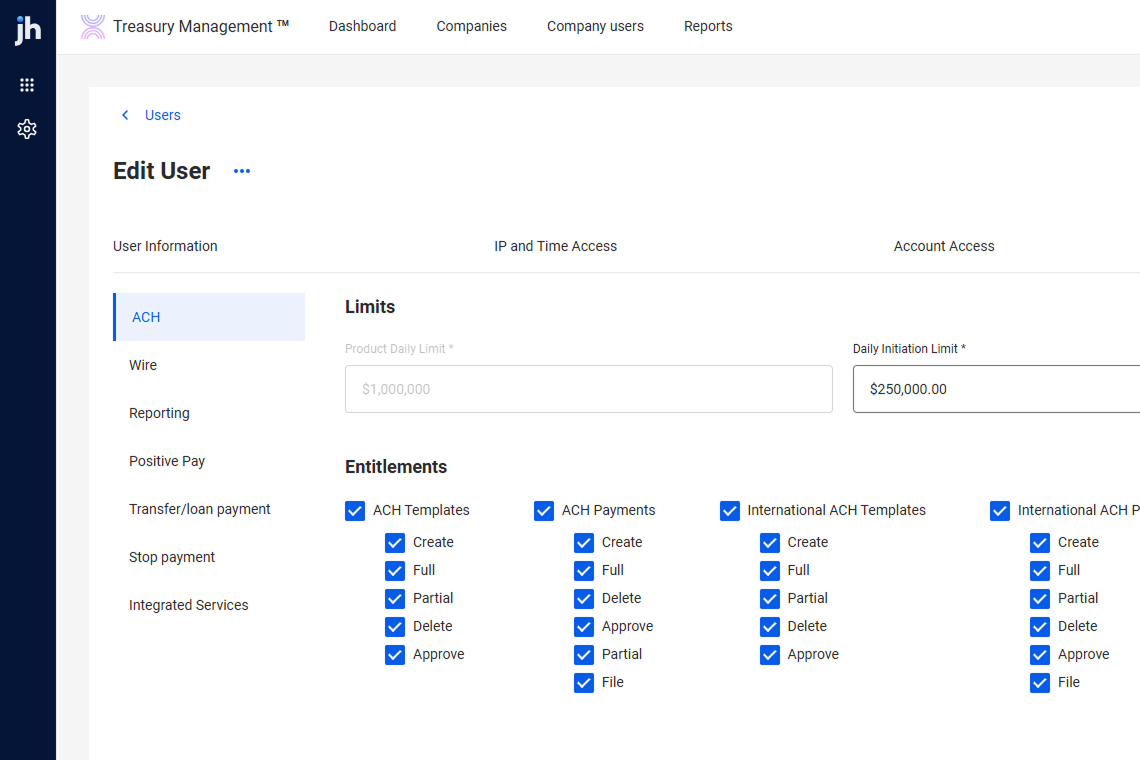
This milestone marks a major step toward delivering a more powerful, intuitive, and future-ready platform for every Treasury institution.
Early feedback from our Beta partners is already helping shape refinements to workflows and operational controls. We’re excited to bring this evolution to all Treasury banks later this summer!
Check Issue Items via Secure FTP (sFTP) Now Available for Treasury Management!
This enhancement lets businesses transmit Issued Item files directly to Treasury Management using sFTP – minimizing manual uploads and reducing the risk of human error. Key capabilities include automated file loading, a new Issued Items File Activity page for viewing and processing files, PDF downloads, notifications, and full use of existing Positive Pay entitlements and mapping tools.
Contact your account executive to contract for this service or ensure that your existing Data Transmission contract covers Check Issue Items in addition to sFTP for wires and ACH.
Toolkit Corner: CU Build and the Spark of Inspiration
The Developer Relations team has updated our video gallery with a brand-new recap video of the CU Build 2025 event.
We hope this quick trip down memory lane sparks some creative inspiration for your team and gets your credit union pumped to join us this year as CU Build is making its grand return to Nashville from July 24 – 26, 2026. We’d love to see you there!
Documentation Updates
Here are a few of the Knowledge Base guides that we added or edited during April:
- Jack Henry Data Hub: We added information about Data Hub’s new data egress options.
- ACH Search Recipients: We added a section that describes the new Search Recipients tool for Banno Business.
- Treasury Management Quick Reference Guide for Channel Information Reporting: We launched a new guide that will help your staff effectively use the Information Reporting suite within the Treasury Management platform.
🎗️Forget-Me-Nots🎗️
Please join us at these upcoming events:
- Digital Banking Meetup: Fri., May 8, 2026 at 11:00 a.m. CT
- Developer Office Hours: Tues., May 19, 2026 at 11:00 a.m. CT
- Treasury Management Office Hours: Tues., May 26, 2026 at 10:30 a.m. CT
- Product Security Meetup: The May meetup has been canceled, and we’re working on scheduling the next round. Once we know the date, we’ll add it to the Jack Henry Events page.
Tap2Local + Rapid Transfers Office Hours
Register now for any or all of our upcoming Office Hours with key SMEs from Jack Henry and Moov:
- Tap2Local: Wed., May 20 at 3:00 p.m. CT
- Rapid Transfers: Wed., May 6 or Wed., May 27 at 3:00 p.m. CT
Your executive team is also invited to join Jack Henry CEO Greg Adelson and CTO Ben Metz on Monday, May 11 at 11 a.m. CT for the next quarterly Exclusive C-Suite Strategic Meetup. Executives can email gotomarketstrategy@jackhenry.com with their names, job titles, and email addresses to receive an invite.
Tokenized Money Office Hours
Join key product, strategy, and engineering leaders for insights on the direction of all tokenized money (including stablecoins) and to see demos of the software we’re building to help you bridge across crypto and fiat monetary systems.
Register now for any or all of our upcoming office hours:
- Tuesday, May 5 at 11:00 a.m. CT
- Thursday, June 4 at 12:00 p.m. CT
- Tuesday, July 7 at 12:00 p.m. CT
- Tuesday, Aug. 4 at 12:00 p.m. CT
- Tuesday, Sept. 1 at 12:00 p.m. CT
Apple Developer Program License Agreement
If you haven’t done so yet, please open your Apple developer account and review the newly published (on March 30) Apple Developer Program License Agreement, which is separate from the regularly occurring developer agreements Apple requires.
Important: Keeping up to date on such agreements is required for deploying new Banno Mobile releases to the App Store, and Jack Henry cannot accept the agreements on your behalf.
Stay in the Know!
To receive SLA emails for all things that matter to you, head to our Subscription Manager and subscribe accordingly. Please also spread the word with your colleagues, so your whole team gets the respective SLAs that matter to each of you!
Guest Chat Available Now!
Guest Chat for Jack Henry Conversations has officially completed beta testing and is now available.
If you’re interested in extending support to potential account holders through your marketing website, you’re now able to do that using the same triage tooling your staff is already familiar with in Banno Support. Should your existing account holders also reach out in this way, we make it easy to securely “upgrade” a guest chat to a fully authenticated conversation inside of Banno Mobile or Online. You can learn more about Guest Chat on our Knowledge Base.
Guest Chat is also available as a part of the Support Suite for Jack Henry Conversations, which includes everything below in a nicely buttoned up package:
- Guest Chat
- Video Chat and Co-Browse
- AI Summaries
- Multi-Language Support
If your institution is interested in Guest Chat or the Support Suite, reach out to your account executive today!
Jack Henry Wires
The previously announced document capabilities are now available in production. Financial institutions can download a PDF of the wire list based on applied filters, as well as generate an enhanced printed form export that includes all wire details, required disclaimer language, and your financial institution’s logo as configured during onboarding.
While logo management is currently handled through existing onboarding configurations, we are actively working toward a centralized resource management experience that will let your administrators maintain branding assets directly. In the interim, please contact Jack Henry for any updates to your logo.
We have enabled these document capabilities for all customers with Jack Henry Wires. No support case is necessary.
Jack Henry Identity Administrative Tool for 2FA Management
We’re putting more power into the hands of your Jack Henry Identity admins. To streamline your internal workflows, we are developing a new administrative tool that allows your team to manage employee Two-Factor Authentication (2FA) settings directly – no Jack Henry support ticket required.
Efficiency by Design
Currently, resetting an employee’s 2FA enrollment requires a manual process handled by our development team. This update changes that. Soon, your admins will be able to remove individual 2FA methods themselves within the Users & Groups > Security Settings interface. This means immediate resolutions for your staff and less downtime for your internal operations.
Secure, Controlled Access
Security is at the heart of this enhancement. To ensure that your employees’ data remains protected, we’re building this tool with a strict permission structure that supports granular access to view an individual’s security details, perform 2FA removal, or both. We will share more specifics as the project progresses.
Get ready to enjoy a faster, more flexible way to manage your team’s security!
Jack Henry Identity Federated Support for Entra ID
We’re excited to announce a new integration path for financial institutions looking to use Microsoft Entra ID (formerly Azure AD) as a secondary identity provider. While we currently support Entra-backed credentials through LDAPS, our next major move focuses on the OpenID Connect (OIDC) federation standard, which will provide a more robust and familiar login experience for your staff.
Entra ID as Your Source of Truth
For financial institutions that choose this integration, Entra ID will become the primary home for user management. To ensure a clear, confusion-free experience, Jack Henry Identity settings pages will automatically hide options that are handled by your internal Entra setup. This includes profile edits, password rules, and self-service resets. It also includes the management of security preferences like 2FA and passkeys.
Additionally, your Entra ID configuration will govern your account status details like lockouts and inactivity settings. By letting employees leverage their existing Entra credentials for all integrated products, you will not only enhance security, you’ll simplify their entire workday.
To learn more about our Entra ID integration for Jack Henry Identity, visit the Knowledge Base.
Beta Underway
We kicked off beta testing for this integration on April 16, 2026. Stay tuned for more updates as we refine the experience.
Jack Henry Identity as a SCIM Publisher
Managing user lifecycles across multiple systems can be a manual hurdle, so we’re working on a way to automate it. Targeting this fall, we’re planning to integrate SCIM (System for Cross-domain Identity Management) into Jack Henry Identity for user provisioning.
Modernizing Your Workflow
Currently, Jack Henry Identity focuses on authentication. This means that while users can log in via Jack Henry Identity, managing their group memberships and product authorizations still requires manual work within specific authorization systems. Our SCIM project is designed to bridge that gap, moving from manual entry toward a fully modernized, automated solution.
The Power of Automation
Once SCIM is introduced, your financial institution can automatically provision and manage users and groups within Jack Henry Identity:
- Centralized Management: Admins can manage permissions directly through your existing infrastructure.
- Consistency: Automated syncing ensures that user data and access levels stay consistent across all your systems.
- Efficiency: While you may choose to prioritize Entra authentication now and manage groups separately, the SCIM integration will ultimately deliver the streamlined group membership and authorization management your team needs.
We’re committed to making identity management as hands-off as possible. Stay tuned for more updates as we get closer to the launch!
Mobile App UX Design Evolution
It's time to start building real momentum in our Mobile UX evolution! From foundation-setting on Android to structural refinements on iOS, these updates in version 3.34 represent the next major step in our journey toward the future of Liquid Glass and Material 3.
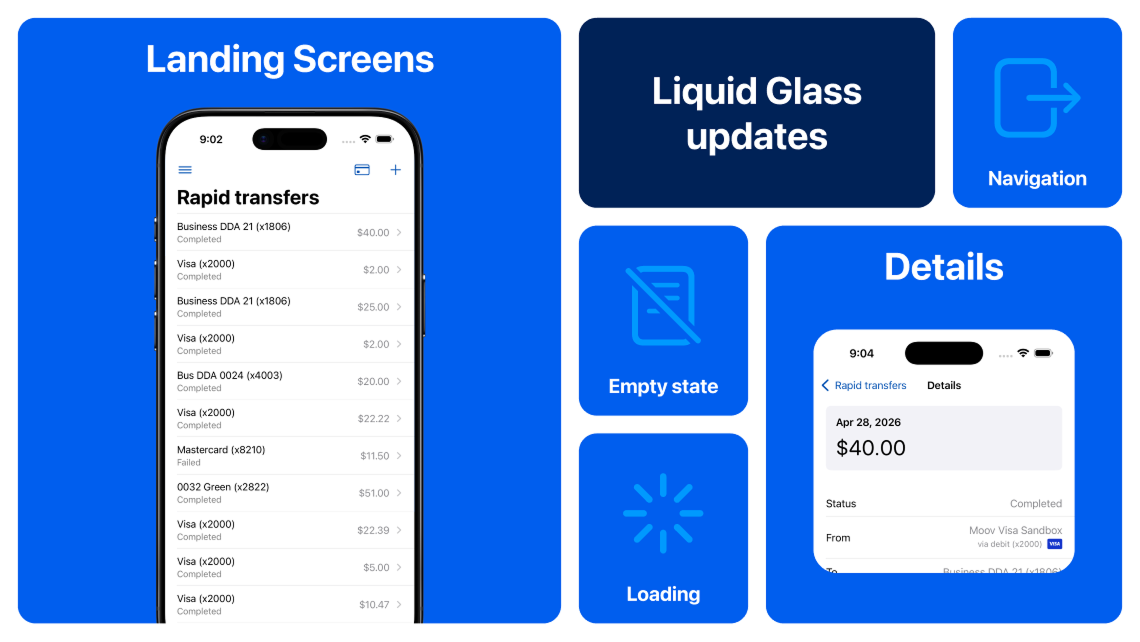
Android App: Material 3 Kickoff
Now that our exploration of Material 3 is nearly wrapped, we’re ready to start the engine! Beginning with the Mobile 3.34 release, we’re officially kicking off our flow-based conversion to this modern design framework. Here is the game plan for the 3.34 foundation:
- Dynamic Theming: We’ll begin using the Material Theme Builder to generate and consume themes. This new look will feel very familiar, as it’s designed to align closely with your current theme while meeting the technical standards of the Material 3 engine.
- Focused Rollout: To ensure a smooth transition, this new theme will only appear on screens that have been fully upgraded to the new UX.
- First Look: We’re targeting the Recently used devices screen as our first conversion milestone in 3.34.
As we continue preparing for future releases, we’ll keep you posted right here in the Statement and on our Android App UX Evolution Knowledge Base doc. Stay tuned!
iOS App: Consistent Layout Styles
With the 3.34 release, we’re starting to introduce consistent layout styles across landing and detail screens. By addressing previous inconsistencies in how these screens are styled, we’re making sure your accountholders can rely on a cohesive and predictable experience throughout the app. These updates are all about building a foundation that feels familiar today and effortless tomorrow.
Customers with Tap2Local can see these consistent styles applied to the payment links and customers areas. Our screenshot this month shows yet another example coming to rapid transfers in 3.35.
To continue following the journey, stay tuned here or visit the Knowledge Base – iOS App UX Evolution.
New Monthly Statement Experience on the Way
If you thought you heard it mentioned in the Digital Banking Meetup, your ears weren’t deceiving you: a new-and-improved Statement page design (yep, this very one) is coming! Our crew has been hard at work behind the scenes designing, developing, and testing features we know you’re going to love, from easy-to-filter product and article type tags to a fresh new layout that’s a breeze to browse.
In next month’s Statement, we’ll share more details – including a demo and launch dates. Stay tuned!
Jack Henry Rapid Transfers: Velocity Limits, Set per User
You now have more control over how transfer limits work for your accountholders. Previously, velocity limits in Jack Henry Rapid Transfers were tracked per debit card, meaning each card a user added had its own separate limit. Going forward, you can choose to apply limits across all of a user’s linked debit cards combined, giving you a clearer picture of how much any one person is moving in a given period. New enrollments will default to this per-user setting automatically.
If your financial institution is already supporting Rapid Transfers and you want to make the switch, you’ll need to update your configuration in People > Rapid transfers > Settings.
If you have questions about this feature or anything else related to Rapid Transfers, drop by our recurring Rapid Transfers Office Hours.
Self-Service Forms
In early May, we’ll be giving you the option to turn on self-service forms in Banno. This feature will let you extend your forms library from Form Builder to the digital banking experience, so accountholders can complete and submit them.
When enabled, a new Forms menu will be presented to your users, where they will see the forms you’ve made available. When submitted, they create a new Conversation, where your team can view the responses. You can specify which forms are available for your website, inside Conversations or in the Self-Service forms option.
No support case is needed, but you will need to both enable the feature and configure forms to be displayed.
Suspicious and Fraudulent Event Labeling
We are officially rolling out our latest fraud prevention features for Banno and Treasury. Read on for more information, helpful links, and additional timing details.
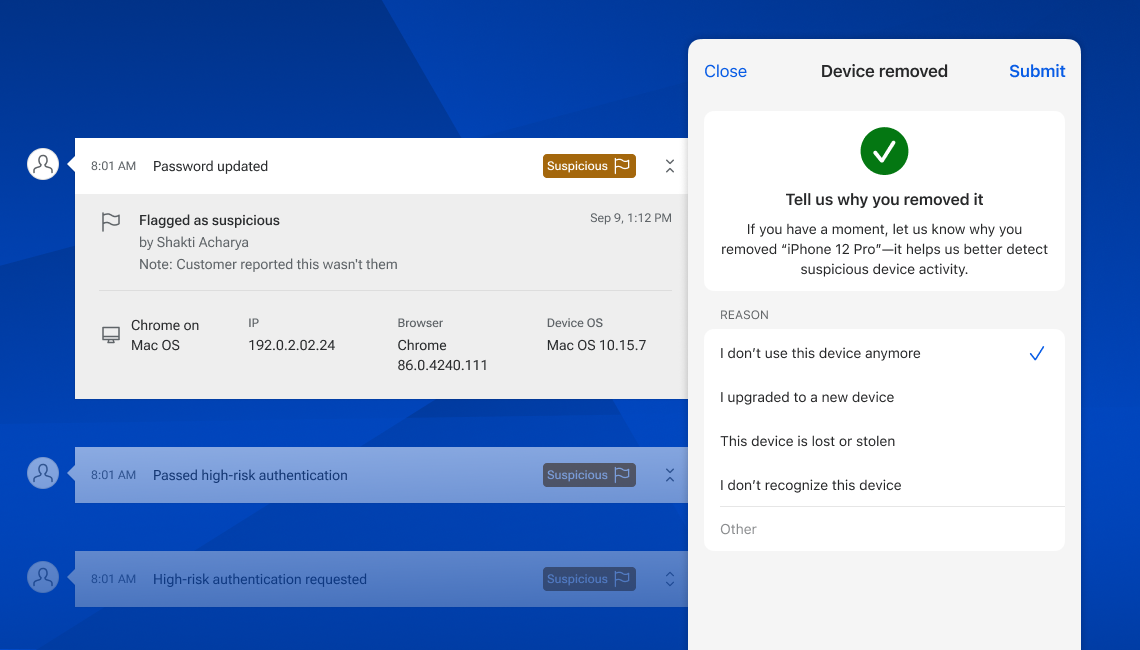
Device Removal Reasons
In Banno Online and within the Identity screens of Treasury, we are now asking for reasons when a device is removed (further described on the Knowledge Base). This same functionality will be coming to Banno People and Identity soon. On consumer apps, accountholders have the option to dismiss the prompt; however, providing a reason is required when removing devices from the Identity app or Banno People. Learning why devices are removed will help us identify risky patterns of activity so we can be better equipped to prevent fraud in the future. We’ll begin asking accountholders for these reasons in Banno Mobile as of version 3.34 (targeting early May), and you can expect to see it in People and Identity around the same time.
Flagging History Events
Within Banno People and in the Identity app, your designated staff will soon be able to mark history events as suspicious or fraudulent (detailed on the Knowledge Base) as well as add notes to help with any ongoing investigations or to provide context when reviewing past events. Once rolled out, you just need to grant access to the right staff members by assigning three new permissions – View labels, Manage suspicious labels, and Manage fraudulent labels.
The ability to label history events is still in progress, and we’re targeting delivery in early May.
Tap2Local Live for Retail Credit Unions on May 4!
That’s right, retail credit unions: Starting May 4, you can offer Tap2Local, our powerful new cloud-native, hardware-free payments solution that empowers SMB owners to accept debit and credit card payments in real time! Integrated seamlessly with Banno Online and Mobile, Tap2Local gives your credit union exactly what you need to compete in the SMB space and recapture transactions that you’re currently losing to payment processors like Square.
On April 14, our credit unions that had not yet registered for Tap2Local should have received an SLA with extensive details about the go-live plan. If you’re subscribed for SLAs and you missed that email, please search for subject line, “General Alert: Your Tap2Local Go-Live date is May 4, 2026.”
That SLA provides everything you need to know about configuring the Tap2Local enrollment prompt to target your ideal business owners, providing merchant support via Conversations, and accepting our Revenue Share plan. The SLA also includes a complete list of documentation and additional resources. If by chance you didn’t receive the SLA, please open a support case so we can get you squared away.
Already signed up for Tap2Local? Fantastic! You’re already supporting your local businesses with industry altering features, and now, on May 4, your authorized admins will see a new Tap2Local dropdown in People that they can click to access the Settings screen and configure the Tap2Local enrollment prompt.
Be sure to join our product and compliance experts during the recurring Tap2Local Office Hours for answers to any and all questions you may have. We’re excited to help you get rolling with Tap2Local!
Tap2Local: Merchant Invoicing
If you’ve got merchants who bill clients for services, this one’s for them. Merchant invoicing is coming to Tap2Local in mid May, and it’s exactly as straightforward as it sounds! This new feature will give your business accountholders a simple way to create an invoice, send it to a client as a payment link, and collect the money – all without leaving your app.
This is a meaningful expansion of what Tap2Local can do. Currently, the product is focused on payments at the time of transaction, which is great for businesses that sell at a counter or through a checkout flow. But a lot of small businesses don’t work that way. Contractors, consultants, freelancers, and service providers all bill people. Soon, Tap2Local will work for them too.
Alongside Invoices, we will also ship a lightweight Customers feature. Merchants can then build and manage a simple customer list, which ties the invoicing experience together and will set us up to do more in this space over time.
Both features will be available to enrolled Tap2Local merchants on Banno Online and Mobile. No additional configuration is needed.
Issued Items File Activity for Positive Pay
We're pleased to announce a new enhancement to Treasury Management Positive Pay designed to streamline fraud prevention and reconciliation workflows. The new Issued Items File Activity page will be available the evening of April 30, 2026.
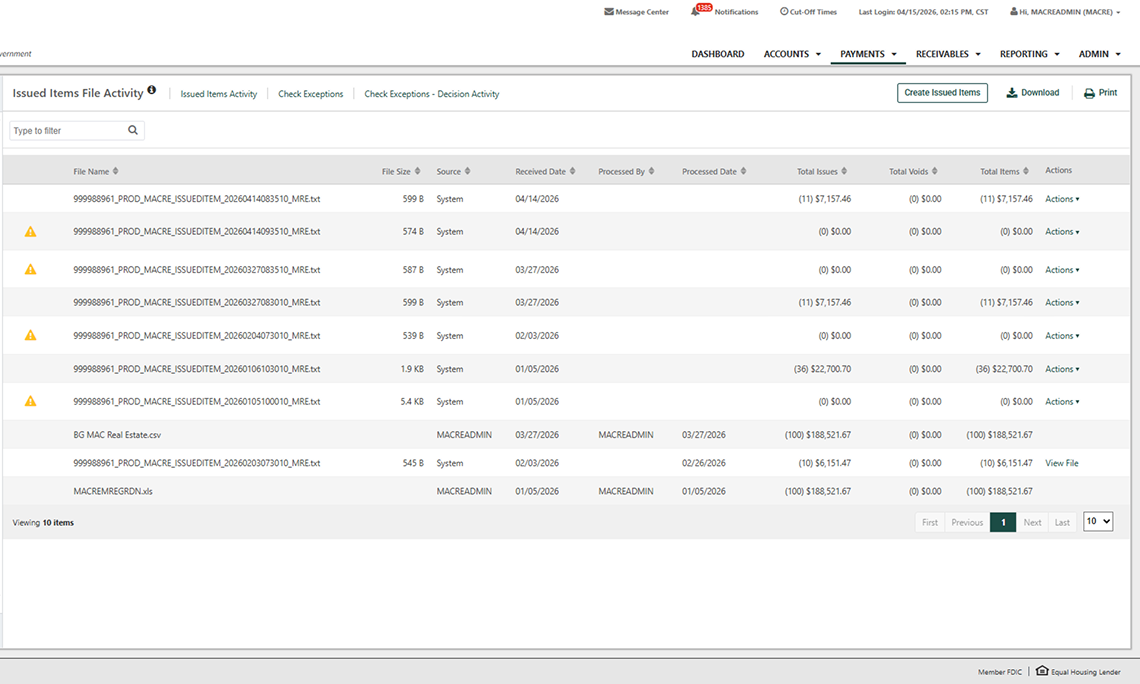
What’s New
To provide greater visibility into issued item files, the Issued Items File Activity page provides a centralized view of all issued item file submissions. Once files are successfully uploaded, authorized users can quickly access:
- File details including file name, size, source, and processing user
- Transaction totals for checks, voids, and overall dollar amounts
- Timeline tracking with received and processed dates for each submission
To enhance management and research, the new page also gives you more control and efficiency when managing issued items:
- Interactive actions to review raw file data
- Improved search and research using a flyout filter to locate files by name, source, date, or total amount
What You Need to Know
If Allow Issued Items Activity is enabled and users are entitled to Create Issued Items, the new page will automatically display upon release on April 30, 2026.
Toolkit Corner: Jack Henry DevCon 2026 and the Power of the Play Button
Whether you missed Jack Henry DevCon 2026, or just want to relive the magic, we’ve got you covered. We’ve published the session recordings on our YouTube channel for your viewing pleasure.
From the Banno Digital Toolkit, to the Digital Core, to MCP and AI, you can dive into the details to your heart’s content. Less searching, more watching!
Check out the full playlist on YouTube.
ACH: Search Recipients
Banno Business users can now manage ACH batches with significantly less effort.
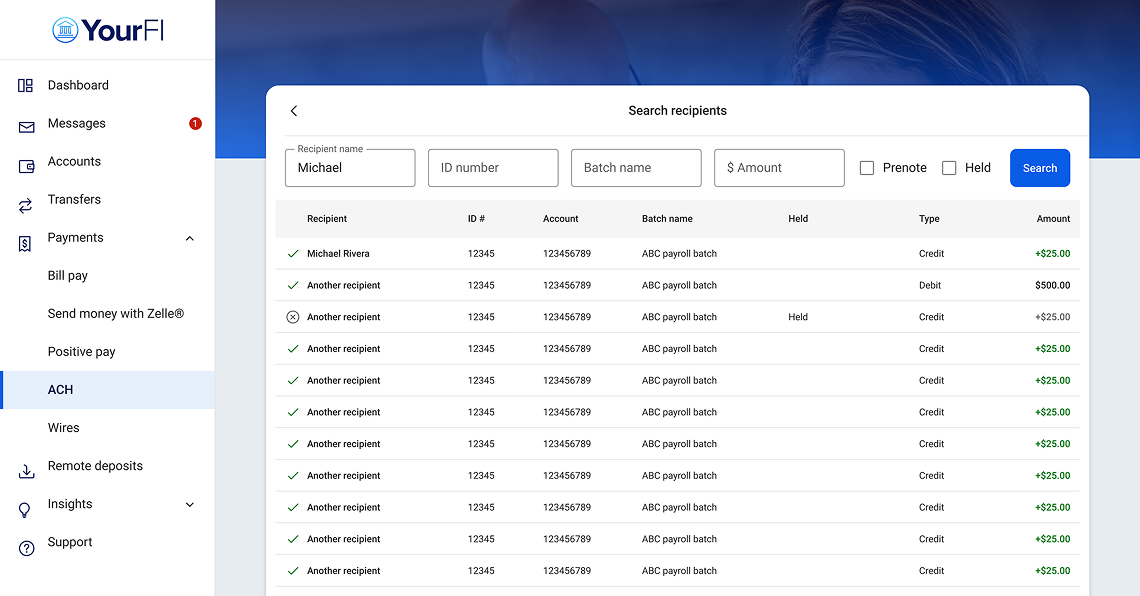
From the active batch screen, users can search recipients by name, ID, batch name, or amount. More importantly, we’ve added editing abilities: end users can now update recipient details immediately within the search results without navigating the entire batch.
This update transforms a multi-step administrative task into a few clicks. By allowing users to find and correct details in seconds, you are reducing the operational friction that leads to payment errors.
This feature is available now to all Banno Business banks and credit unions. No additional contract or support ticket is required.
Documentation Updates
We have quite a few new or updated Knowledge Base guides to share with you this month:
- Call-in Verification for UIS: We’ve added a new section in the Unified Identity Service guide that describes the Call-in Verification feature.
- FactorSoft MultiFactor Authentication Enrollment Guide: To help our FactorSoft clients prepare for next month’s MFA rollout, we’ve created a handy MFA enrollment guide.
- High-Risk Action Blocking Highlight: This new product collateral leverages testimonials from several financial institutions to highlight the impact of High-Risk Action Blocking.
- Saved Replies: We wrote a new Knowledge Base guide that outlines the new Saved Replies functionality for Conversations.
- Tokenized Money Strategic Overview: The tokenized money/stablecoin landscape is changing rapidly, so we’ve documented Jack Henry’s response to help your financial institution make sense of it all.
- Jack Henry Exception Manager: We’ve published a new Knowledge Base guide that breaks down managing exception items with Jack Henry Exception Manager.
- Multi-Language Support for JH Conversations Product Overview: This new product collateral details the benefits of multi-language support for JH Conversations.
- Jack Henry Identity (Entra ID Integration): The Jack Henry Identity guide now includes details on integrating with Microsoft Entra ID.
Note: Due to browser behavior beyond our control, PDF links may open directly in this same browser tab.
🎗️Forget-Me-Nots🎗️
Please join us at these upcoming events:
- Developer Office Hours: Tues., Apr. 14, 2026 at 11:00 a.m. CT
- Treasury Management Office Hours: Mon., Apr. 27, 2026 at 10:00 a.m. CT
- Digital Banking Meetup: Fri., May 8, 2026 at 11:00 a.m. CT
Tap2Local + Rapid Transfers Events
Starting on April 1, we will host Office Hours each Wednesday, alternating the focus every other week between Tap2Local and Rapid Transfers – except April 15, which will include an hour for each product. Book your seat now for any or all sessions:
- Tap2Local: April 1, 15, and 29 at 3 p.m. CT
- Rapid Transfers: April 15 at 1 p.m. CT, plus April 22 and May 6 at 3 p.m. CT
For an inside look at the new Jack Henry Marketing Center™ campaign designed to promote Tap2Local to your accountholders, don’t miss the special Turnkey Marketing for Tap2Local webinar on April 2 at 1 p.m. CT. Register today!
Your executive team is also invited to join Jack Henry CEO Greg Adelson and CTO Ben Metz on Monday, May 11 at 11 a.m. CT for the next quarterly Exclusive C-Suite Strategic Meetup. Executives can email gotomarketstrategy@jackhenry.com with their names, job titles, and email addresses to receive an invite.
Apple Developer Program License Agreement
Please open your Apple developer account and review the newly published (on March 30) Apple Developer Program License Agreement, which is separate from the regularly occurring developer agreements Apple requires. Remember, staying current on such agreements is required for deploying new Banno Mobile releases to the App Store, and Jack Henry cannot accept the agreements on your behalf.
Removed Support for Authy – JH Identity
As previously communicated, JH Identity no longer supports Authy as an enrolled 2FA method. However, end users can manually enroll Authy as an authenticator app if they prefer to stick with Authy for now.
Enhanced Passkey Support for Client Applications
We have expanded Passkey support in Mobile and Online authentication to now include Passkeys as a 2FA method and for verification of high-risk actions. See the support documentation in the For Clients Portal.
Device-Level Authentication for iOS
Support for Device-level authentication was released as a part of the 3.31.2 mobile release for iOS. Additional information was provided via SLA. See the support documentation in the For Clients Portal.
Stay in the Know!
To receive SLA emails for all things that matter to you, head to our Subscription Manager and subscribe accordingly. Please also spread the word with your colleagues, so your whole team gets the respective SLAs that matter to each of you!
Identity App: Call-In Verification
Released on March 19, 2026, Call-in Verification One Time Passcode (OTP) is an advanced security process that lets end users with Unified Identity Service (UIS) quickly and securely verify their identity when calling your financial institution. Your support staff will find detailed instructions for the process here on the For Clients Portal.
Important: This functionality is intended for UIS end users (primarily Treasury Management users). It is not recommended for financial institutions without UIS. For a refresher on other details we shared in our previous announcement, please see last month’s Statement.
Mobile Deposits Just Got a Lot Better
We’ve made a meaningful upgrade to the check capture experience across several of our remote deposit integrations, and your accountholders are going to love it.
Starting in late April, financial institutions using RDA, Alogent, Tranzcapture, and UrbanFT will automatically get access to a new autocapture experience. There’s no configuration, no extra cost, and nothing you need to do.
Here’s what’s changing for your accountholder and staff:
- ⚡ Faster from the start: The check capture client initializes significantly faster than before, so accountholders get into the flow quickly and without the wait.
- 📸 Capture that keeps up: Autocapture detects a clean image and fires automatically, with no button tap required. The whole process moves faster because accountholders aren’t the bottleneck anymore.
- 🏦 Better images, less back office work: Inline prompts, auto flash, and smart image correction work together to produce higher quality check images, which means fewer exceptions, less manual review, and lower operational overhead for your team.
Note: To take advantage of the updated capture experience, users will need to be on version 3.32 or later of the mobile app. No further action is needed on your side to enable this once officially rolled out. Please be aware, however, that this update does not apply to our Ensenta or Vertifi integrations.
Mobile App UX Design Evolution
As you read in the February Statement, our Banno Mobile 3.33 on iOS release will mark the completion of our early prep work for Liquid Glass, with a focus on screens used to initiate money movement.
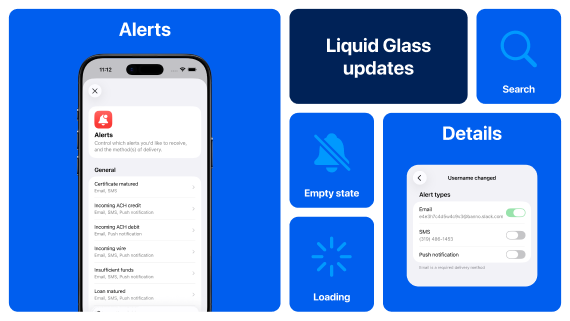
For more details, see our iOS App UX Evolution Knowledge Base page.
You can expect our UX design updates on Android to ramp up with version 3.34, as our research and exploration of Material 3 standards is nearly finished. That also means we’re in a better spot to provide more-useful descriptions of what’s to come via our Android App UX Evolution Knowledge Base guide, so be sure to visit that resource regularly.
New Smart Segments
Banno Marketing Premium customers will now see a few new smart segments – aka, Banno source data segments – based on Banno Data. You’ll be able to target ads and messages based on the client devices used by your accountholders. The new segments focus on users who primarily use Online, Mobile, iOS, or Android devices.
Suppressing Specific Accounts Within a Membership
We’re excited to announce a new configuration option that gives your financial institution greater control over the shares and loans your members can view and access. You can now suppress specific shares, loans, and external loans from appearing in Banno, which helps mitigate compliance risks and prevent unintentional collection attempts.
Now available for all credit unions, this feature is driven by the core warning codes your institution already uses. While this is a configuration-driven feature, the settings are managed securely by our Operations team. Please note that this functionality does not include Account Tracking Records (ATRs), as warning codes are not available within those accounts on Symitar.
How to Get Started
To get started, simply create a support ticket stating the specific warning code(s) you’d like to use for suppression, and our Ops team will update your configuration. Once set up, any shares or loans you flag with those warning codes will be hidden from the accountholder.
Suspicious and Fraudulent Event Labeling
We have some new fraud prevention features hitting Banno and Treasury admin apps very soon.
Flagging History Events
Within Banno People and Identity, your designated staff will soon be able to mark history events as suspicious or fraudulent as well as add notes to aid in any ongoing investigations or when reviewing past events. We’ve developed three related permissions – View labels, Manage suspicious labels, and Manage fraudulent labels – to let your administrators grant access to the ideal staff members.
The ability to label history events is still in progress, and we’re targeting a late April delivery.
Device Removal Reasons
In Banno People and Identity, as well as within Online and Mobile, we’ll be asking for reasons when a device is removed. This will be optional on the consumer apps (for all accountholders) and required when removing devices from Banno People or Identity. Learning why devices are removed will help us identify risky patterns of activity, so we can be better equipped to prevent fraud in the future.
We’re targeting to begin asking end users for these reasons in Mobile 3.33, and this will likely hit Online and Admin apps around the same time – no support case required.
Tap2Local Reports
For those of you already live with Tap2Local, we know you've been wanting improved visibility into merchant enrollment, adoption, and usage. We're thrilled to let you know the wait ends this week!
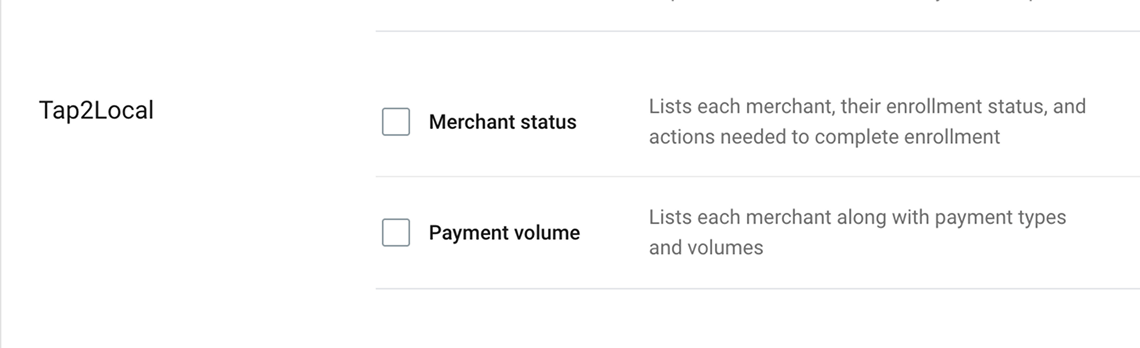
In the next few days, members of your team (with the Manage reports permission for Banno Reports) will have the option to request two new reports:
- Merchant status: Lists each merchant (or merchant-to-be), their enrollment status, and actions needed to get them across the finish line if applicable.
- Merchant payment volume: Lists each merchant along with payment types and volumes.
Once available, these new reports can be exported by clicking + Create request on the Reports screen, which is accessed via the ••• (More) menu.
Now Available! Interest-Only Loan Payments for Treasury Management
Effective March 26, we expanded the Treasury Management payment capabilities with a new feature allowing entitled Company users to independently create interest-only loan payments.
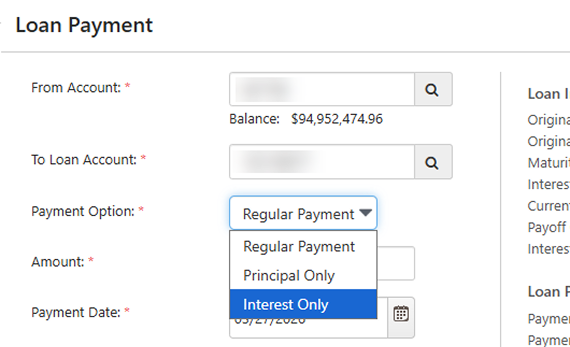
What once required bank intervention can now be completed seamlessly within the platform, reducing administrative overhead and accelerating the payment process for both financial institutions and your customers.
New Payment Option
End users will now see Interest Only as a selectable option in the Payment Options dropdown, alongside Regular Payment and Principal Only.
Tokenized Money Office Hours
As the financial landscape evolves, tokenized money (including stablecoins) are shaping a future where traditional and decentralized finance coexist – and financial institutions must be ready. That is why we’re excited to announce a new series of Office Hours with a focus on tokenized money.
In these sessions, our product, strategy, and engineering leaders will share insights and observations on the direction of all tokenized money and demo the working software that we’re building to help you bridge across crypto and fiat monetary systems.
Register now for any or all of our upcoming office hours:
- Tuesday, May 5 at 11:00 a.m. CT
- Thursday, June 4 at 12:00 p.m. CT
- Tuesday, July 7 at 12:00 p.m. CT
- Tuesday, August 4 at 12:00 p.m. CT
- Tuesday, September 1 at 12:00 p.m. CT
We will announce additional dates in future Statements, so stay tuned for updates right here!
Toolkit Corner: Plugin Cards and the Magic of Automation
Ready to manage plugin cards like a pro?
We’ve added new Admin API endpoints to help you streamline plugin card management. Your team can now use the Admin API to retrieve a user’s plugins or bulk-update access for multiple plugins at once for a given user.
You could create your own automated scripts to call these Admin API endpoints as-needed, thereby reducing operational friction and freeing up your support staff.
Dive into the docs at JackHenry.Dev.
Address Support for CU Banno Business Users
Banno Business users can now enter their personal addresses directly within the app. While this information is currently member-facing only, a future update is planned to provide credit union employees full visibility into these address details as well.
Device-Level Authentication
The transition to device-level authentication in Banno Mobile 3.31 initially replaced the in-app PIN screen with more modern, built-in device-level security features (device passcode or biometrics). As you likely know from our SLA communication, we have re-introduced the in-app PIN screen, giving your end users additional optionality. The in-app PIN screen is included in Banno Mobile 3.31.2 – available now for Android and landing for iOS as soon as Tuesday, March 3.
You’ll find supporting documentation for the new authentication flows on the For Clients Portal, toward the bottom of the Banno > Documentation page. Here are direct links to open the PDFs:
Clarification on Updated Functionality
In our previous Statement from December 2025, we stated that end users who opt out of device-level security would be required to log in after 5 minutes of inactivity. We want to clarify that there is a difference in how this inactivity period is applied, based on the operating system (OS).
For Android users, regardless of the authentication method they choose, the authenticated session is maintained and will only prompt for re-authentication after 5 minutes of inactivity. This change was implemented to improve the user experience by preventing the near-constant need to re-authenticate for common tasks that temporarily take the user away from the app (like retrieving a 2FA code).
For iOS users, those who select Device passcode / biometrics or In-app PIN (when initially setting their unlock methods for the app) must unlock the app every time it is launched or returns to the foreground. The 5-minute inactivity period applies only to devices that do not have a device passcode set. Any iOS users who rely on the in-app PIN (or who choose not to use the lock screen) must re-authenticate each time the app is launched; however, the existing session remains available if the user leaves the app (without closing it) and then returns to the app within 5 minutes.
This difference between iOS and Android functionality is due to our native builds for each OS and how each OS manages app lifecycles on the device.
Documentation Updates
Here are just a few of this month’s more notable documentation updates. Also, note that due to browser behavior, PDF links may open directly in this same browser tab:
- Unified Identity Service: Learn details related to the new Recovery Email and Phone fields for end users’ security settings.
Important: Please note that password reset functionality is not yet available to Treasury Management users. - Stablecoin FAQ: View this helpful FAQ summary document based on questions received during our February 13, 2026 Around the Corner with Greg Adelson meetup, which focused on stablecoins.
- Product Enablement Services: Read, download, and share our new product collateral for Product Enablement Services.
- Rapid Transfers on the Knowledge Base: See newly updated information on our Rapid Transfers page, from helpful link additions and FAQs to surfacing cost information.
Conversations Documentation
As we continue to enhance the Banno Conversations feature you know and love, soon we will update the name referenced in documentation from “Banno Conversations” to “Jack Henry Conversations.” Nothing else is changing immediately, but this shift in name will help avoid potential confusion and ambiguity as the Conversations experience next expands to support our Treasury Management platform.
Your Feedback Needed!
We are gathering insights on the steps your financial institution takes when setting up new business customers, specifically regarding how CIF records are established in SilverLake and CIF 20/20 cores. Your feedback will directly influence the development of Banno Business self-enrollment, ensuring that our solution alleviates manual tasks for your team and frees them to focus on higher-priority initiatives.
Please provide your feedback and help us build a solution that meets your needs.
🎗️Forget-Me-Nots🎗️
Don’t miss these upcoming events:
- Developer Office Hours: Tues., Mar. 10, 2026 at 11:00 a.m. CT
- Digital Banking Meetup: Fri., Mar. 13, 2026 at 11:00 a.m. CT
- Treasury Management Office Hours: Mon., Mar. 23, 2026 at 10:00 a.m. CT
- Product Security Meetup: Wed., Mar. 25, 2026 at 3:00 p.m. CT
Tap2Local + Rapid Transfers Events
Remember, you have a standing invitation to join key subject matter experts (SMEs) from Jack Henry and Moov for these upcoming events!
To book a spot for any or all Tap2Local office hours in March, use this registration link:
- Wednesday, March 4, 2026, 3 - 4 p.m. CT
- Wednesday, March 11, 2026, 3 - 4 p.m. CT
- Wednesday, March 18, 2026, 3 - 4 p.m. CT
- Wednesday, March 25, 2026, 12 - 1 p.m. CT
To reserve a seat for any or all Rapid Transfers office hours in March, use this registration link:
- Thursday, March 5, 2026, 3 - 4 p.m. CT
- Thursday, March 12, 2026, 3 - 4 p.m. CT
- Thursday, March 19, 2026, 3 - 4 p.m. CT
- Thursday, March 26, 2026, 3 - 4 p.m. CT
Your executive team is also invited to join Jack Henry CEO Greg Adelson and CTO Ben Metz on Monday, May 11 at 11 a.m. CT for the next quarterly Exclusive C-Suite Strategic Meetup. Executives can email gotomarketstrategy@jackhenry.com with their names, job titles, and email addresses to receive an invite.
Stay in the Know!
To receive SLA emails for all things that matter to you, head to our Subscription Manager and subscribe accordingly. Please also spread the word with your colleagues, so your whole team gets the respective SLAs that matter to each of you!
Future Dated Wires
We want to provide an update on the Future Dated Wires feature that we announced, in the December Statement, is coming soon for Banno Business users on SilverLake.
Currently in beta testing, this feature will let your business users schedule wire transfers for a specific date in the future. This is designed to give users greater control and flexibility when managing their business payments, helping them streamline operations and support more effective financial planning.
Look for additional updates here in the Statement and/or the Monthly Digital Banking Meetup as we prepare for the full release!
Identity App: Call-In Verification
Soon, users with Unified Identity Service (UIS) will be able to use Call-in verification – an advanced security process that lets users quickly and securely verify who they are by providing a One Time Passcode (OTP) while on the phone with your support staff.
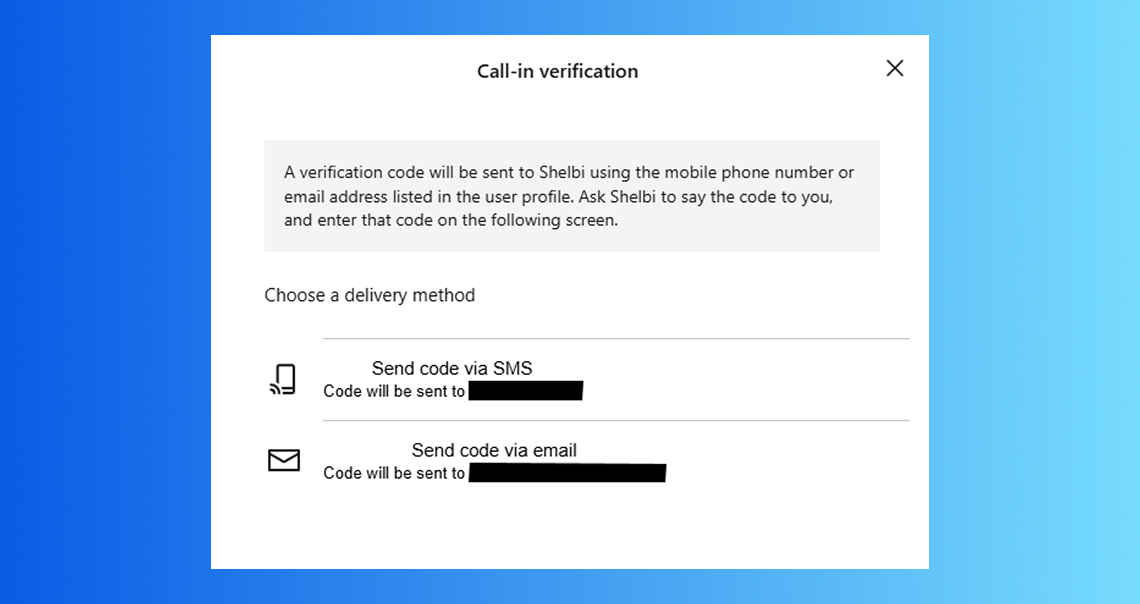
The verification is performed through the mobile or online banking application using Email or SMS verification. This enhances security by ensuring the caller is who they claim to be. We aim to release this feature mid-March.
As a future enhancement to this UIS-specific feature, we are building toward using High Risk Action (HRA) prompting in place of Call-in Verification; that additional enhancement will completely circumvent the need for your team to ever ask for a code that was sent to the user!
Important: This functionality is intended for UIS users, and therefore it is not recommended for Banno-only financial institutions. For users with access to Banno Messages, we strongly encourage the use of the verification with HRA method.
Jack Henry Wires
To reduce operational friction, JH Wires has introduced an Override Account permission to resolve beneficiary account errors. Currently, incoming ISO 20022 messages (pacs.008 and pacs.009) can fail core validation due to malformed account details, even after passing Fed and OFAC screenings. Authorized users can now input a corrected account number, which automatically triggers a validation retry. For full traceability, the system captures all actions in the audit log and retains the original account data for return processing.
In addition, new document capabilities are being delivered to production soon, including the ability to download a PDF of the wire list based on applied filters, as well as an enhanced printed form export that generates a fully populated PDF with all wire details, disclaimer language, and institutional logo. Work also continues on international wire capabilities as part of our ongoing roadmap to expand functionality and support evolving client needs.
Mobile App UX Design Evolution
Banno Mobile version 3.32 is currently on target for submission to the app stores in early March – likely the week of March 9 - 13. The following provides a recap of the UX design advancements you can expect in the next two iOS releases, along with an update regarding our progress on Android.
iOS – 3.32 Recap
The plans we shared last month for Mobile 3.32 on iOS remain largely unchanged. However, some of the transitional work around the money movement experience – i.e., implementing forms and layout styles consistent with Apple’s new Liquid Glass design system – will be finalized in Mobile 3.33. While users may notice some new UI styles during this transition, the fundamental flows will not be disrupted.
For more details and to learn about other upcoming changes, visit the iOS App UX Evolution Knowledge Base page.
Android – 3.32 Update
We have elected to move the majority of the UX design work we had planned for Mobile 3.32 to our upcoming Mobile 3.33 release. Not to worry, though. Once we lay some of the foundation for Material 3 in Mobile 3.33, we can quickly hit our stride and continue building momentum over the coming months.
You can follow the journey and plans here on our Android App UX Evolution Knowledge Base page.
Passkeys Enhancements for Client Applications
The upcoming Mobile 3.32 release introduces additional support for Passkeys, a major step in enhancing security and the related UX across our digital banking platform (mobile and online). End users have had passkey options during the login process (autofill) since the Mobile 3.28 release, and Mobile 3.29 gave them the choice to use passkeys in place of their password. After upgrading to Mobile 3.32, they can use passkeys as a Two-Factor Authentication (2FA) method and to authenticate during Account Recovery.
With Mobile 3.32, passkeys will also be leveraged for High-Risk Actions (HRA), providing a more secure, streamlined verification method for sensitive transactions or changes in the app.
These enhancements move us toward a cleaner and clearer token management experience for end users. The work also reflects our persistent goal to offer the best, safest authentication methods possible. Passkeys and existing security tokens will be grouped and updated with FIDO-suggested iconography for a clearer user interface. This includes listing passkeys and security keys together in the enrolled 2FA methods list, and we will eventually remove the existing Passkey section from Security Settings.
Note: We are currently working on supporting documentation, which we will provide before Mobile 3.32 is available to download.
Promoted Messages, Interstitials, and Deep Links
To help you boost accountholder engagement and message visibility, the new Promoted Messages and Interstitials feature helps ensure that your most critical information is seen right there on the Dashboard, rather than sent to a crowded inbox. Plus, the ability to include deep links can more swiftly get your users where they need to go.
The feature provides a few key benefits:
- Increased visibility: By delivering high-value, banner-style messages directly on the Dashboard, you can ensure that essential information reaches your accountholders the moment they log in.
- Effective communication: These prominent placements are designed to drive end users to take essential actions, improving the overall effectiveness of your financial institution’s messaging.
- Targeted reach: Your admins can leverage these promoted messages to deliver crucial information to the specific segments that need it most.
- Smooth transitions: By including deep links to app features or external applications, your admins can send the right users to the right spots.
This functionality is included behind-the-scenes with Banno Mobile 3.31. Soon after Mobile 3.31.2 for iOS is available to download (as soon as March 3), we will enable this feature for all financial institutions. Once we do, you’ll see it available in Banno Admin ( → People → Messages) and ready to use – whenever your team is ready!
Security Profile Enhancements
We’ve modified the Security screens for Banno Online and Mobile, making it easier than ever for your end users to manage their identity and security settings. These enhancements went live on February 24.
Think of the Security screen as a user’s new Identity Profile. The streamlined interface empowers users to handle their own login and recovery options – without needing to call your support team.
Here’s what’s new for end users with UIS:
- Self-Service Recovery: Users can now maintain their own recovery email and phone numbers directly within the app.
- ID Details at a Glance: Users can now view the specific ID details that were collected during their initial enrollment.
- Expanded Access: UIS users who don’t currently utilize other Banno products will now have standalone access to these Security screens.
This update is all about giving your users more control over their digital identity while reducing friction for your frontline staff.
Important: While the Security screens are open to all UIS users, the full Profile screens remain exclusive to your Banno users. Please also note that the password reset functionality is not yet available to Treasury Management users.
Suspending Users
Coming soon, your authorized administrators will have the option to suspend inactive digital banking users, when necessary, directly within the Banno People platform. This new feature provides your employees with another tool to assist in maintaining your digital user base.
Suspicious and Fraudulent Event Labeling
Just ahead of rollout, below is a recap of what to expect for these upcoming fraud-fighting features.
History Events
Within Banno People and Identity, your designated staff will soon be able to mark history events as suspicious or fraudulent as well as add notes to aid in any ongoing investigations or when reviewing past events. So your administrators can grant access to the right staff members, we’re developing three related permissions: View labels, Manage suspicious labels, Manage fraudulent labels.
The ability to label history events will be rolling out to all institutions in the coming weeks – and you can rest easy knowing nothing will change for your staff until you enable the permissions noted above.
Device Removal Reasons
In Banno People and Identity, as well as within Online and Mobile, we’ll be asking for reasons when a device is removed. This will be optional on the consumer apps (for all accountholders) and required when removing devices from Banno People. Learning why devices are removed will help us identify risky patterns of activity so we can be better equipped to prevent fraud in the future.
We’ll begin asking for these reasons for all institutions in Mobile version 3.33 (targeting early April), and it’ll hit Online around the same time. We’ll also start asking your staff to provide these reasons within the next few weeks.
Tap2Local Campaign
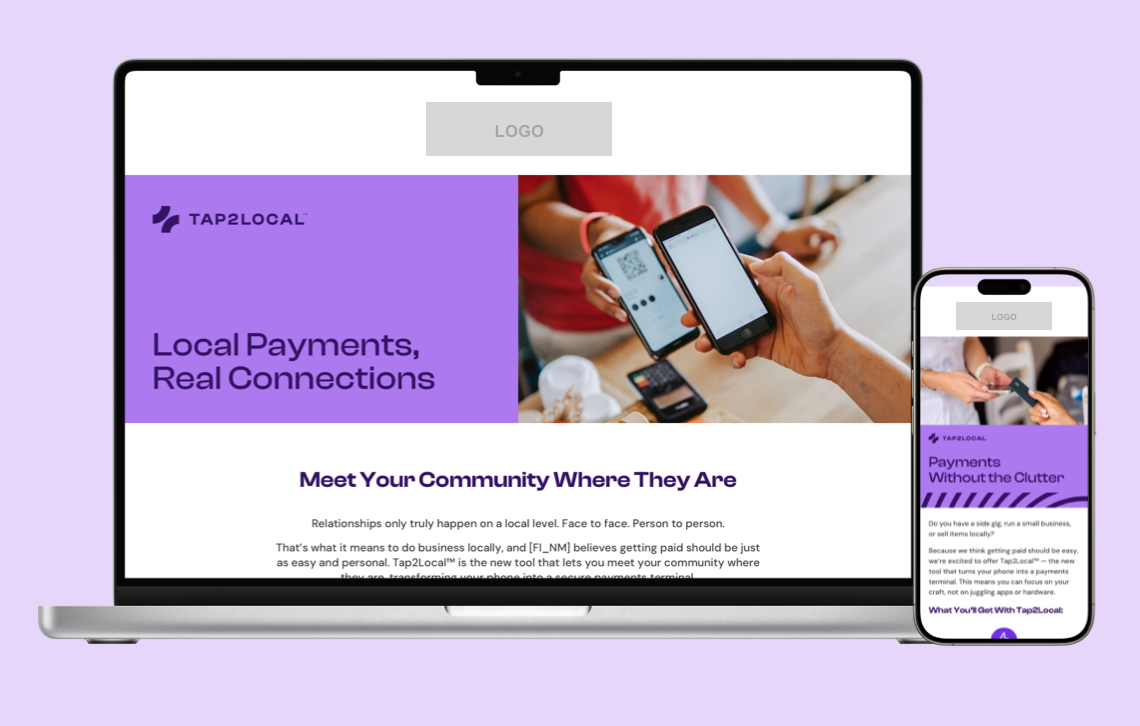
A new Tap2Local campaign is coming to the Jack Henry Marketing Center next month, giving you a turnkey way to promote secure, smartphone-based payments for local businesses.
With emails, social content, digital banners, and more, you can equip your local business accountholders with the power to accept payments – without the headache of extra hardware or extra work for your team.
Now Available! Data Hub for Treasury Management
Data Hub is now Generally Available!
We’re thrilled to announce that Data Hub has officially reached General Availability – and we can’t wait for you to experience everything it brings to your Treasury Management operations. This is your moment to unlock faster insights and operational efficiencies.
Ready to get started? Reach out to your Account Executive today to review contract details and take the next step toward activating Data Hub for your bank. Let the data-powered fun begin!
Toolkit Corner: Cloud-Native Tech and the Art of Modernization
What pairs well with the Banno Digital Toolkit? Meet the future of core.
Check out the Digital Core API docs to see how we’re unbundling the core and modernizing with cloud-native technology. It’s all about building a flexible, adaptable ecosystem that’s ready for whatever comes next.
Dive into the docs at JackHenry.Dev.
Restrict Money Movement with Warning Codes
Coming soon, authorized credit union employees will have the ability to restrict member access to specific digital banking features using warning codes configured in Symitar.
By mapping these codes to restrictions in Banno People, your authorized employees can automatically disable features like Zelle®, ACH, wires, and external transfers for memberships flagged with specific status codes.
This feature is currently in closed beta testing; please continue to check the monthly Statement and/or the Monthly Digital Banking Meetup for an announcement regarding its general availability.
Timing of Authy Removal for Banno Admin
As you’re likely well aware from our previous communications, including the December Statement, we’ll soon stop supporting Authy as a 2FA method for Banno Admin. However, we’ve decided to delay Authy removal slightly – until early- to mid-February 2026. That gives your employees a little extra time to enroll in one or more supported 2FA method/s:
- Voice/text
- Authenticator app
- Security keys
- Passkeys
Since Jack Henry Identity now allows multiple 2FA methods, we recommend that users enroll in their preferred method, plus at least one backup method.
Reminder: This will also affect Treasury Management and Jack Henry Platform admins who use Jack Henry Identity for authentication.
Documentation Updates
Here are a few of this month’s more notable documentation updates:
- Security Profile Enhancements: Learn about the upcoming addition of Recovery Phone and Email fields for UIS users.
- Jack Henry Wires Approval Settings: See details clarifying that only users who belong to an approval group can deny the wire.
- Jack Henry Identity for LoanVantage FAQ: Read the latest on LoanVantage’s move to JHID, including rollout updates.
- LoanVantage Express Product Comparison: Study this net-new comparison of LoanVantage Express and LoanVantage, which also notes requirements and optional items.
An Update on the FDIC-Required Display Changes
In the unlikely event that any bank customers missed the recent letter from the FDIC, we want to call that out and update you all on our associated plans. Given the compliance date has been extended to April 1, 2027, we don’t intend to implement any changes in Banno Mobile or Online immediately. We currently plan to deliver the necessary changes after the first half of the year.
We will, of course, ensure that Banno apps meet FDIC requirements before the April 1, 2027 enforcement date, and we will communicate plans and progress in future editions of the Statement.
🎗️Forget-Me-Nots🎗️
Don’t miss these upcoming events:
- Digital Banking Meetup: Fri., Feb. 13, 2026 at 11:00 a.m. CT
- Developer Office Hours: Tues., Feb. 17, 2026 at 11:00 a.m. CT
- Product Security Meetup: Wed., Mar. 25, 2026 at 3:00 p.m. CT
Note: Be sure to register, as the date of the next Product Security Meetup has changed!
Tap2Local + Rapid Transfers Events
Still have questions about Tap2Local or Jack Henry Rapid Transfers? If so, be sure to join key subject matter experts (SMEs) from Jack Henry and Moov for one of these upcoming events!
To book a spot for any or all Tap2Local office hours in February, use this registration link:
- Wednesday, February 11, 2026, 3 - 4 p.m. CT
- Wednesday, February 18, 2026, 3 - 4 p.m. CT
- Wednesday, February 25, 2026, 3 - 4 p.m. CT
To reserve a seat for any or all Rapid Transfers office hours in February, use this registration link:
- Thursday, February 12, 2026, 3 - 4 p.m. CT
- Thursday, February 19, 2026, 3 - 4 p.m. CT
- Thursday, February 26, 2026, 1 - 2 p.m. CT
The special Jack Henry Rapid Transfers + Tap2Local Compliance Meetup is scheduled for Tuesday, February 17, 2026, from 12 - 1:30 p.m. CT. Register today to get answers to your compliance questions!
On February 12, 2026, Jack Henry CEO Greg Adelson and CTO Ben Metz are hosting the second quarterly Exclusive C-Suite Strategic Meetup, focused on everything your executive team should know about Stablecoins. Executives can email gotomarketstrategy@jackhenry.com with their names, job titles, and email addresses to receive an invite.
Pausing the Scheduled Transfer Deleted Alert
Due to some anomalies we’re seeing with the delivery of the alert that accountholders receive after a previously scheduled transfer has been deleted, we’ve decided to pause that particular alert altogether for the time being. Our engineers are investigating the unintended behavior, and we will unpause delivery once we’re confident that your end users will receive the alert as expected.
Note: This change applies to banks on SilverLake and CIF 20/20 cores, and only the alert specific to a deleted transfer has been paused. All other transfer alerts will continue as normal.
Displaying Last Four Digits of Card
As noted last month, credit union accountholders can now easily identify which card they used for a given transaction. As of Tuesday, January 20, the last four (4) digits of the credit or debit card used for each purchase is displayed on the transaction details screen. There was no additional contract required for this enhancement, which is already live for all credit unions.
Stay in the Know!
To receive SLA emails for all things that matter to you, head to our Subscription Manager and subscribe accordingly. Please also spread the word with your colleagues, so your whole team gets the respective SLAs that matter to each of you!
Jack Henry Identity Support for Entra ID
To further enhance our Identity Platform, we’re planning to integrate additional identity providers (IdP). We’ll start supporting Entra ID federation utilizing OpenID Connect (OIDC) in the coming months, although a date is not currently set. In the future we’ll look to support other IdPs, like Okta.
This integration will allow financial institutions the ability to take advantage of Jack Henry’s robust platform security features while still supporting your current Authentication Vendors. A release date isn’t currently available, but we’ll update you as this project progresses.
Important: This enhancement will apply to all products that have implemented Jack Henry Identity. Currently, that list includes everything accessed via Banno Admin, like Treasury Management and Jack Henry Platform.
Jack Henry Wires
Jack Henry Wires enters the new year with meaningful advances in control and operational efficiency.
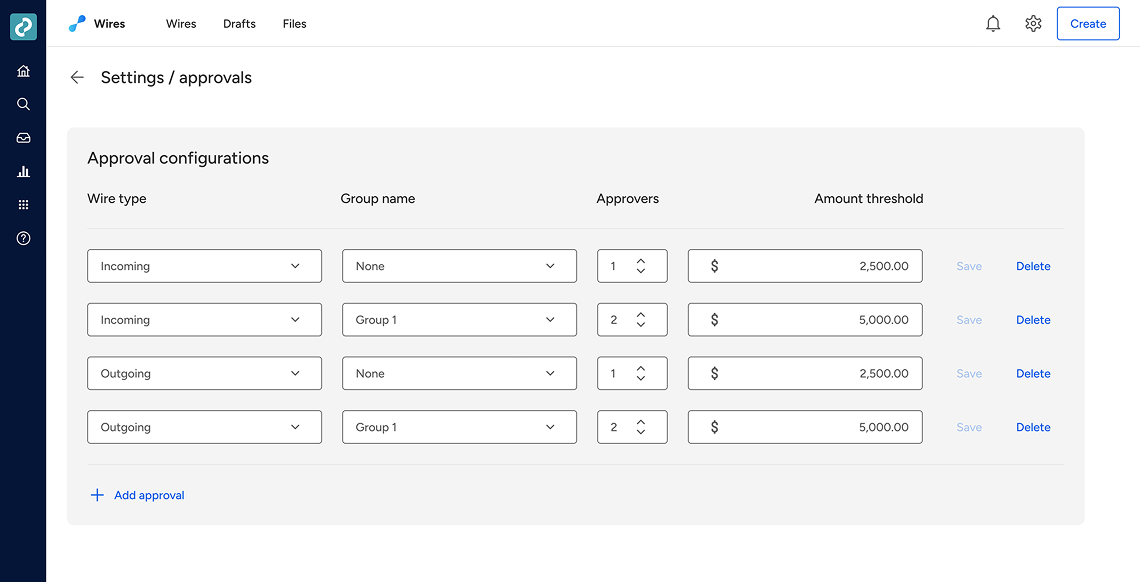
Enhanced Approval Capabilities
This month, we delivered enhanced approval capabilities that let financial institutions define approval groups tied to specific amount ranges for both incoming and outgoing wires, ensuring that only the right users can authorize transactions at each tier. This brings greater precision to risk management while maintaining the flexibility needed for high-volume wire operations.
Account Number Overrides
In parallel with the new approval capabilities, we’re releasing the option to override the account number on incoming wires, so institutions can correct miskeyed or mismatched numbers without rejecting and re-sending wires. This significantly reduces delays, operational friction, and customer impact.
Improved Reporting and Documents
We’re also continuing to modernize the customer and back-office experience through improved reporting and document generation. Soon, enhanced wire detail documents will be made available as professionally formatted PDFs that include institution branding and regulatory disclaimers, replacing the current printed form with a more dynamic, customer-friendly format. Additionally, the Wires List download is being upgraded to support PDF generation.
Reminder: Alongside these improvements, International Wires (iWires) development is moving forward as we build toward broader ISO-based global wire capabilities that extend the reach and automation of the Jack Henry Wires platform.
Mobile App UX Design Evolution
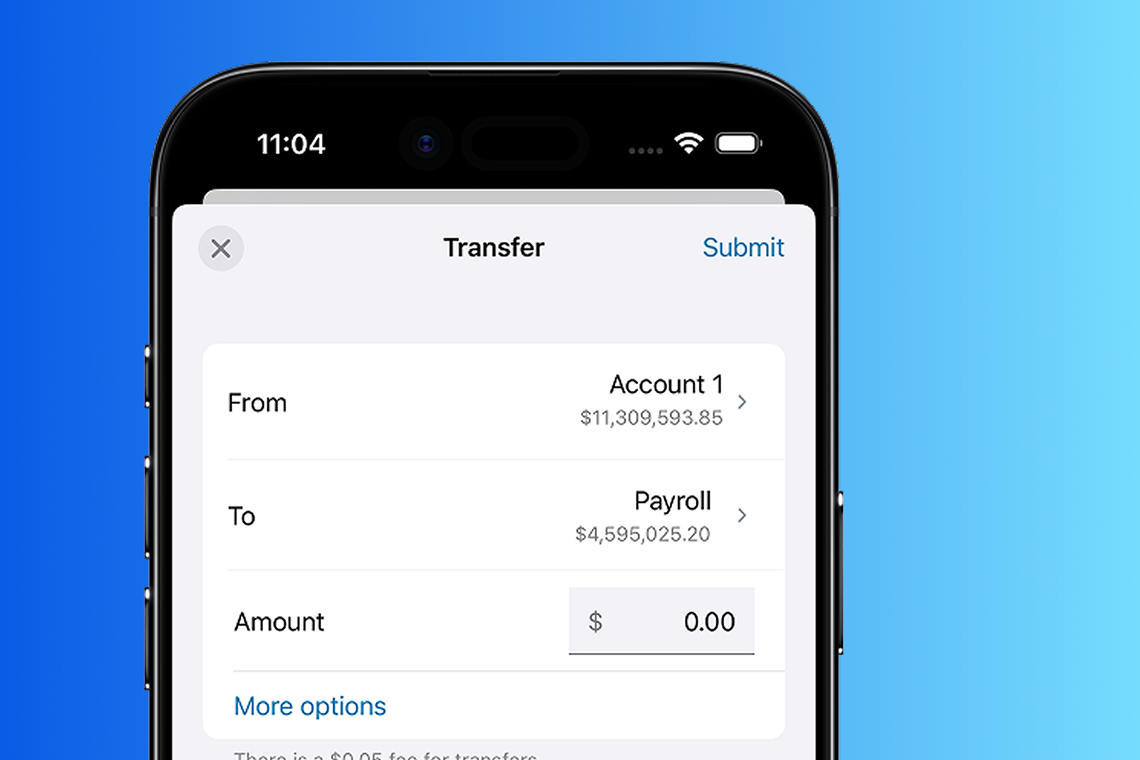
Along with what we described last month for the Banno Mobile 3.31 release (slated for early February), our preparations for Liquid Glass and Material 3 continue with the following changes scheduled for Mobile 3.32 (coming early March).“
iOS – Forms
Moving money should feel familiar across the app, from performing an internal or external transfer to sending a wire – all of which utilize form content. Therefore, in version 3.32, we’ll unify how forms look by making inputs (like text fields and date selection) more uniform as well as updating the animations used for presentation and dismissal.
Read more about these and other upcoming changes on the iOS App UX Evolution Knowledge Base page.
Android – Theming
We’ve finished our explorations on Android for moving to Material 3, and now we’re kicking off our updates for it. We’re taking a flow-based approach to conversion and will start laying the foundation in 3.32 by generating and consuming themes using the Material Theme Builder.
Similar to iOS, the primary color will align to the bodyTextThemeColor property from the current Banno theme. We’ll be targeting the recently used devices screen as our first conversion, and will flesh out and refine the list further in coming months.
Learn more on the Android App UX Evolution Knowledge Base page.
Passkey enhancements for Mobile
As we continue expanding support of passkeys among our applications, we’re wrapping development to allow passkeys as a 2FA option in addition to high-risk actions on mobile devices. Alongside these enhancements, we’ll also support the option to natively enroll in passkeys via mobile devices. All this functionality is targeted for the Banno Mobile 3.32 release in March 2026.
Related reminder: Your mobile app users can already log in using passkeys that they previously enrolled via Banno Online.
Support Updates: Saved Replies
Some incremental updates to the Saved Replies experience in Banno Support are now live for your support agents.
These updates focus on visual and layout refinements that make saved responses easier to find, review, and use during conversations. Support agents may notice updated styling in Saved Replies settings, a refreshed Saved Replies menu within conversations, and small layout adjustments such as improved conversation header alignment.
Additional enhancements to Agent Saved Replies, including the ability for agents to manage their own saved responses and copy conversation transcripts, are planned for a future release.
Suspicious and Fraudulent Event Labeling
As announced last month, these crucial data-labeling features are coming soon to Banno Mobile, Online, and to Admin apps. Here's a refresher along with the rollout details.
History Events
Within Banno People and Identity, your designated staff will soon be able to mark history events as suspicious or fraudulent, as well as add notes that aid any ongoing investigations (or when reviewing past events). So your administrators can grant access to the right staff members, we’re developing three related permissions: View labels, Manage suspicious labels, and Manage fraudulent labels.
The ability to label history events will be rolling out to all institutions in the coming weeks, and you can rest easy knowing nothing will change for your staff until you enable the permissions noted above.
Device Removal Reasons
In Banno People and Identity, as well as within Online and Mobile, we’ll be asking for reasons when a device is removed. This will be optional on consumer apps (for all accountholders, including Treasury Management users), and depending on the reason provided, we’ll be better equipped to take preventative measures should that device reappear in the future.
We’ll start asking all accountholders for these reasons in Mobile version 3.32 (slated for early March), and it’ll hit Online around the same time. We’ll start asking your staff to provide these reasons soon as well.
Tap2Local: Improved Visibility of Merchant Support Tickets
Ahead of the holidays, we rolled out the ability for your teams to create Moov tickets from Banno Support when your merchants encounter certain issues requiring Moov's assistance. Now, the focus is on improving your visibility of those tickets.
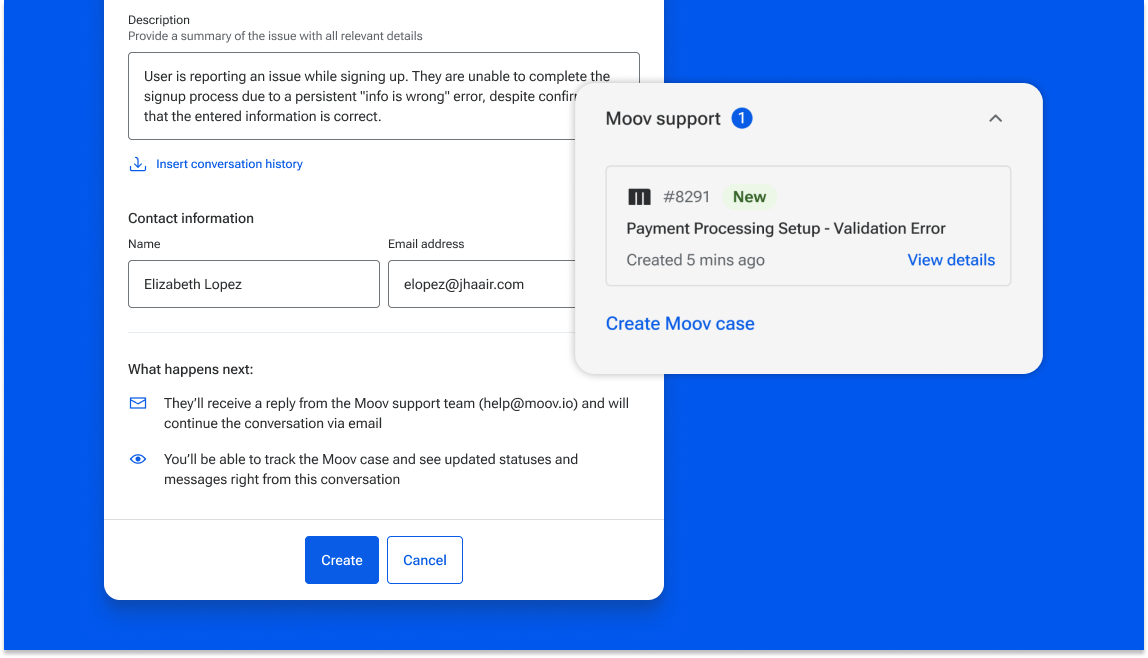
Available Now
The following enhancements are already live for all financial institutions that have Tap2Local enabled:
- The ability to create Moov tickets from a conversation in Banno Support (for your employees with the
Manage Moov ticketspermission) - Moov ticket status updates appear as internal notes within conversations
- Moov tickets can now be clicked to view more details, including full ticket transcripts
- Conversations display a Moov tag complete with a ticket number and status in the case list for easy, at-a-glance review
Coming Soon
Keep your eyes peeled for a couple additional improvements that will be landing soon:
- Moov tickets will be more easily searchable with the search field in Support
- Your staff will be able to insert conversation history into Moov tickets upon creation instead of manually writing a description
All of these enhancements will appear for any institution that’s live with Tap2Local, and no additional contract or support ticket is required.
Add and Manage Product Catalog Within Tap2Local
We're excited to introduce the Product Catalog for Tap2Local, a major update arriving in early February with Banno Mobile 3.31. This update will transform Tap2Local from a simple keypad terminal into a robust, full-featured point-of-sale solution.
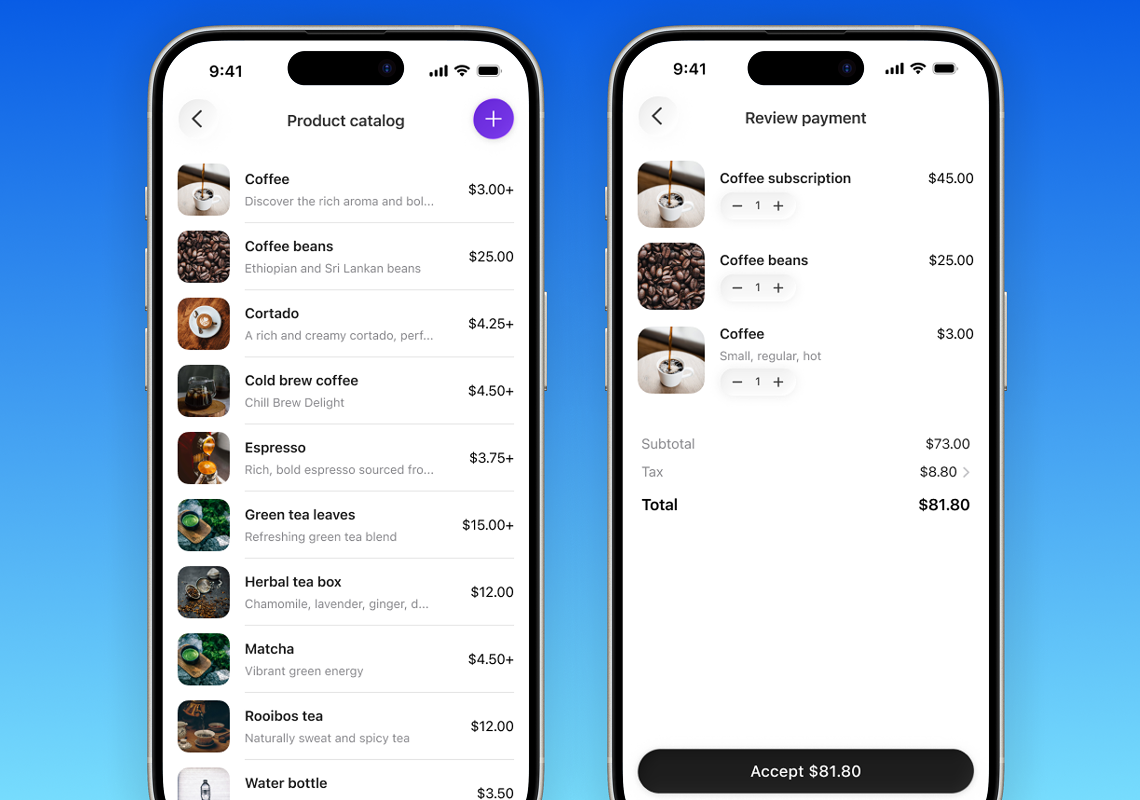
Tap2Local merchants can build and manage their inventory directly within the app, even adding products with custom names, categories, images, and “modifiers” (like sizes or add-ons) to suit specific business needs.
The new catalog will integrate seamlessly into the checkout flow via a dedicated Catalog tab. Your merchants’ customers can simply tap products to add them to their cart, or they can mix-and-match items with manual keypad entries for total flexibility. With this release, your business owners will benefit from detailed line items and a clear breakdown of every transaction, ensuring that every sale is a fast and transparent experience.
Once released, this feature will automatically be enabled for all financial institutions that are live with Tap2Local; no additional contract or support ticket is required.
Three Improvements to Streamline File Transmission and Reporting in Treasury Management
We’re excited to share that three major enhancements are on the way to help financial institutions and business customers automate workflows, reduce manual effort, and gain faster access to critical data in Treasury Management.
Check Issue Items via Secure FTP (sFTP)
Soon entering beta, this enhancement lets businesses transmit Issued Items files directly to Treasury Management using sFTP – minimizing manual uploads and reducing the risk of human error. Key capabilities include automated file loading, a new Issued Items File Activity page for viewing and processing files, PDF downloads, notifications, and full use of existing Positive Pay entitlements and mapping tools.
ACH File Transmission via Secure FTP (sFTP)
Scheduled to be generally available in February 2026, this enhancement allows bank customers to send ACH Nacha-formatted files to Treasury Management through sFTP. The expanded watcher service will automatically ingest incoming files and display them on the ACH File Activity page, where entitled users can view, process, or delete files with the same validations applied to manual uploads – creating a more efficient ACH workflow.
Data Hub for Treasury Management
Now completing its closed beta, Data Hub will soon provide financial institutions with automated, scalable monthly reporting. Built on Google Cloud Platform, Data Hub offers secure access to BigQuery datasets, Excel extracts, graphs, and Looker Studio visualizations – empowering institutions to analyze the metrics that matter most while reducing operational effort. This feature will likely become generally available in February 2026.
Now Available! Three New Enhancements for Treasury Management
We’re excited to announce the release of three powerful enhancements designed to streamline workflows, improve data accuracy, and deliver more targeted communication across the Treasury Management platform.
Banner and Modal Messaging by Product + User
Released January 15, 2026: The latest phase of our messaging enhancements now allows you to deliver banner and modal communications targeted not only by product, but by user entitlement too. This ensures product-specific messages – such as Positive Pay alerts – reach only the users who are entitled to receive them, improving message relevance and reducing noise.
Positive Pay Issued Item Uploads in XLS Format
Released January 20, 2026: Customers can now manually upload check-issued item files in XLS format, offering a more flexible and convenient option for submitting check issue data.
Here’s what’s new:
- Direct upload of XLS-formatted issued item files – no conversion required
- Continued support for CSV and TXT formats
The upload process remains the same: select the file format, choose an account if applicable, upload, and submit.
Transmit Return Reasons to SilverLake
Released January 21, 2026: Return reason codes are now automatically transmitted to SilverLake along with check exception return decisions for banks using Positive Pay return reasons. This enhancement eliminates manual updates, streamlines exception processing, and improves accuracy for Positive Pay users.
Here are the key benefits:
- No manual updates required in SilverLake
- More efficient check exception workflows
- Greater accuracy and consistency for Positive Pay processing
Toolkit Corner: Simple Plugins and the Joy of Clarity
We’ve identified some common snags that developers hit when using our Simple Plugin Example on GitHub, so we made it easier to understand.
The user interface for the example project now clearly shows two learning paths, and the code feels more like real-world development.
As a bonus, the authentication flow is simpler to follow.
Users & Groups: Improved Clarity when Assigning Permissions
Our Jack Henry Platform customers will soon notice a small-but-helpful improvement to the user interface (UI) when creating permission sets or templates for Authorizations Management Service (AMS) in Banno Admin. After navigating to Users & Groups > Group list, and then clicking the JH Permission Sets tab followed by the Create a permission set button, authorized admins currently select Yes, No, or Deny for each permission in the set.
In an effort to eliminate potential ambiguity going forward, we will replace those values to Grant, Unset, and Block. This is slated to take effect on February 2, 2026.
Authy Deconversion for Banno Admin
As addressed in last month’s Statement and in recent Digital and Security Meetups, we are preparing to remove support for Authy as a standalone 2FA method for logging in to Banno Admin.
Your financial institution employees will still be able to enroll Authy as an Authenticator App, and this change won’t impact consumer users who have Authy manually enrolled in this manner. The deconversion is slated for mid- to late-January 2026.
Banno Admin Session Management Updates
With the rollout of Jack Henry Identity for Banno Admin authentication (login.banno.com), all users are now required to use multi-factor authentication during login. With this protection in place, we have increased the session timeout for login.banno.com to 24 hours.
This change allows financial institution employees to remain logged in for the full duration of the session without interruption. Note that no changes were made to the inactivity timer – if someone is signed out due to inactivity, that will still begin a new session (upon login).
Reminder: Your employees are able to logout of Banno Admin as usual. However, to fully end their authenticated session, they will need to log out of login.jackhenry.com as well. As more products integrate to Jack Henry Identity, this session logout experience will allow your staff to stay logged in across products as they deem fit.
Boost Digital Banking Engagement
Make it easy for your accountholders to get the most out of Banno. On the Jack Henry Marketing Center™, our Geezeo customers now have access to a new campaign collection — four plug-and-play campaigns designed to help you reconnect with inactive users, welcome new accountholders, encourage adoption, and educate through an interactive quiz.

Each complimentary campaign includes customizable emails, social posts, banners, and more, giving you everything you need to promote key digital banking features.
Want a closer look? Join us on January 22 for an exclusive walkthrough of the campaign assets and simple customization process – reserve your spot today!
Update to Credit Card Balances
To ensure accuracy, credit union members’ dashboard will now display their total calculated balance. This includes the principal amount plus any interest due or unpaid charges, ensuring the number on their main screen always matches the actual amount owed.
No support ticket or contract is required. Your accountholders should see the changes live now.
Device-Level Authentication
The security of your accountholders’ personal and banking information has always been our top priority. For years, we’ve relied on a PIN code in Banno Mobile as an extra layer of protection for accessing financial data. However, device security has advanced significantly in recent years. Modern phones and tablets now feature dedicated security chips that encrypt and store sensitive data.
To leverage these improvements and enable future enhancements, we are updating our Android and iOS applications in the first release of 2026 (Banno Mobile 3.31) to remove the manual PIN entry screen.
In its place, we will rely exclusively on device-level authentication. Biometric methods like fingerprint or face recognition will be the default, with the device passcode serving as a fallback. Since many customers use this as an option to bypass manual PIN entry today, the transition should be seamless for them.
End users who have opted out of device-level security will be required to log in after five minutes of inactivity. We will also display a message encouraging the setup of device-level authentication, if the end user hasn’t done so yet.
Displaying Last Four Digits of Card
Soon, credit union accountholders won’t have to guess which card they used for a purchase. We are adding the last four (4) digits of their credit or debit card directly to the transaction details screen to help members quickly identify which card was used for each transaction.
No support ticket or contract is needed. Accountholders will see the enhancement once it’s ready for release – likely in mid-January.
🎗️Forget-Me-Nots🎗️
Don’t miss these upcoming events:
- Digital Banking Meetup: Fri., Jan. 9, 2026 at 11:00 a.m. CT
- Developer Office Hours: Tues., Jan. 13, 2026 at 11:00 a.m. CT
- Product Security Meetup: Thurs., Feb. 26, 2026 at 3:00 p.m. CT
Note: This event was formerly named the Digital Security Meetup.
Stay in the Know!
To receive SLA emails for all things that matter to you, please head to our Subscription Manager and subscribe accordingly. Please also spread the word with your colleagues, so your whole team gets the respective SLAs that matter to each of you!
Future Dated Wires
The Banno team has been hard at work to bring your business customers additional wire functionality. Soon, your customers will be able to schedule single wires for a date in the future. As a financial institution, you will also have the option to limit how far in advance your customers can schedule these wires.
Once this project is completed, it will be going through a beta testing period prior to releasing to all SilverLake institutions.
Jack Henry Wires Update
Jack Henry Wires continues to build momentum as we close out the year. Building on last month’s release of expanded ISO 20022 message handling – including investigation, return, and drawdown message types – we have now fully completed the Direct Line Wires (DLW) integration. With this integration complete, JH Wires have started onboarding financial institutions using FedLine Direct, leveraging the full suite of ISO messages already supported to provide a more automated, real-time wire processing experience.
Looking ahead, we continue to make progress in International Wires while working on additional enhancements that will bring even greater flexibility and control. Soon, institutions will be able to define approval groups for each amount range, ensuring only authorized users can approve transactions at specific tiers. Additionally, a new free-text comment field for GL transaction postings will allow notes to flow seamlessly into the core for improved clarity and auditability of the GL transactions that are posted to the GL settlement account.
Our teams responsible for building Jack Henry Wires remain committed to delivering modern, efficient, and compliance-focused capabilities that support the evolving needs of our customers.
Mobile Passkey Enhancements
As we continue to expand our support of passkeys among our applications, we are actively working on the ability to use passkeys as a 2FA option as well as for high-risk actions on Mobile devices. Your accountholders will also be able to natively enroll in passkeys via mobile devices. These enhancements are currently on track for release with Banno Mobile 3.31 in early February 2026.
As a reminder, your mobile users are already able to login with existing passkeys that have been enrolled Online (as described in release notes for Banno Mobile 3.29).
Mobile App UX Design Evolution
Continuing our mobile design modernization effort, here are the changes we are implementing for the Banno Mobile 3.31 release in early February.
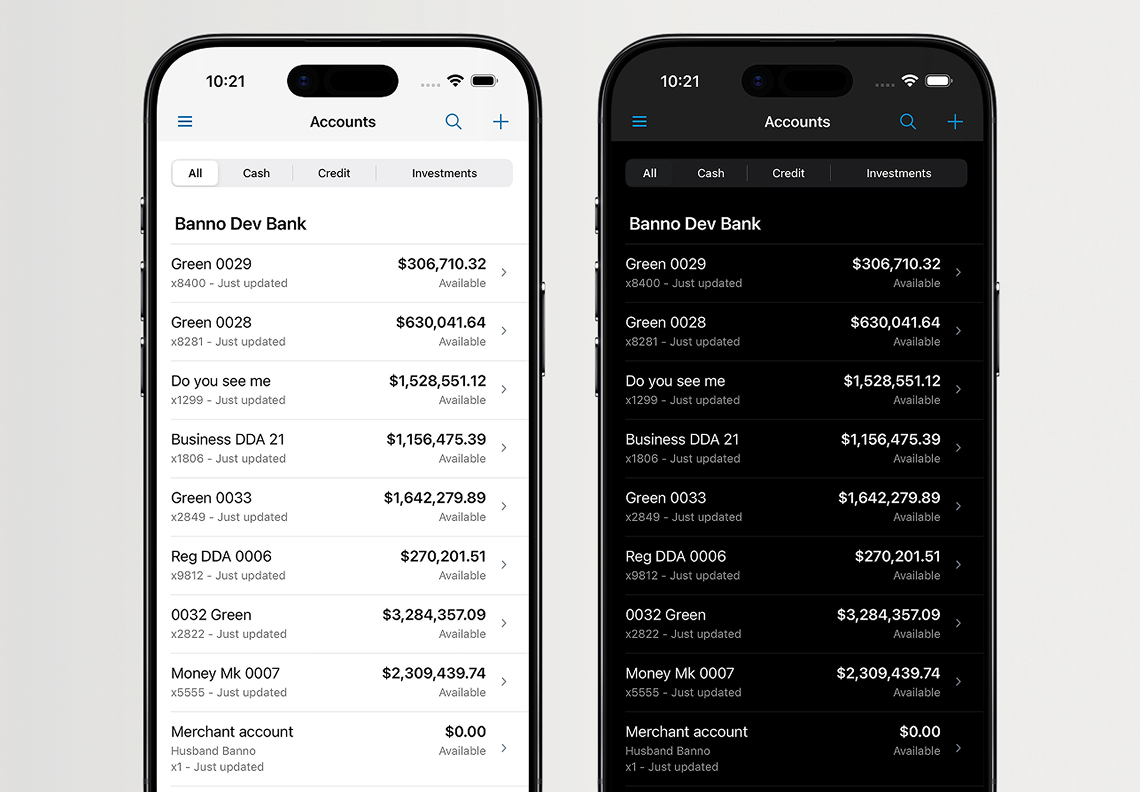
iOS – Theming and Icons
In this release, we will continue to adjust our color usage to be more purposeful. This will include less noticeable changes such as the dividers used to separate accounts, and more visible changes such as section titles. This version will also introduce the adoption of Apple’s SF Symbols (designed to integrate their system font). The new SF Symbols will replace our existing Banno icon library – including updates to the Transaction Enrichment category icons (as seen here). The latest version, SF Symbols 7, provides additional flexibility with built-in animations and icon styles. In the future, we will leverage these advantages to enhance brand identity in the app.
Android – Theme Exploration Continued
Our team is continuing to evaluate the future of how Banno Mobile will create and consume app themes on Android to align with Material 3 standards. Implementing this change will ensure the app evolves seamlessly with future changes to Material, and we intend to communicate our strategy as we finish development of 3.31.
Tracking the Evolution
As promised last month, we published the new Mobile UX Design Evolution section on the Knowledge Base early this December. We will keep these pages up to date – complete with sneak-preview images – as plans progress and new versions are released. In other words, you’ll want to visit the Knowledge Base regularly for updates!
Payee Name Expansion for Positive Pay
The long awaited Positive Pay enhancement is getting close. When your business users upload issued item files or manual items, they will be able to enter up to 80 characters for the payee field. This will help decrease exceptions coming back for payee mismatch and let businesses upload items that better match the payee on their checks.
This will be available to Banno Business customers on SilverLake and CIF 20/20 and requires a Host code update to support. We are working to solidify timing on this front, so please look for an update in January!
Search Recipients in Banno Business ACH
We understand that business users often face the complex and time-consuming challenge of editing payees within and across large ACH batches – a request from many financial institutions. We listened to your feedback and are thrilled to announce that the ACH Search Recipients feature will be available soon!
This powerful new tool is designed to give your authorized business users unparalleled efficiency and control over their payments. They will soon be able to quickly locate and edit any recipient across ACH batches by searching for a variety of criteria, including name, ID number, batch name, or amount. Whether the business needs to swiftly address a customer-requested change, modify payment amounts or accounts, or process a notice of correction, this feature will ensure they can locate and edit any payment with ease, making their ACH batch processing faster and more efficient than ever before.
No support ticket nor additional contract is required for this enhancement, which will be released on Banno Online for all Banno Business banks and credit unions.
sFTP for ACH in Treasury Management
Entitled Treasury Management users will soon be able to transmit ACH files via sFTP! This feature allows users to securely transmit Nacha formatted files, and retains all the same approvals, challenge points, limit validations, and notifications that are in place for manually entered or uploaded ACH files today.
We’ll send an SLA with information on how to contract for this new feature in the coming weeks!
Suspicious and Fraudulent Event Labeling
In an ever-growing (and ever-more expensive) game of fraud whack-a-mole, data can become an incredibly powerful tool in our defensive tool belt. To make that data as impactful as possible, we're introducing multiple ways for you and your accountholders to label suspicious and fraudulent data.
Using this labeled data, we can better identify and block suspicious patterns, and your team can more efficiently conduct necessary investigations.
History Events
Within Banno People and Identity, your designated staff will soon be able to mark history events as suspicious or fraudulent as well as add notes to aid in any ongoing investigations or when reviewing past events. So your administrators can grant access to the right staff members, we’re developing three related permissions: View labels, Manage suspicious labels, Manage fraudulent labels.
Device Removal Reasons
In Banno People and Identity, as well as within Online and Mobile, we’ll soon be asking for reasons when a device is removed. This will be optional on the consumer apps (for all end users), and depending on the reason provided, we’ll be better equipped to take preventative measures should that device reappear in the future.
All of this is designed to improve security for you and your accountholders, and we’re excited to continue partnering to stop the bad guys. These features will be available to everyone when released. Look for more information in future statements as we continue development.
Tap2Local™ Know & Tell
To round out the calendar year, we want to leave you with some Tap2Local takeaways you can carry into 2026. Be sure to click the links, as many of them open dialogs with more details.
Need to Know
Our new cloud-native, hardware-free payments solution, Tap2Local, integrates seamlessly with Banno and empowers SMB owners to accept debit and credit card payments in real time. Getting started is lightning quick, too. We’re seeing some merchants enabled in less than a minute from enrollment start!
Once enrolled, merchants will have three ways to facilitate payments, like we’ve seen already from wide-ranging businesses – from auto repair to home renovators to housekeeping to chiropractors and so many more. They will also benefit from true next-day card settlement and from automated reconciliation.
Next up, you need to know where you can tap into demos and details! Here’s your list of key documentation, demos, and webpages:
An industry-first offering like Tap2Local calls for additional touchpoints as you get rolling. We’ve got you covered with extensive Office Hours and special meetups, which we announce here in the Statement each month.
Should Know
The new Marketplace is live in Banno Admin, and you can now enroll in the Tap2Local Revenue Share! Just assign the Can modify contract permission to an approved user group, so an authorized decision-maker can execute the Revenue Share Agreement.
One question we hear often is, “What is the fee structure for Tap2Local?” Smart question. Here’s your detailed answer.
Nice to Know
Our team is continually improving the Tap2Local experience. Along with the Streamlined Merchant Support feature described above, we released a few other big wins this month:
- Faster Merchant Enrollment with Business Type Mapping
- Targeted Prompts through Class Codes Configuration
- New Tap2Local Campaign in Banno Marketing
- Streamlined Merchant Support
What will 2026 bring for Tap2Local? An even better, ever-improving user experience for your staff and merchants alike! We’re hearing all of your great ideas for additional features, and we already have numerous enhancements in the works. Let’s goooo!
Toolkit Corner: Technical Account Manager (TAM)
We built JackHenry.Dev with one goal in mind: to make it as self-serve as possible. This developer-first approach gives you the flexibility to move fast and bring your ideas to life without unnecessary friction or headaches.
Want to go the DIY (Do It Yourself) route? Great, you’ve got everything you need.
Prefer a little extra guidance? You can contract for a Technical Account Manager (TAM) for dedicated expertise when you need it.
Head over to the docs to learn more about the Technical Account Manager program.
Wires Drafts Tab
We've made it easier to navigate wires for your credit union business members. By adding a new Drafts tab, we've separated out all uninitiated single wires from the Templates tab.
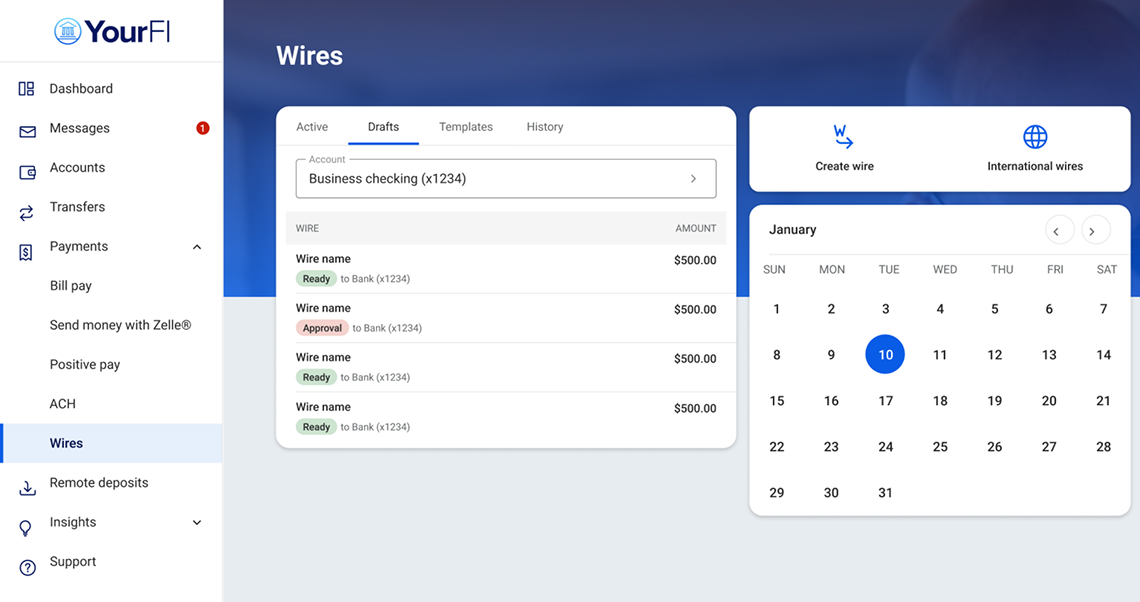
This new tab will include all wires in the Ready status awaiting transmit and those in the Approval status awaiting approval by another user.
This enhancement is available now to all Banno Business credit unions, and no additional contract or support ticket is necessary.
Required Fields Identified for Wires
We know that ISO 20022 has been a learning curve, and we want to help your business users continue to navigate this new road with more guidance during wire creation.
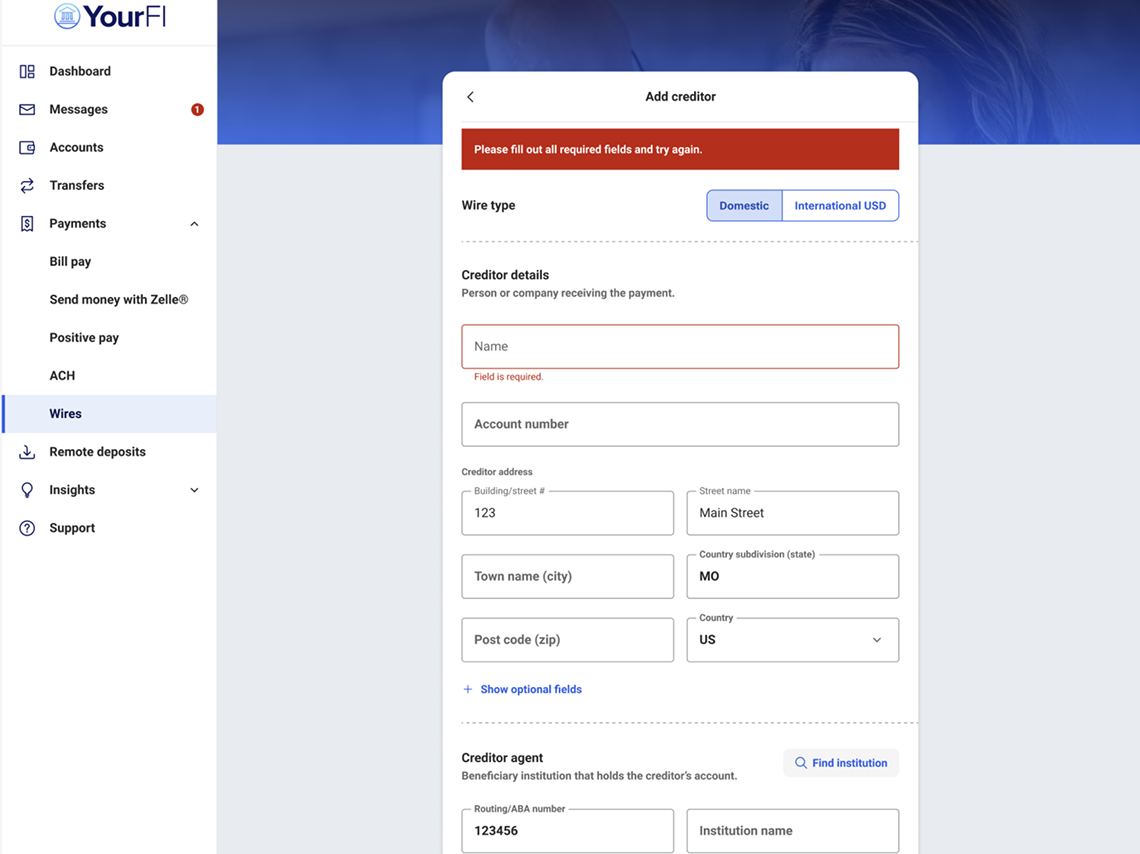
To start, if any ISO 20022 required fields are not filled out, Banno will highlight all missing fields. The Amount field has also been moved up higher on the wire form.
These changes help ensure that if a wire is equal to or greater than $3,000, your business users are in compliance with the FinCen Travel Rule and that they can easily identify any additional fields they need to complete. This includes the Building/Street #, Street name, Country subdivision, and Post code fields.
No support ticket or additional contract is needed. The feature is live on Mobile for all Banno Business customers on Symitar, SilverLake, or CIF 20/20, and it will also ship soon for Online.
Xperience SSO Access to Banno Admin
Within Banno Admin Xperience™ settings, your authorized admins will no longer see the two-factor authentication (2FA) toggle in Group settings – because the 2FA step is no longer optional based on Group controls. Note that 2FA is still required when logging in via a browser.
For Banno Online Xperience™ authentication, the 2FA step is no longer part of the flow when logging in via Xperience.
Both of these changes took effect on October 27, 2025 alongside the release of Jack Henry Identity.
ACH Activity Report for CUs
Our new ACH Activity Reporting feature is designed to help credit unions manage and track ACH activity. As described here on the Knowledge Base, this report provides detailed information about all ACH transactions processed within a specific timeframe, and it includes critical data points such as effective dates, batch counts, and item counts for companies processing ACH.
Available now to all Banno Business credit unions on Symitar, this comprehensive report can be used for both regulatory audits and for accurately assessing fees through analysis records, giving you a powerful new tool for managing your business services.
Coming Soon: Ready-to-Use Banno Campaigns
Get ready to make digital engagement easier than ever! Soon, on the Jack Henry Marketing Center™ our Geezeo customers will have access to a new Banno Campaign Collection – four plug-and-play campaigns designed to help you reconnect with inactive users, welcome new accountholders, encourage adoption, and educate through interactive quizzes. Each complimentary campaign, available exclusively for Banno customers with Geezeo®, includes customizable emails, social posts, banners, and more to help you promote key digital banking features.
Watch for details in next month’s Statement!
Better Ads, Smarter Segments, and More Control
As part of our evolving engagement strategy, we aim to improve your marketing experience. Next week, Banno Marketing Premium gets a handful of updates designed to give you more control and better data. Here is what’s dropping:
- Your Ads, Your Real Estate: Don’t love the default ad location? Change it. You can now configure exactly where your ad cards appear in the list, ensuring they land right where your users’ eyes are – whether on mobile or desktop.
- Introducing Smart Segments: Powered by Banno Data, these new segments update daily and appear automatically in your list (look for the Banno chip). Use them to target campaigns and messages with fresh, data-driven precision.
- Say Goodbye to Cropping: We’ve added three new ad templates that scale your images rather than cropping them. Your ads will look crisp, complete, and exactly how you designed them.
Stay tuned for more updates in the coming months.
Documentation Updates
Don’t miss the latest additions to the Knowledge Base:
- Banno Business Reports (for banks): We moved this info to the Banno Business section. Previously, it was included in the (non Business) “Banno Reports” doc.
- Change Recovery Email and Phone: For Unified Identity Service users, new functionality is currently in beta and coming soon to all financial institutions. Learn more in our Settings and Unified Identity Service docs!
- Jack Henry Wires documentation: Read new info on the following:
- General wire settings
- Tiered approval rules
- Investigation requests
- Supported wire messages
- FAQ on FedLine Direct integration
- Jack Henry Platform Product Overview: We refreshed this product overview with sleek new visuals and additional details.
- Origination Vision Story: See what’s coming down the line and how to get positioned for the future using LoanVantage and OpenAnywhere today. You can also check out this story on Banno.com, via the net-new Lending & Deposits page!
🎗️Forget-Me-Nots🎗️
Don’t miss these upcoming events:
- Developer Office Hours: Tues., Dec. 9, 2025 at 11:00 a.m. CT
- Digital Banking Meetup: Fri., Jan. 9, 2026 11:00 a.m. CT (time subject to change)
- Product Security Meetup: Wed., Feb. 4, 2026 at 3:00 p.m. CT
Note: This event was formerly named the Digital Security Meetup.
Minimum Supported OS Version for Mobile Devices
As described in the October Statement, both Google and Apple are updating their minimum supported mobile device Operating System (OS) levels. We have accounted for these changes in Banno Mobile version 3.29, which hit the App Stores in mid-November. Therefore, our Android app is now supported on devices with Android OS 10 or later, and our iOS app is supported on devices with iOS 18.4 or later.
Jack Henry DevCon
Ready to discuss current industry trends and future directions in financial technology? Join Jack Henry leadership and talk shop with fellow developers at Jack Henry DevCon 2026. This year’s event takes place February 23 – 24 at the Palace Arts Center in Grapevine, Texas. Tickets are moving fast, so you’ll want to register right away!
Stay in the Know!
To receive SLA emails for all things that matter to you, please head to our Subscription Manager and subscribe accordingly. Please also spread the word with your colleagues, so your whole team gets the respective SLAs that matter to each of you!
Getting Started with Tap2Local
Our first three Tap2Local go-live waves are complete! We appreciate the initial insights that so many of you have provided, and you can bet the house we’re using your feedback to further improve the experience across the board.
Tap2Local Enablement
To keep the lift light, all existing Banno Business organizations will be able to enroll in Tap2Local as soon as it’s enabled for your financial institution. After that, you’ll need to enable Tap2Local for each new organization, and its users, that comes online.
Note: Once the Tap2Local toggle has been enabled for an organization (on the Permissions tab of the business profile in Banno People), you should see the corresponding toggle displayed on that organization’s member profiles (under the Tap2Local heading on the Overview tab).
Streamlined Merchant Support
The process of becoming a merchant is filled with checks and balances, as many of you know. With Tap2Local, we’re making this process simpler than ever before. However, given the complexity, there are scenarios with merchant enrollment, and with established merchants, that require assistance from our partner, Moov.
To expedite this support process for you and the merchants you serve, soon your support teams will be able to create a Moov ticket directly from Banno Support. The design ensures a seamless handoff that also keeps your team informed and at the ready, so you can be entirely confident your accountholders get the support they need.
Currently in beta testing, the first version of this feature allows for the handoff to Moov, and subsequent releases will increase your team’s visibility of activity within Moov’s helpdesk system. We will release this for all Tap2Local customers soon; no support ticket is required.
New Tap2Local webpage
One more thing: Now you can learn more about Tap2Local here on Banno.com. The new webpage provides a look at the problem Tap2Local addresses, why Tap2Local is the right solution, and how its key features benefit merchants!
Jack Henry Identity: It's All Happening
Remember when we said that Jack Henry Identity would pave the way for many more Identity and security improvements? We’re already putting our feet to that pavement! This month’s update includes a heads-up plus two write-ups on changes that are still to come.
Heads Up: New Jack Henry Identity Email Messages
Your financial institution employees should now be receiving new emails for actions such as Inviting New Users, Inviting Existing Users, and Password Reset Instructions, all of which are related to Identity Providers (IdP) such as Active Directory or our proprietary cloud-hosted version.
These new emails come from DoNotReply@jackhenry.com rather than noreply@banno.com. The reason for this change is that Jack Henry Identity is a shared platform service that will be utilized by other Jack Henry products outside of Banno, making these more generic for the integrated products.
January 2026: Removing Authy as a 2FA Method for Banno Admin
As you know from previous communications (including the reminder last month), we will remove Authy as a supported 2FA method for accessing Banno Admin soon. We’re targeting mid-January 2026.
Please direct your employees to select one of these supported 2FA methods right away:
- Voice/Text
- Authenticator app
- Security keys
- Passkeys
Note: No support ticket is required for this change, which we will implement automatically for all financial institutions.
Coming Soon: Federated Support for Your Authoritative IdP
Since shifting to Jack Henry Identity, we’ve received questions about any additional IdP integration options for Banno Admin. Currently, we support Microsoft Entra-backed credentials through LDAPS (Lightweight Directory Access Protocol Secure). However, our upcoming efforts will focus on delivering additional integration paths for Entra, including federation utilizing OpenID Connect.
We also continue to investigate integration with other identity providers to accommodate your financial institution’s identity solution needs. No additional contract requirements are anticipated, and we will, of course, provide more details in future editions of the Monthly Statement as we learn more.
Jack Henry Wires Update
Guess who’s back? In case you missed the inclusion of Jack Henry Wires™ in the October Statement or just couldn’t wait for more Jack Henry Wires content in your life, here’s the skinny on our most recent enhancements and upcoming focuses.
Newly Released
You asked, we listened – advanced wire approval settings are here! Now, you can set up approval rules so that higher-value wires require more approvals from authorized personnel at your financial institution, giving you more visibility and control. We plan to further expand this functionality in the future with group-level permissions, so you can give your staff varying approval limits based on their roles.
Our progress doesn’t stop there. We also expanded our support of ISO 20022 message types. Now included are investigation requests and responses (camt.110 and camt.111), return requests and responses (camt.056 and camt.029), and more. Check out the full list of supported message types on our Knowledge Base.
Up and Coming
Our Direct Line Wires integration continues to pick up speed. This integration will give Jack Henry Wires customers direct connectivity with the Fedwire Funds Service via Direct Line Wires. The result? Less manual effort and faster money movement. We’ve completed the integration work and will be testing it with closed beta participants soon.
Additionally, we continue to charge forward on our work for international wires (iWires), which will let you send foreign exchange wires internationally on behalf of your customers or members.
Prepare for Marketplace – Permission Setting
Early December will bring a new option within Banno Admin for Marketplace. While the opportunities to self-service solutions will continue to grow within Marketplace, you'll want to be prepared to execute the first item up, the Tap2Local Revenue Share Agreement.
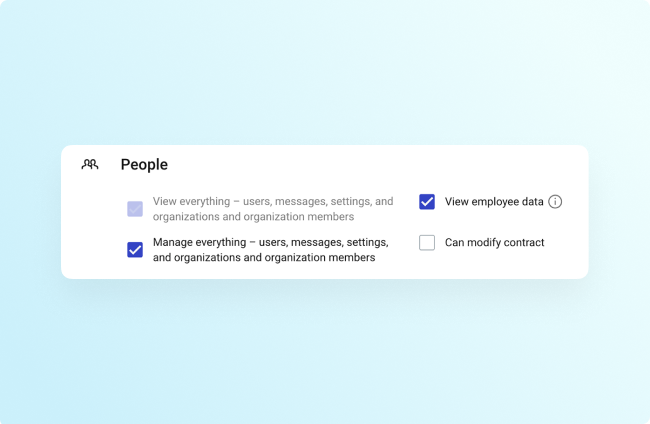
As a precursor to taking advantage of self-service offerings via the Marketplace, you’ll want to first ensure that you have assigned the soon-to-be-released Can Modify Contract permission to a group in Banno Admin. This permission will enable any of your team to execute a contract as presented in Marketplace, so we recommend conscious consideration for which groups this permission is enabled for.
To assign the necessary permission (once it’s released), open Users & Groups in Banno Admin, select the appropriate group, scroll to the People permissions, and select the Can Modify Contract checkbox.
Mobile App UX Design Evolution
Curious to know how our early modernization work — for the Liquid Glass design system (iOS 26) and Material Design 3 — is shaping up? We're happy to oblige.
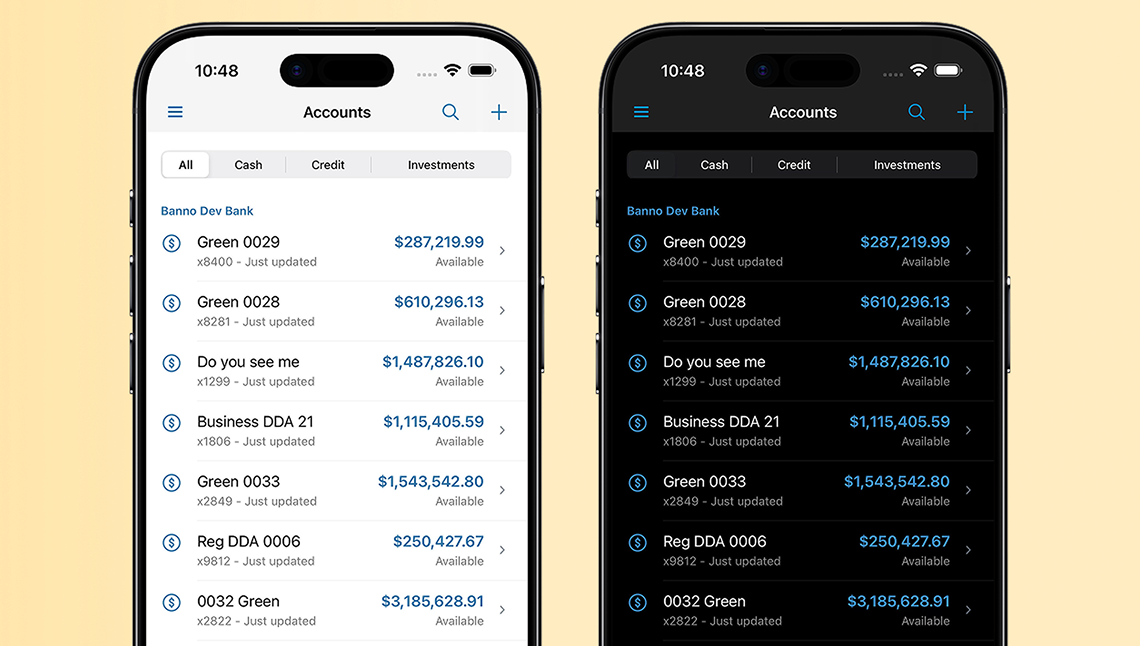
iOS App: Changes in Development
The background and text colors used throughout the app will align to standard system colors in the Mobile 3.30 release.
We will also transition to dismissing screens via the system close button, an xmark enclosed in a circle. Previously, this has been represented with words like cancel, close, and done.
We’re targeting these changes to go live with Banno Mobile 3.30, which is currently on track for release in mid-December 2025.
Android App: Deep Research
We’re knee-deep in research and continue evaluating the future of app theming on Android to align with Material 3 standards. Our engineering team is determining the best way to generate and consume theme data so your application evolves alongside Material as seamlessly as possible.
We expect to have a firm understanding of our strategy near the time development wraps on Banno Mobile 3.31 (late January), and we will share our plans for the transition to Material around that time.
Track the Evolution on the Knowledge Base
You’ll want to keep an eye trained to the Knowledge Base. We’re putting the final touches on a new “Mobile App UX Design” section, so you can easily track our plans and progress. You should spot the new pages in the Digital Banking navigation at some point next week!
Passkey Support for Mobile Login
You saw this announced in our latest Banno Release Notes, but this security win is worth touting again! If an end user has successfully enrolled a passkey for Banno Online, it can now be used for login on Banno Mobile. Remember, passkeys eliminate the risk of phishing and spoofing, making passkeys the most secure authentication method available to protect your accountholders.
The options to enroll a passkey on Mobile as well as use passkeys for 2FA and high-risk authentication are coming soon!
Rapid Transfers + Tap2Local Office Hours and Meetups
As you hopefully know by now, we’ve scheduled three December sessions for our Jack Henry™ Rapid Transfers + Tap2Local™ Office Hours. These sessions let you see Jack Henry Rapid Transfers and Tap2Local demos and hear directly from key subject matter experts – including risk and compliance team members from both Jack Henry and Moov.
Register now for any or all office hours during December:
- December 1, 2025 12 – 1 p.m. CT
- December 8, 2025 12 – 1 p.m. CT
- December 15, 2025 12 – 1 p.m. CT
Special Compliance Meetup
Due to packed holiday schedules all around, we have decided to move the special Jack Henry Rapid Transfers + Tap2Local Compliance Meetup to Tuesday, February 17, 2026, from 12 - 1:30 p.m. CT. For answers to your compliance questions, register for this meetup today!
Note: If you had registered for the (now rescheduled) December 12 meetup, you should have received an invitation with the updated Zoom Webinar link – just be sure to add the new event to your calendar! The subject line for that email is “Webinar information has been updated – A Deep Dive into Compliance: Jack Henry™ Rapid Transfers, Tap2Local™, and the Regulatory Landscape.” If you don’t see that email, you can play it safe, and re-register now. Thank you!
Banner & Modal by Product for Treasury Management
We're pleased to announce the release of Phase 2 enhancements to our Treasury Management platform's banner and modal messaging features. These updates are designed to help your institution deliver more targeted, effective communications to your end users.
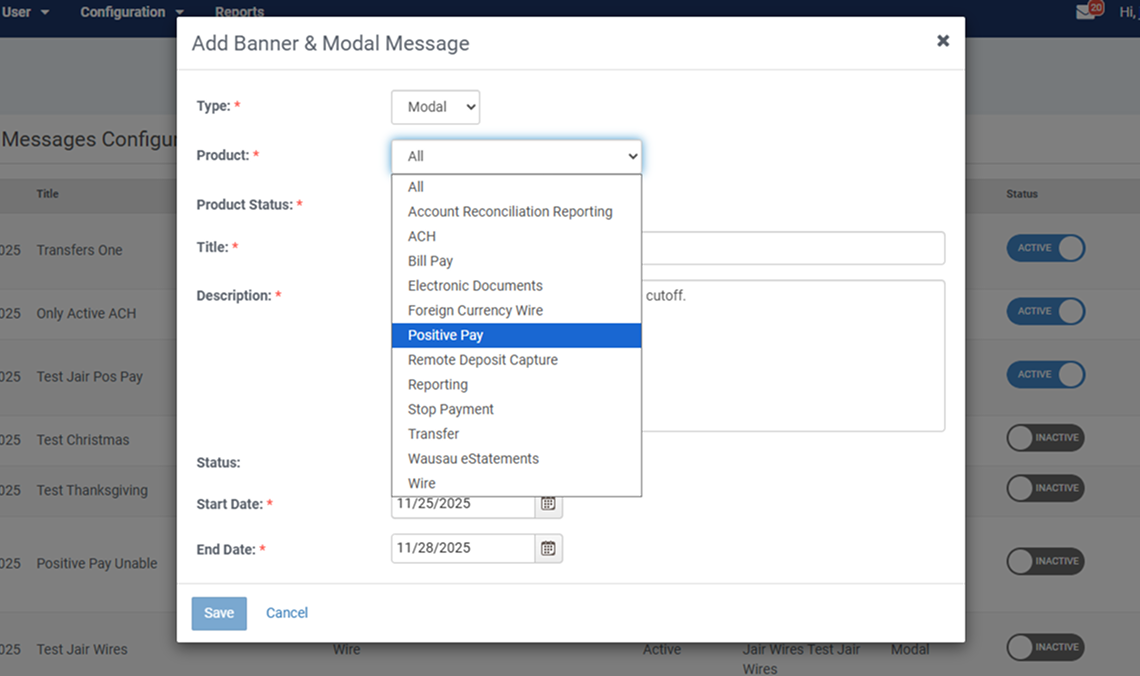
Here’s what’s new:
- Product-Specific Messaging: You can now send banner and modal messages to users of selected products, whether those products are active or inactive.
- Flexible Targeting Options: Continue sending messages across all products, or tailor them to specific ones based on product status.
- Expanded Banner Capacity: The platform now supports up to two banner messages at a time. One modal message remains supported.
No support ticket or additional contract (beyond Treasury Management) is required for these enhancements. More information, including details on configuration changes, can be viewed here.
Treasury Management Enhancements to Internal Loan Payments and Wire Statuses
There are a couple of new enhancements in the works for our Treasury customers' Internal Loan Payments experience and your Wire statuses.
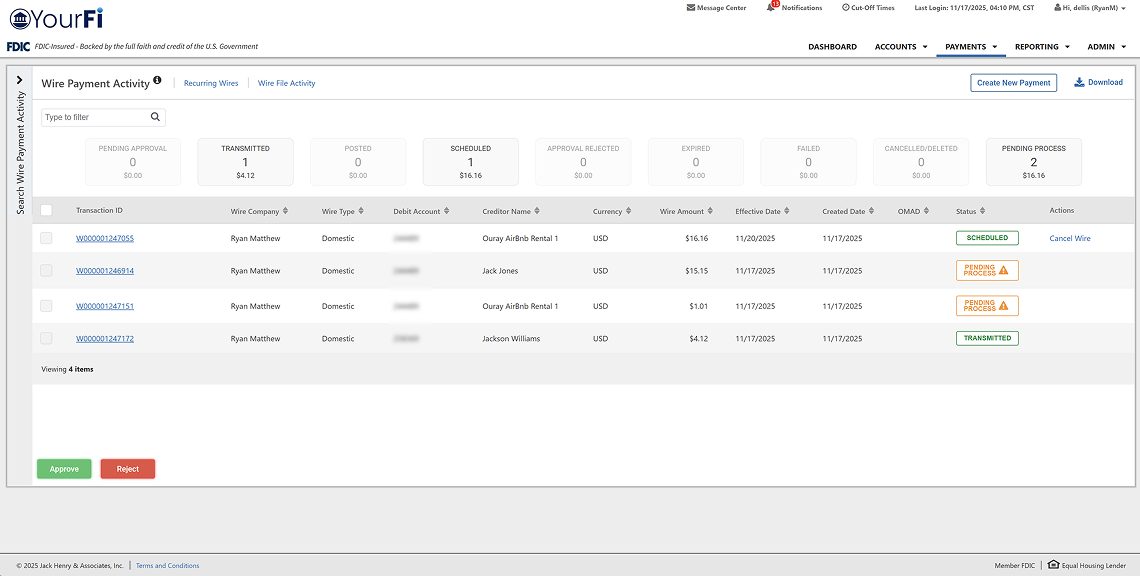
Internal Loan Payments
We’re introducing a new institution-level and company-level configuration option designed to give Treasury banks greater flexibility in managing transfer limits for loan payments. Here’s what you can expect to change:
- When Disabled: Transfers designated as loan payments – including transfers to loan accounts and scheduled loan payments – will bypass transfer limit validation, while still ensuring the debit account does not go negative.
- When Enabled: Loan payments will continue to be validated against transfer limits using the current logic.
Note: Transfers to deposit accounts will always be validated against transfer limits, regardless of configuration.
New Wire Status: Pending Process
We’re adding a new wire status to make tracking easier! On the rare occasion that a wire fails due to a communication timeout, it will now show as Pending Process. Here’s what this means:
- New status visible in Wire Payment Activity Report, Mobile, and Channel Wire Activity
- Appears as a tile, flyout filter, and in audit activity
- Reflected in Back Office Wire Payment Report and Wire Reconciliation Report
Our teams are working on these enhancements now, and we will send SLAs announcing availability as soon as they’re ready!
More Automation for Treasury Management Onboarding!
As promised in the September Statement, our Enterprise WorkFlow (EWF) product will now automatically create the NetTeller ID used for the ESI Product setup.
Additionally, the following products will be automatically onboarded to the Treasury Company:
- Positive Pay, including all eligible accounts
- Wires, including a wire company with matching CIF and all eligible accounts
- Bill Pay and Remote Deposit Capture (mRDC)
For details on how to install these exciting EWF enhancements, check out this guide on the Knowledge Base!
Toolkit Corner: Diagnosing and Fixing Common Issues
We know the feeling – sometimes, even the sharpest developers hit a snag when building with the Banno Digital Toolkit or simply trying to get signed up on JackHenry.Dev.
When you run into one of those tricky moments and need a quick fix, we’ve got your back! The Developer Relations team has pulled together a Troubleshooting page that covers all the common issues and provides the know-how you need to diagnose and solve them.
Head over to the developer docs to find the Troubleshooting page.
Support for Transfer Alerts
The helpful update we mentioned last month is nearly ready to deploy for all business users on SilverLake and CIF 20/20 cores! Transfer Alerts will be added very soon (likely next week), giving both retail and business users the option to receive a few key notifications about their money movement. Then, they can get notified about failed transfers and expiring scheduled transfers, which means fewer surprises and more peace of mind.
No support ticket is necessary; this feature will be enabled for all Banno Business banks. For details, see the Alerts guide on the Knowledge Base.
✅ Banno Business Alerts Rollout Is Complete
We are pleased to announce the full and final completion of the Banno Business alerts rollout! We appreciate your patience as we worked to get this much-anticipated project delivered to all of our SilverLake and CIF 20/20 Banno Business customers.
Your business users now have more control than ever, with a full suite of new alerts covering ACH, Wires, Positive Pay exceptions, and more, all within Banno. This is a huge step forward in enhancing the digital banking experience for your customers. For more information about Banno Business alerts, head over to the Knowledge Base.
Evolving Our White Label App: Upcoming Updates
As you saw last month, we're gearing up for Apple's Liquid Glass design system (iOS 26) and Google's updated Material Design 3! As promised, this month we want to share more on our modernization plans and how we're embracing the new standards for Banno Mobile.

Platform Focus: iOS
We’re actively rolling out improvements to the navigation experience on iOS to better align with native patterns and system theming.
Here’s what’s changing:
- Removing custom toolbar options
- Applying body text theme color to toolbar buttons
- Applying system primary color to labels
These updates bring our app in closer alignment with native iOS design standards, improve overall readability, and create a more consistent, familiar experience for users.
Android Status: In Exploration
While no visual changes are being introduced for Android at this time, we’re doing foundational research and evaluating the existing template system:
- Auditing current navigation patterns
- Assessing alignment with Material Design guidelines
- Evaluating where updates would bring the most value
This discovery work ensures future Android updates are purposeful and platform-appropriate, and allows us to invest our design efforts where they’ll have the most impact.
Exclusive C-Suite Strategic SMB Meetup Series
This November, we’re launching a new quarterly event designed specifically for C-suite members! Hosted by Jack Henry CEO Greg Adelson and CTO Ben Metz, this meetup will focus on Jack Henry’s efforts to offer your financial institution the tools you need to compete and win using new solutions designed with the SMB in mind – Jack Henry Rapid Transfers and Tap2Local.
Your C-suite leaders will have the chance to discuss shared challenges and hear how Jack Henry executives plan to help our customers flourish in the rapidly evolving digital landscape.
If your executive team didn’t receive the email invitation Greg sent on October 30, please email gotomarketstrategy@jackhenry.com so we can send the invite to the first event on Thursday, November 13.
Consent for Electronic Document Delivery in Banno Landing Soon!
We're excited to announce the availability of enrollment consent for Banno online and mobile!
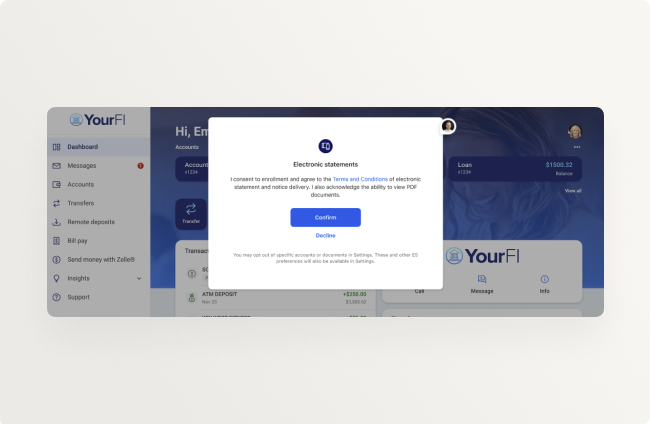
This enhancement ensures your users have the option to Confirm or Decline ESI enrollments made on their behalf, whether via the ESI Management application, our Mass Enrollment offerings, or the upcoming Auto-Enrollment feature.
As communicated in the SLA sent yesterday (October 30), this impactful enhancement will be enabled for all Electronic Statements – Interactive (ESI) financial institutions after close of business on Tuesday, November 4.
For a sneak peek of this feature in action, check out this brief video.
New Device Blocking Report
If your institution is leveraging device blocking, you now have improved visibility into how it’s impacting your accountholders. With this report – which contains a lot of data – you gain insights into:
- Users with blocked devices
- Employees who’ve unblocked devices
- Devices which are no longer waitlisted
- Anchor device verification flows
- More data to help with your investigations
For a full list of the fields available in the export, along with descriptions, see the newly updated Export Reports documentation on the Knowledge Base.
This report is available to all financial institutions today, so head over to Reports in Banno Admin, click + Create Request, select a Date range, and select the Device blocking checkbox under the Security heading to get started.
Documentation Updates
Like your favorite dentist, we’re skipping the Halloween candy and handing out healthy treats instead. Reach right into our Knowledge bucket and grab the latest docs:
- Digital Banking
- Banno Transaction Enrichments: Added new transaction enrichment details around our native solution.
- Banno Admin Authentication: Updated to reflect changes that will come when Banno adopts Jack Henry Identity.
- Same Day ACH: New details that outline the properties of Same Day ACH.
- Banno Business FAQ: A collection of FAQ updates regarding Banno Business Alerts.
- Account Origination
- Business Accounts in OpenAnywhere: New feature overview in the Account Origination section that details OpenAnywhere’s business account functionality.
- JHA OpenAnywhere: Recent updates to the JHA OpenAnywhere product overview, including support for business accounts, tax-favored accounts, beneficiaries, and internal transfers.
- LoanVantage API: New feature overview that covers the API functionality available in LoanVantage today.
- Jack Henry Platform
- Jack Henry Platform: New landing page for current and future components of Jack Henry Platform.
- Jack Henry Wires: New documentation on Jack Henry Wires functionality.
- Jack Henry Identity: Reorganized content that distinguishes between cloud-hosted and Active Directory integrations.
- Unified Identity Service: New FAQ section at the bottom to address why security settings may differ in the Identity app vs. Banno People.
Important reminder: Visit Help Center for how-to guides on all your Jack Henry products!
🎗️Forget-Me-Nots🎗️
Don’t miss these upcoming events:
- Product Security Meetup: Wed., Nov. 5, 2025 at 3:00 p.m. CT
Note: This event was formerly named the Digital Security Meetup. - Developer Office Hours: Wed., Nov. 12, 2025 at 11:00 a.m. CT
- Digital Banking Meetup: Fri., Nov. 14, 2025 at 11:00 a.m. CT
Banno Mobile App Minimum Supported Version
The update to the minimum supported version of the Banno Mobile app that we communicated in the September Statement (and by SLA) took effect earlier this week. End users on versions older than Banno Mobile 3.25 must update their application to regain access.
Note that this change is separate from the upcoming minimum-supported mobile device operating system (OS) version updates that will take effect once Banno Mobile 3.29 is released in mid-November.
Stay in the Know!
To receive SLA emails for all things that matter to you, please head to our Subscription Manager and subscribe accordingly. Please also spread the word with your colleagues, so your whole team gets the respective SLAs that matter to each of you!
High Risk Action Blocking Updates
Last month, we rolled out anchor device verification to all institutions, giving you the ability to enable this powerful fraud prevention setting when ready. We continue to listen for feedback and improvements, and early this month we updated our documentation with a helpful user experience overview.
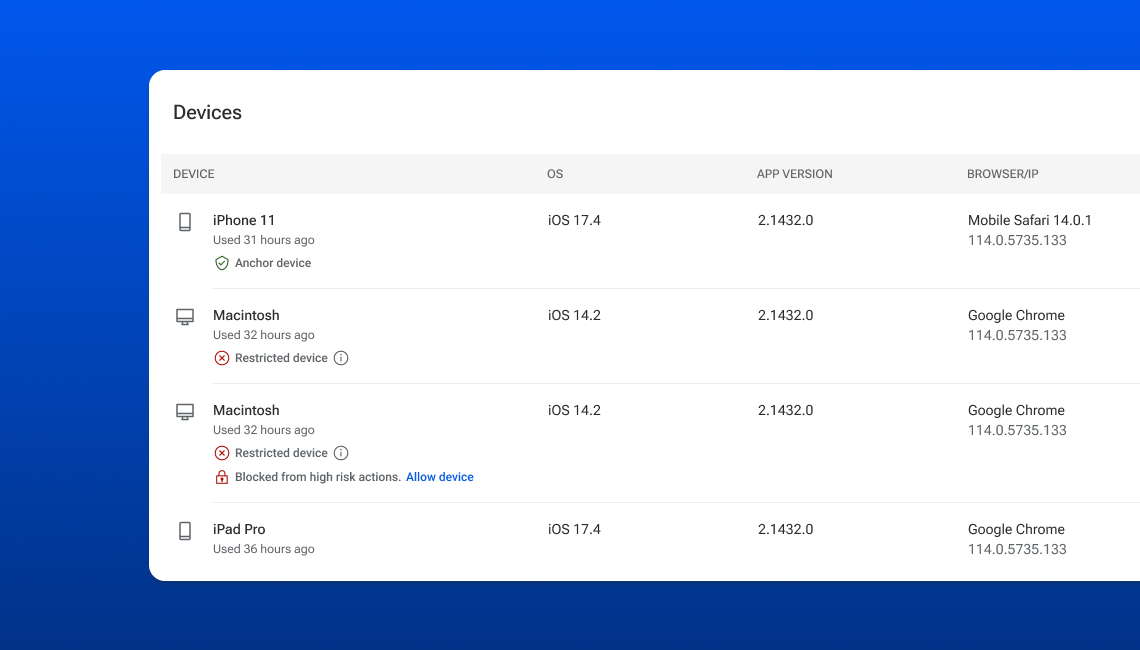
Here’s the breakdown:
- Learn about high risk action blocking in general here.
- Prep your teams to verify and unblock devices with this.
- Educate yourself on anchor devices (and restrictions) yonder.
- New: Deeply understand the anchor device verification experience with this overview accessible via For Clients.
If you haven’t taken advantage of the high risk action blocking features yet, it’s time to reassess. Here are a few reasons:
- Over 200 institutions leverage the Waitlist setting, another 100-plus Block all new devices, and a growing list of over 50 institutions have taken the plunge to Anchor device verification.
- We continue to hear amazing success stories of these settings reducing account takeover fraud dramatically!
- While these features introduce friction, it’s important to recognize that it’s a healthy friction, and several institutions have said that most of their blocked users are grateful for the added security.
Jack Henry Engagement Platform
Ready for a deeper, purposeful connection with your accountholders? The Jack Henry Engagement Platform will soon light the way. This consolidated toolkit is designed to personalize communication, transforming it into relevant engagement.
Here are a few ways this strategic solution will help you build loyalty and drive growth:
- Promoted Messages & Interstitials: Deliver high-value messages instantly as prominent banner ads on the Dashboard.
- Configurable Ad Placement: Gain flexibility by placing ads in specific spots across the accountholder dashboard.
- Self-Service Forms: Accountholders can find, fill out, and submit common forms without financial institution staff intervention.
Note: The Configurable Ad Placement feature will be available with Banno Marketing Premium, which is described on page 4 of the Banno Marketing product overview.
Jack Henry Identity Now Live for Banno Admin
As previously communicated, the Banno Admin login URL was migrated to our new Jack Henry Identity Platform login URL on October 27th, 2025. This change impacts the login experience for your administrators, who will now get redirected to the Jack Henry branded login page.
Important: Please do not bookmark the new login.jackhenry.com URL, as you will only access Profile and Security settings for that user. Please be aware that 2FA will be required at initial login. This does not impact the Xperience SSO functionality or the 2FA requirements associated with this permission.
Additional Jack Henry Identity Considerations
With the release of Jack Henry Identity, Banno Admin users will now have a new user experience for editing Profile and Security information in the back office application. When a user navigates to their employee profile and attempts to edit Profile or Security settings in Banno, they will now click identity settings and get redirected to Jack Henry Identity screens for changing things like name, phone number, and 2FA settings. This will open a new browser window for edits, so once saved, the user can close that new browser.
Additionally, with the rollout of the new Identity provider, administrators of your financial institution will now have access to enroll in additional 2FA methods in addition to Authy. The new available methods include Voice/SMS One-time-Passcodes (OTP), Authenticator Apps, Security Keys and Passkeys!
Reminder: Now that Jack Henry Identity is live with these new 2FA methods (and the third-party retirement of Authy looming), we will be removing support for Authy in the coming weeks. Please encourage your team to begin enrolling in other 2FA methods right away!
Jack Henry Wires
The team behind Jack Henry Wires is diligently working towards providing even more Wire Transfer capabilities for your financial institution and your business users! Below, our beta testers and curious Digital customers will find some insight and specifics on the Direct Line Wires and iWires (also referred to as International Wires) capabilities that will hit the market sooner than you may expect.
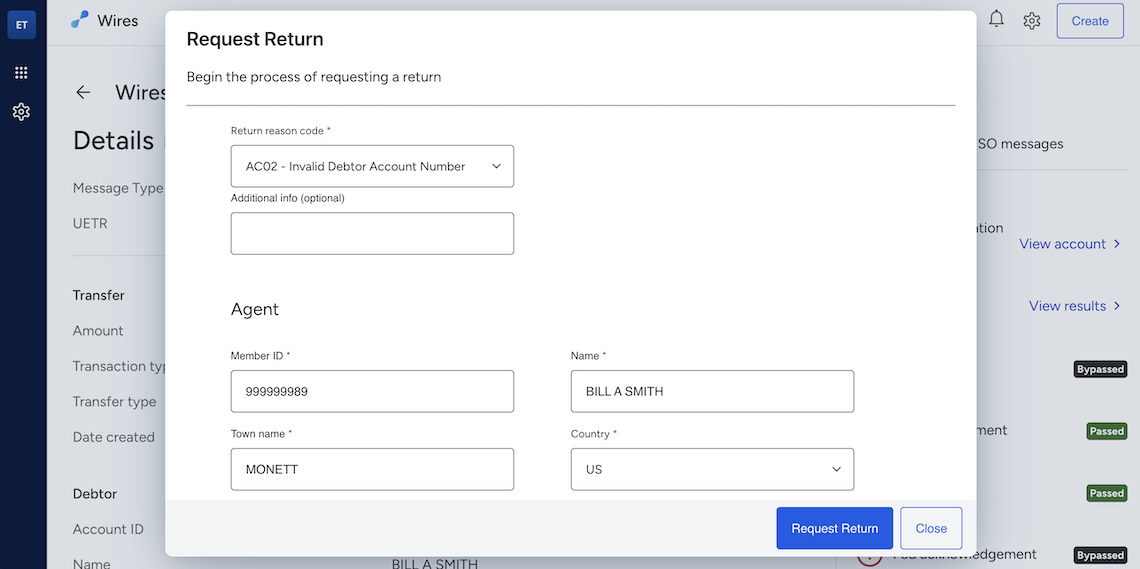
Upcoming Features
Direct Line Wires provides users on Jack Henry Platform with a direct, real-time solution for transmitting wire transfers and receiving acknowledgements of the transmittal. This provides a seamless, less manually intensive capability for ensuring that wire transfers are processed more efficiently and expeditiously.
iWires gives users on Jack Henry Wires the ability to send wire transfers to international financial institutions. This feature will be available by contract as a powerful add-on for Jack Henry Wires.
Enhanced Approvals allows for increased flexibility in configuring the number of approvals required for a wire transfer, based on the transfer amount. Watch for this enhancement to be available with Jack Henry Wires soon!
Continued ISO 20022 support
Jack Henry Wires continues to deliver on the ISO 20022 message types that are supported. Here are a few the Wire Transfer Nonvalue Messages that we’re working to implement soon:
- Investigation Requests: Referred to as camt.111, this request type provides the capability to respond to an investigation request (camt.110) message.
- Return Requests: Referred to as camt.056, this request type provides the capability to request the return of either a customer credit transfer (pacs.008) or a financial institution credit transfer (pacs.009).
- Return Responses: Referred to as camt.029, this request type provides the capability to inform that the return request has been rejected by the Fedwire Funds Service for failing the Fedwire Funds Service business validation or contains the response of the Fedwire Funds participant that received the return request that the Fedwire Funds Service delivers.
Did You Know?
Still considering whether Jack Henry Wires will make a difference for your business users and financial institution personnel? Here are just a couple benefits we think you’ll find compelling:
- Jack Henry Wires provides the ability to create and receive Drawdown Requests and Responses! These are referred to as pain.013 and pain.014 non-value messages (Wire Transfers).
- Jack Henry Wires provides the ability to define Repetitive Wire Transfers, which results in efficiencies and consistencies for the creation of Wire Transfers.
Stay tuned to the monthly Statement for further news on Jack Henry Wires and the features and functionality described above. Now that we’re in the thick of closed beta testing, we will be including updates regularly to keep everyone in the loop as we count down to launch!
Minimum Supported OS Version Updates for Mobile Devices
Please be advised that both Google and Apple are updating their minimum supported mobile device Operating System (OS) levels. We will account for these changes in Banno Mobile version 3.29, which is currently slated for release the second week of November. Once released, our Android app will be supported on devices with Android OS 10 or later, and our iOS app will be supported on devices with iOS 18.4 or later.
Extended Office Hours for Rapid Transfers + Tap2Local
If you missed the October office hours for Jack Henry™ Rapid Transfers, it’s not too late to sign up for our new November and December sessions. In these sessions, we’ll be covering both Jack Henry Rapid Transfers and Tap2Local™ with Jack Henry and Moov subject matter experts. We’ll even have risk and compliance team members there to answer all your questions.
Here is the full 2025 schedule for the recurring office hours:
- Register for any or all November sessions:
- November 3, 2025 12 – 1 p.m. CT
- November 10, 2025 12 – 1 p.m. CT
- November 17, 2025 12 – 1 p.m. CT
- No session for the holiday week: Happy Thanksgiving!
- Register for any or all December sessions:
- December 1, 2025 12 – 1 p.m. CT
- December 8, 2025 12 – 1 p.m. CT
- December 15, 2025 12 – 1 p.m. CT
We hope to see you there!
Same Day ACH for Banno Business Banks
We’re excited to share that we are on track to deploy our integrated Same Day ACH feature for Banno Business during the second week of November. This means your bank will no longer need to use a separate SSO into NetTeller for Same Day ACH origination!
Once the necessary configuration controls land in Banno People, you can self-enable the feature immediately by following these quick steps:
- Click the Settings dropdown in the main navigation, and then select Cut-off times.
- On the Cut-off times screen, click the pencil icon for the Same day ACH setting.
- Click the CUT-OFF dropdown, and select the time that corresponds to your previously established host-level setting for ACH and Same Day ACH.
Note: This setting will override the Never Today checkbox in NetTeller Back Office (on the ACH Effective Date tab of the Cash Management Settings screen).
Important: If the CUT-OFF dropdown (in People) is left undefined, the feature will not be available to your business users in Banno. Once the steps above are completed, your business users with the Initiate same day ACH permission (required for the organization and individuals) can use the new feature right away.
For more details, check out the ACH guide on the Knowledge Base.
Separate Banno and Unified Identity Service Profiles
At long last, we are close to releasing the introduction of Recovery Email, Recovery Phone, and ID Name settings within Mobile and Online screens, separate from core or product-specific details. This allows for distinct contact information for account recovery/security versus alerts and notifications to better support our credit unions using our solution for joint users.
This will not impact Banno Retail consumers upon initial release; however, the changes will be coming for those users in short order. Please be on the lookout for more details coming soon!
Introducing the Support Suite for Jack Henry Conversations™
There's a lot of chatter lately about what it takes to deliver world-class support in a digital world. We know you need more than just a chat window — you need a complete toolkit that is secure, personal, and shockingly efficient.
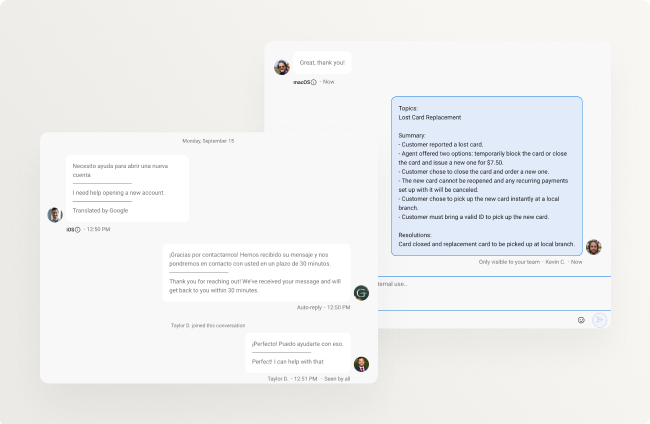
You shouldn’t have to piece together solutions with duct tape and a prayer. That’s why we’ve bundled the most powerful tools in our service & support arsenal into one unified offering – with each piece also available as an individual add-on, giving your financial institution the flexibility you want.
The new Support Suite for Jack Henry Conversations isn’t just a collection of features; it’s a seamless, core-connected system that lets your team deliver personal, high-touch service while drastically cutting down on resolution times and operational friction. It’s everything you need to know, see, and connect with your accountholders, no matter the issue or the language.
As you’ll see in the sub-sections below, the Support Suite includes a comprehensive set of capabilities that transforms service from a necessary expense into a core value proposition.
AI Summaries
Never read a transcript novel again. Get an instant summary of every conversation, equipping your agents with critical context in seconds so they can focus on solving the problem, not deciphering the history.
Free yourself from the hassle of long transcripts. Our new AI Summaries feature helps your support team quickly get up to speed by providing an instant, high-level overview of a conversation. It’s like a TL;DR (too long, didn’t read) for every chat, allowing your agents to spend less time reading and more time helping.
- Quick Context: Get a concise summary of the entire conversation to understand the user’s history and problem without a long read.
- Faster Resolution: With key details highlighted, your team can jump straight to solving the issue at hand.
- Smarter Relationship Management: Give your agents a powerful tool to keep CRM systems up-to-date.
Reach out to your Digital Experience Sales Executive today if you’re interested in getting contracted to add AI Summaries to your support team’s toolbelt to improve efficiency and accountholder experience.
Co-Browse
For those quick, thorny issues, Co-Browse allows your agent to securely share their cursor on the user’s screen in real-time, guiding them through a process or correcting a mistake instantly. It’s secure collaboration that eliminates confusion and frustration.
Sometimes a problem is easier to show than to describe. With Co-Browse, your support team can now securely guide the accountholder’s session in real-time within a Banno Conversation. This isn’t just screen-sharing – it’s a truly collaborative experience that eliminates confusion and leads to a faster, more effective resolution.
- See What They See: Gain a live, in-the-moment view of the user’s screen to guide them through complex processes or troubleshoot issues.
- Reduce Frustration: End the back-and-forth of “click here, then click there,” and resolve problems with unparalleled clarity.
- Secure and Private: Co-Browse sessions are initiated and controlled by the accountholder, ensuring their privacy and security.
It’s the next best thing to being there in person. If you’re interested in Co-Browse, reach out to your Digital Experience Sales Executive today for more details.
Multi-Language Support
Your digital experience must reflect your community. This feature instantly detects and translates conversations into over 50 languages, empowering your team to serve every accountholder with confidence and accessibility.
Your community is diverse, and your digital banking platform should be too. Our new Multi-language support feature automatically detects and translates conversations for users who prefer to chat in a language other than English. This breaks down communication barriers and makes your institution more accessible to everyone.
- Seamless Translation: The system automatically translates messages–incoming, outgoing, even auto replies–so your support team can chat with users in a growing list of over 50 languages.
- Enhanced Accessibility: Provide a more inclusive experience for all your accountholders, helping them feel understood and valued.
- Zero-Friction Experience: Your support team can continue to respond in English, while the platform handles the translation for the user.
If you’d like to improve the efficiency and quality of service with everyone in your community, reach out to your Digital Experience Sales Executive to get started.
Guest Chat
Turn website visitors into potential accountholders by offering conversational support on your public site. Connect with users before they log in, answer their initial questions, and dramatically reduce the abandonment rate on your key pages.
Not every visitor is a logged-in user, but that doesn’t mean they don’t have a question. Guest Chat (which is currently in closed beta testing) is designed to help you engage with potential accountholders and website visitors right from your public site. This allows you to answer questions and provide support before they even become a customer, reducing drop-offs and boosting engagement.
- Capture Leads: Connect with prospective customers and answer their questions about your services directly on your website.
- Pre-Authentication Support: Handle general inquiries and provide valuable information without requiring a log-in. Oh, and if they are a current accountholder? Your support staff can send a login link which converts the chat to an authenticated Conversation once the accountholder is logged in.
- Boost Engagement: Offer a seamless, pre-login support channel that encourages visitors to start a relationship with your institution.
Not only will this play nicely on your public marketing website, but we’re working on making it available in account opening channels as well to help minimize abandonment. Talk with your Digital Experience Sales Executive today to go live with Co-Browse as soon as it’s available.
Video Chat & Screen Sharing
Some problems need a face-to-face. Securely escalate any chat to a video call and use screen sharing to see exactly what the user is seeing, allowing for in-depth, complex issue resolution without an in-person visit.
For a refresher on Video Chat & Screen Sharing, which is already available and widely utilized, check out our Knowledge Base documentation.
Sounds Pretty Suite, Right?
The Support Suite is designed for the future of service – smarter, faster, and more personal than ever before. If you’re ready to make your support operation an industry-leading powerhouse, connect with your Digital Experience Sales Executive to lock in this complete bundle – or start with any piece/s of the puzzle.
Now Available! Additional Details for Loans in Treasury Management
Business users now have enhanced visibility into loan details, both within the dashboard and during loan payment creation.
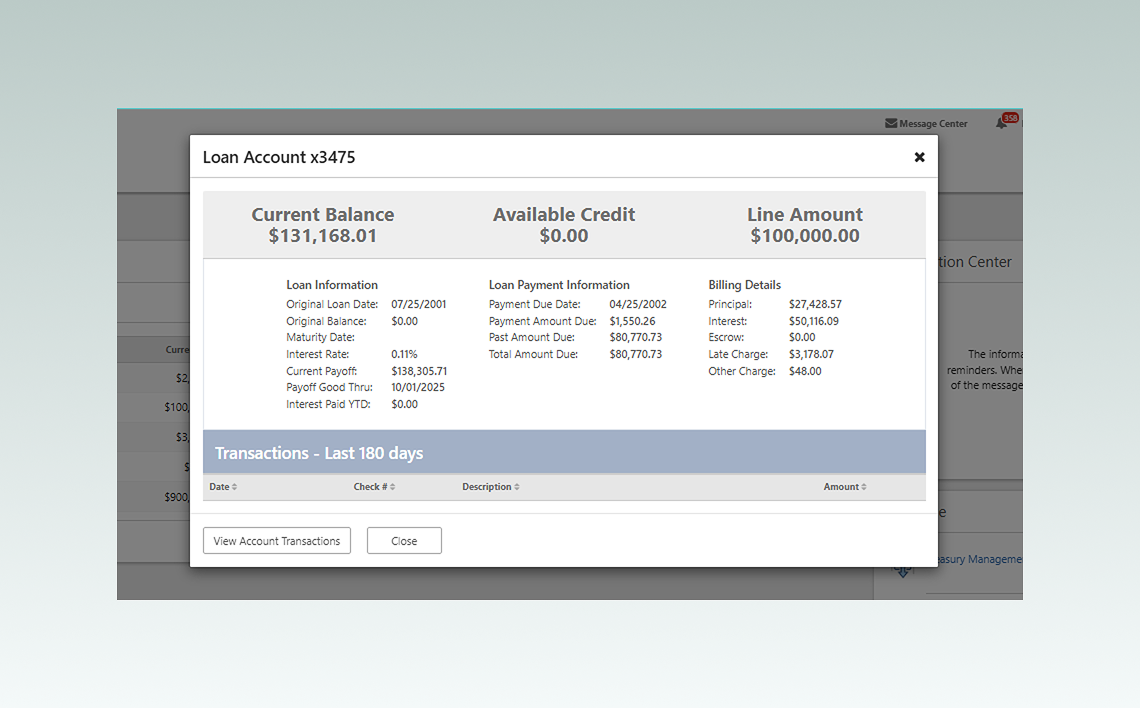
Key information is clearly presented to support informed decision-making, including:
- Original Loan Date & Balance
- Maturity Date
- Interest Rate
- Current Payoff Amount (with the date it’s valid through)
- Interest Paid Year-to-Date
Additionally, users can view billing breakdowns such as:
- Principal
- Interest
- Escrow
- Late or Other Charges
Treasury Management: Transmit Return Reason to SilverLake
The days of cross-referencing the Check Exception Report in Treasury Back Office will soon be a thing of the past! We’ll be transmitting return reason codes to SilverLake, enabling you to handle exceptions more accurately and efficiently.
This process reduces manual effort and streamlines the reprocessing of checks – distinguishing between those eligible for redeposit and those that are not. Additionally, these codes are vital for reporting and analytics, helping banks identify exception trends and enhance fraud detection strategies.
We’ll send an SLA when this enhancement is available.
Toolkit Corner: OpenID Connect (OIDC) and the Magic of Discovery
We know that diving into the documentation is essential for mastering the OpenID Connect (OIDC) authentication flow. We also understand a key advantage of OIDC is the simplified configuration for developers when an Identity Provider supports OIDC Discovery.
You can apply this OIDC Discovery capability directly to your project. Head over to the developer docs to see the magic in action and make your integration even smoother.
Transaction Enrichment Rollout
As our customers who opted for the October rollout wave have seen, the Transaction Enrichment feature is a powerful addition for accountholders. Once enabled, here’s what to expect:
- Clearer Transactions: Confusing transaction memos are replaced with clear merchant names when the merchant can be identified.
- Logos and Icons: Merchant logos are displayed in the transaction history. If a logo is unavailable, a category-specific icon is displayed instead.
- Enrichment Edits: Accountholders can edit both the memo and the category at the transaction level, on the transaction detail screen. The edits apply on a per-transaction basis and aren’t reflected on subsequent transactions.
The Spending Wheel Rollout
We’ve made the strategic decision to enable the Spending Wheel separately from Transaction Enrichment. This ensures that each piece of the enrichment puzzle provides immediate value for your accountholders. Populated by Transaction Enrichment data, the Spending Wheel provides a rich, historical view of spending. Unpopulated, well, not so much. It could cause a confusing experience. By delaying its release slightly, we can ensure that the Spending Wheel is properly populated with meaningful data and makes a strong first impression on your accountholders.
Rollout Waves
If you haven’t already submitted your Transaction Enrichment rollout preference, please complete this form by November 14. There are spots available in our December and January waves – the final two release waves for this feature. If you are not ready to roll by January, our support team can activate Transaction Enrichment upon request.
Once we’ve confirmed the rollout date for your bank or credit union, we’ll send an SLA a couple of weeks beforehand, so you can prep your frontline support staff. We’ll do the same a few weeks later, once the Spending Wheel is populated and ready to unveil!
Note: No additional contract is required for Transaction Enrichment and the Spending Wheel.
Support for Transfer Alerts
A useful enhancement is coming soon to all banks on SilverLake and CIF 20/20 cores. A small but mighty addition, Transfer alerts will help both retail and business users keep an eye on their money movement. Your accountholders will soon have the option to get notified about a few key activities, like failed or expiring scheduled transfers.
Once this enhancement is ready, we will enable it at the global level. No additional contract or support ticket is required.
Transmit Wires from Templates Without Disruption
So your credit union members want to transmit a wire from a template, but when they edit the amount to pay this new invoice, it changes the original template? Not anymore.
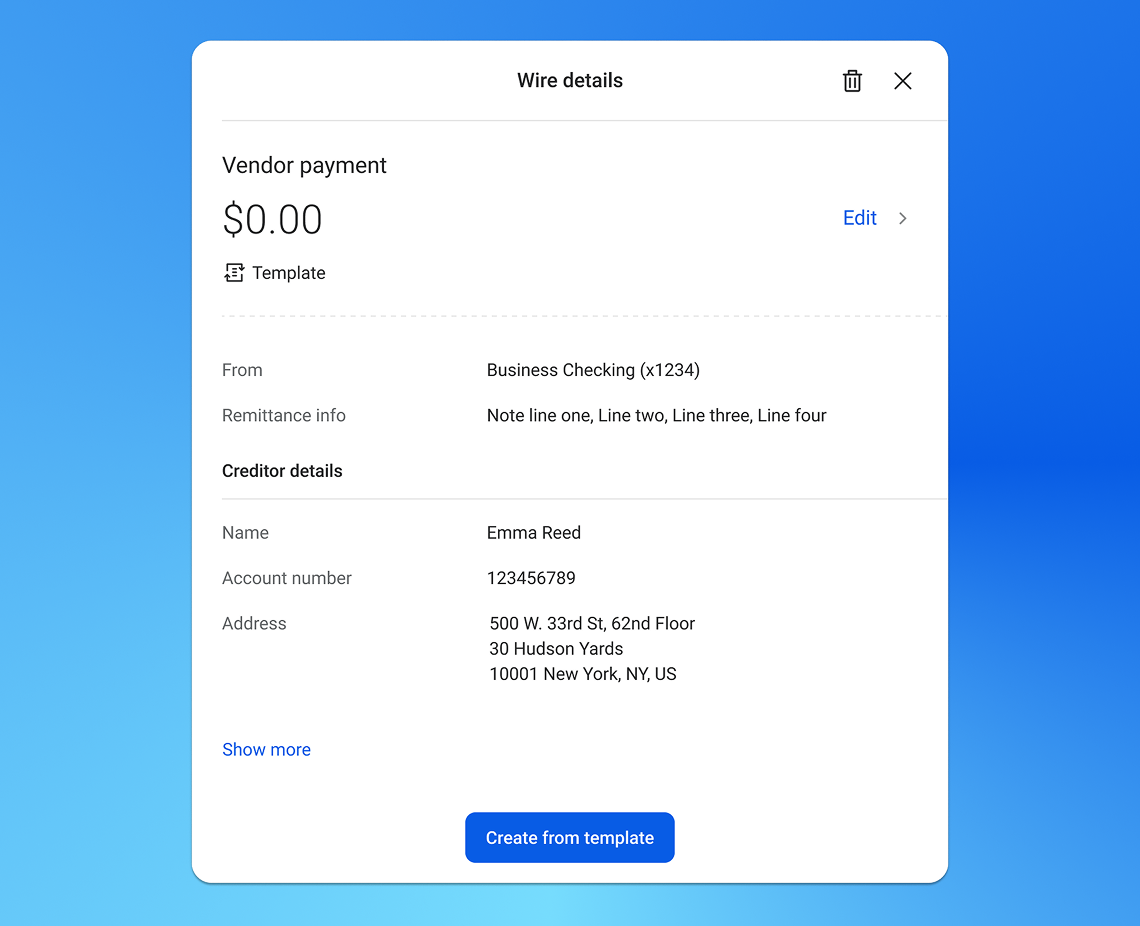
All members can now choose to either edit the original template should they need to – or – create a new wire from the original template, make any necessary changes, and send it off, all without impacting the template.
This enhancement is for our Banno Business credit unions on Symitar (without NetTeller), and no support ticket is necessary – this is already live and working.
Improved Clarity for Account Details Configuration
We’ve heard your feedback regarding the new Account Details Configuration feature in Banno People and are excited to announce an upcoming enhancement designed to bring more clarity to the process for both banks and credit unions. We understand there was confusion about when your configured changes would appear in Banno.
In an upcoming release, Banno People will be updated to provide clear, real-time status information. If the feature has not yet been enabled for your institution, the screen will now instruct you to contact Jack Henry support to finalize activation after you save your settings. For institutions where the feature is already active, you will receive a confirmation message letting you know your changes have been applied and will be visible to your users. This update will eliminate any guesswork, ensuring you always know the next step to take.
Anchor Device Verification Available Now!
At last, say hello to all the protection of high-risk action blocking with less friction for your accountholders!
With anchor device verification, you can block high-risk actions on all new devices yet allow accountholders to unblock their own devices – reducing the need to contact your institution. Additionally, the very first device each net-new accountholder uses to sign in will be designated as their anchor device, allowing them to make necessary profile changes and fund their new account smoothly.
This setting was made available to all institutions earlier this month. Once you get familiar with the functionality and learn more about managing anchor devices, give it a go whenever you’re ready! No contract or support case is needed; your employees with the Manage security settings permission are empowered to enable it from Banno People > Security > High risk action blocking at any time.
Note: Even with anchor devices in the mix, it remains imperative to prepare your support teams to verify users and unblock devices manually as a fallback.
Evolving the White Label Banno Mobile App
We're preparing your digital banking app for the future. With Apple's Liquid Glass design system (iOS 26) and Google's updated Material Design 3, we're modernizing the white label Banno app on both iOS and Android to deliver a unified, high-performing experience.
Here’s what you can expect to see as we iteratively embrace the new standards over the next few mobile releases:
- Faster, simpler customization – i.e., we can release design enhancements more quickly!
- A fresh, native design on both platforms
- Quicker rollout means new features and OS compliance updates reach your users faster, with less rework and risk
- Stronger performance and accessibility
The result: A modern, reliable app that keeps your brand current and your end users engaged.
Stay tuned for more details in next month’s Statement, as we’ll be taking a deeper dive to ensure that you’re ready for the new iOS and Android design standards.
Banno Mobile App Minimum Supported Version Update
As announced in the SLA sent on September 8, with the upcoming deployment of Banno Mobile version 3.28, we’re taking an important step to ensure a secure and seamless experience for your end users.
Mobile version 3.28 is slated for release in mid October, and the minimum supported version for the Banno App will become 3.25 soon after – we’re targeting the end of October. At that point, end users on versions older than 3.25 will be required to update their application to continue accessing the app. Alternatively, they can use their mobile browser to access Banno Online until your financial institution upgrades to the latest version of our mobile app.
This change ensures that all users benefit from crucial security updates – such as the new Federal Reserve ISO 20022 compliance requirements – and ongoing enhancements, which provide users with a more seamless and modern experience.
We encourage you to remind end users to turn on automatic app updates, so they can be certain they always have the latest version downloaded. This simple action can help them stay current and secure without interruption.
Important: Devices older than iOS 17.0 and Android 9 (API Level 28) will no longer be able to use the mobile app after this update. Users on these devices should be guided to the web application or mobile browser to continue their digital banking experience.
We appreciate your partnership as we begin to enforce this critical minimum supported version update to further fortify your digital banking platform.
Business User Support Functions Now Live on Mobile
Good news for Banno Business customers! We’ve made it easier for your business owners and administrators to manage their users on the go, directly from their mobile device. They can now hold, unhold, unlock, or delete users, as well as send a password reset link – all without needing to log in from a desktop. This update gives business admins more control and convenience, so they can handle user maintenance no matter where they are.
This feature is available to all Banno Business banks and credit unions. No additional contract or support ticket is required.
Create, Edit, or Invite Business Users Directly in People
Your authorized personnel may have noticed a new feature in Banno People that's sure to make managing business users a breeze. It's now possible to create, edit, and invite business users without the need to jump from People to NetTeller BackOffice.
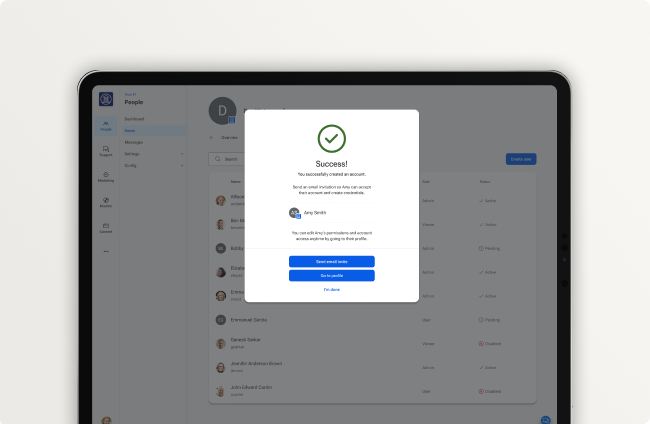
This means your administrators can complete the entire setup process for new business users within People, from creating the user to granting access to the appropriate accounts and permissions. For details, check out the documentation on Help Center:
- Creating an organization user (People)
- Editing an organization user’s permissions (People)
- Inviting a user to an organization (People)
Please note: The links above will become outdated the next time the guides are edited. At that point, you can use this link to open Help Center, filtered to Banno guides and search the article titles above to find the current versions.
You can also find more documentation about managing business users on the Knowledge Base, in our User Management article.
This feature is available now to Banno Business banks on SilverLake and CIF 20/20 (and was already available previously to Banno Business credit unions). No additional contract or support ticket is needed.
Documentation Updates
Here are some of the recent updates you’ll find on our Knowledge Base:
- Tap2Local: Review detailed information on Tap2Local, our new cloud-native, mobile-first payments solution!
- Jack Henry Rapid Transfers FAQ: Find newly added answers, including info on end user fees.
- Jack Henry Data Hub: See new info, like details on data access.
- Banno Business FAQ: Read all our latest answers to Banno Business questions, including clarification regarding forced alerts.
- Deep Link Routes: Learn about deep links in this net-new doc.
- Two Factor Authentication FAQ: Find new answers to questions about 2FA.
- External Applications: View new info, including the purpose of the Account Relationship field.
Important reminder: Visit Help Center for how-to guides on all your Jack Henry products!
Empower Your Business Users with EDI Transaction Details in Banno
We are excited to announce that EDI (Electronic Data Interchange) transaction details are now available within Banno. For Banno Business banks (SilverLake and CIF 20/20 cores) that are currently contracted to use EDI details in NetTeller, this new feature extends that same functionality to your Banno Business users, creating a more consistent and feature-rich digital experience.
This enhancement allows your end users to search for transactions containing EDI information and download the associated data file directly from the transaction details screen. To ensure a valuable experience from day one, we began collecting EDI data within Banno on September 5, 2025. When the feature is enabled, applicable transactions going back to that date will have EDI data available.
To activate EDI Transaction Details for your institution, please open a ticket for Banno Business support.
🎗️Forget-Me-Nots🎗️
Don’t miss these upcoming events:
- Digital Banking Meetup: Friday, Oct. 10, 2025 at 11:00 a.m. CT
- Developer Office Hours: Tuesday, Oct. 14, 2025 at 11:00 a.m. CT
Note: This event was formerly named the Digital Toolkit Meetup. - Product Security Meetup: Wed, Nov. 5, 2025 at 3:00 p.m. CT
Note: This event was formerly named the Digital Security Meetup.
Jack Henry Identity for Banno Admin
As previously communicated, the Banno Admin login URL will soon be migrating to our new Jack Henry Identity Platform login URL. This will change the login experience for your administrators, who will get redirected to the Jack Henry branded login page. There’s no work needed on your end, but it is critical that you are aware of this coming change – scheduled for October 27th, 2025 – as your login page and URLs will be different. For a refresher on what to expect, see the details in last month’s Statement.
Important: Please do not bookmark the new login.jackhenry.com URL, as you will only access Profile and Security settings for that user.
Stay in the Know!
To receive SLA emails for all things that matter to you, please head to our Subscription Manager and subscribe accordingly. Please also spread the word with your colleagues, so your whole team gets the respective SLAs that matter to each of you!
Mobile Passkey Support for Login
We’re excited to announce that passkey support will be included in the next Banno Mobile release! Our Android and iOS teams are actively working to implement login with an existing passkey as part of Banno Mobile 3.28, making end-user access to banking services even more secure and convenient.
The updates will streamline the passkey enrollment process and strengthen the security protocols for your login. While these changes are behind the scenes, they lay the groundwork for a more robust and user-friendly authentication experience in the near future.
Note that we are currently targeting a mid-October release for Banno Mobile 3.28.
Online Passkey Support for 2FA
Available soon for Banno Online, this enhancement to Unified Identity Service significantly improves security and the user experience by making passkeys the primary two-factor authentication (2FA) method for High-Risk Actions. Once released, end users will see passkeys and FIDO security tokens grouped together for easier selection.
The update also enhances 2FA management, including intuitive enrollment and seamless passkey synchronization across devices. We expect Online passkey support for 2FA to land in early October, with Mobile enhancements following shortly!
Office Hours: Jack Henry Rapid Transfers™
If you haven’t yet enabled Jack Henry Rapid Transfers for lightning-fast me-to-me payments, now is the perfect time to get started! Still have questions or need more clarity before launch? Join our live office hours with the product team!
Here’s what these sessions are all about:
- Getting answers to your product-specific questions
- Addressing anything that might be holding up your progress
- Ensuring you get what you need ahead of launch
Here are the upcoming sessions you can join next month, using this single link to register:
- October 14 at 12:00pm CT
- October 20 at 12:00pm CT
- October 27 at 12:00pm CT
We’re excited to see you get started and want to make sure you have everything you need along the way.
Same Day ACH for Banno Business Banks
We are thrilled to inform you that soon we will bring the Same Day ACH origination feature to Banno Business. As your financial institution and business users are well aware, Same Day ACH is no longer a luxury – it’s a necessary tool for large businesses and SMBs alike, with recent data showing a 15.1% increase in the number of payments and a 22% rise in their total value compared to last year.
The Same Day ACH feature will provide our Banno Business customers on SilverLake and CIF 20/20 all the essential functionality you’re accustomed to in NetTeller, allowing your business users to take advantage of faster payments without leaving Banno. Soon, you can service all of your business users’ ACH needs seamlessly within a single, modern platform.
Closed beta testing for Same Day ACH is going well, and we will share more details in the coming weeks as we prepare for the full launch.
Tap2Local™ Has Arrived! Sign Up Now to Go Live as Soon as October
In case you didn't make it to Jack Henry Connect this year, we've got huge news: Jack Henry CTO Ben Metz had the pleasure of formally announcing the release of Tap2Local, our new cloud-native, mobile-first payments solution!
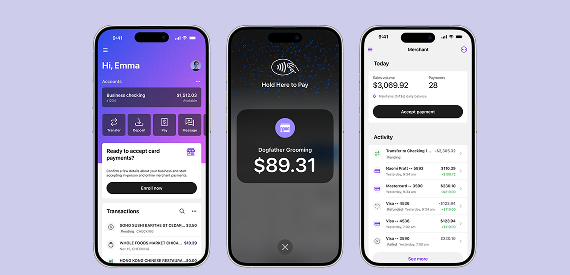
An absolute landscape changer, Tap2Local levels the playing field for your financial institution and the small and medium-sized business (SMB) owners you serve. How? Tap2Local integrates seamlessly with Banno, letting SMB owners accept debit and credit card payments in real time, with nothing more than their handy iOS or Android device.
Enablement Plan and Go-Live Signup Form
To help ensure that Tap2Local is introduced to your business owners in ideal fashion, we will enable this solution in a series of carefully executed go-live waves during October, November, December, and possibly into early 2026. So we can slate each financial institution into the best wave available, we need to know your preferred go-live timing. Please complete this Go-Live Signup form right away, so we can parse requests and plan each wave.
We will meet as many requests as possible while also ensuring that each wave includes a manageable number of financial institutions, so that we can provide proper support. After we receive responses to the Go-Live Signup form, we will determine the optimal wave in which to include your financial institution. Once we have our plan in hand, we will send an SLA specifying when you can expect to roll out Tap2Local, so that you have time to create your plan, too.
Competitive Edge with Tap2Local
Why join the frontrunners taking Tap2Local to market in one of our earlier go-live waves? Here are just a few ways Tap2Local will expand your SMB footprint and immediately benefit your financial institution:
- Simplify the payments experience for SMBs
- Capture more deposits
- Fight back against the payments-only fintechs that have been poaching traditional banking services, like deposits and lending
- Allow SMBs and millions of gig-economy workers to accept payments on the go
- Join our upcoming, optional revenue-sharing program
The bottom line? Tap2Local will reduce your business owners’ dependence on third-party fintechs and position your bank or credit union as the central hub for all their financial needs.
If you have any questions about Tap2Local or our Go-Live Signup form, please give us a shout. Now then, let’s go change the game for SMBs in your community!
Treasury Management Additions to Enterprise Workflow
Keep your peepers peeled for exciting and time-saving additions to the Treasury Business Onboarding template in EWF! Additional products include Wires, mRDC, Bill Pay, and Positive Pay products.
We’ll send an SLA with more details when these products are available in Enterprise Workflow.
Treasury Management: Payment Approver Validation Enhancement
Effective September 5, the list of eligible approvers for a payment has been refined to display only the users who are eligible to approve that specific payment, versus a global list of users with approval rights.
For example, if a user is entitled to approve transfers with a limit of $100.00, and the payment under review is $500.00, that user will no longer appear as an approver – since the payment exceeds their approval limit.
Save Transfers as Templates for Treasury Management
Treasury mobile users will soon be able to save a newly created transfer as a template! When the transfer template is confirmed, it will be available to view or use in the template list and can be modified in mobile or in channel.
An SLA will be sent when this enhancement has been released.
Toolkit Corner: Developer Docs for Jack Henry Identity
In the August 2025 monthly statement, we mentioned Jack Henry Identity – our new, centralized Identity Provider (IdP) Platform service.
Jack Henry Identity uses top-tier security standards, including OAuth 2.0 and OpenID Connect (OIDC). This means your staff can securely and easily log in to Banno apps like Banno People, Banno Support, and Banno Marketing, as well as other Jack Henry products.
Explore the developer docs to understand how your developers can integrate with Jack Henry Identity.
Updating Business User Details
Say goodbye to extra support tickets and phone calls from users who are looking to update their contact details! Now, Banno Business users can update their own username, email address, and phone number directly from their profile settings. This new update helps reduce the need for users to contact their bank for simple changes, making it a win-win for everyone.
Note: For institutions already live with Banno Business alerts, users have already been granted the ability to edit their email address and phone number.
Important: Previously in Banno, cash management users were shown the organization’s phone number by default. With the release of the feature allowing business users to edit their own user details, the display of the organization’s number was removed. As a result, if a business user has not entered a personal phone number (on their Settings > Profile screen), no number is displayed – therefore, their alerts cannot be sent. Once the user adds a personal phone number, they should receive alerts as expected.
Anchor Device Verification
Now that we’ve had several customers using anchor device verification for a few weeks, we’ve begun the process of enabling it for everyone. We are working behind the scenes to designate anchor devices and get this configured in preparation of releasing the new setting for all institutions in September, after Jack Henry Connect!
Banno Business Reports
After several months of beta testing and refinement, we’re pleased to announce that our Banno Business banks will soon have the option to configure and enable Banno Business Reports. When enabled, business users will have access to numerous business reports (matching what’s available in Cash Management) with the enhanced Banno experience:
- Activity
- Current day and Prior day
- Electronic Data Interchange (EDI) transactions
- Positive pay
- Summary
In early October, we’ll enable your ability to turn Reports on for your business customers. We’ll be sending an additional SLA when reports are enabled for you to configure. The configuration is identical to that in CCM and completed in NetTeller Back Office – we recommend setting the Show Transaction Reports entitlement to “For All CCM NT IDs”.
Once things are configured in Back Office, enabling the feature for a business and its users is as simple as toggling the permission in Banno People! If you prefer to manage access to reports directly, once the feature is released, you can jump in and self serve. If you’d like us to enable for all of your businesses and business users, send an email to digitalscheduling@jackhenry.com.
While this feature requires no additional contract, an authorized administrator from your bank will need to complete the setup in both Banno and the NetTeller Back Office, as further detailed in this Banno Business Reports documentation on the Knowledge Base.
Business Alerts for Banks
As announced in the SLA sent on August 19, all Banno Business banks (SilverLake and CIF 20/20 cores) will be migrated to native Banno Business alerts by September 30 October 7*, and the migration has already been successfully completed for many of our early adopters. For those of you we haven’t converted yet, we will send one last SLA letting you know the specific migration date for your institution.
*Note: This date is 1 week later than the completion date we’ve communicated previously. With Jack Henry Connect 2025 happening September 8 – 11, we have decided to push back the migration schedule by 1 week (for each wave of institutions) to ensure that our digital banking leadership team is available to oversee a smooth transition. [This note was added on September 5.]
Once your bank has been migrated, your business users can set up alerts for a variety of activities such as ACH, Wires, and Positive Pay exceptions, all in one convenient place.
Additionally, retail users at banks with Banno Business will also have access to new alerts, such as notifications for insufficient funds, loan matured, and incoming ACH credits and debits. This means your customers can customize their notifications for important financial activities and stay informed directly through Banno.
For a refresher on the details of our Business alerts migration for Banno Business banks, see our Banno Business alerts FAQ.
Reminder: All Banno alerts are now sent over the Enterprise Notification System (ENS), our centralized platform that provides additional security and paves the path for future enhancements such as Rich Communication Services (RCS) messages.
Rollout Complete: Verify Call-In Users via High-Risk Action
As stated last month, earlier this August we released a new way for you to verify your call-in users – removing the need to ask for a one-time passcode. Instead of sharing a code over the phone, accountholders will be prompted to complete an in-app high risk challenge. Upon successful completion of the challenge, they’ll be verified and you’ll see that confirmation in Banno People.
This new option works in tandem with our high risk action blocking features as well, as blocked devices won’t be able to complete the challenge. For more information on this and other high risk action details, visit our Knowledge Base.
Remember, this enhancement is not intended for users who are locked out of their digital banking. If a user calls in because they are locked out (and therefore cannot verify via an in-app high risk challenge), we encourage the use of account recovery to regain access.
Important: This change does not apply to Treasury Management, including Treasury Management banks with Unified Identity Service.
Documentation Updates
Catch up with the latest documentation on our Knowledge Base:
- Identity: We’ve overhauled our Identity documentation to include details for all use cases, whether consumer (Unified Identity Service) or enterprise (Jack Henry Identity)!
- Jack Henry Identity: Drilling further into the Identity docs, you can check out the brand new, detailed article dedicated to enterprise authentication.
- Adding a Passkey: See new details on enhanced Passkey support for Banno Online and Treasury Unified Identity Service users!
- Banno Business Banking FAQ: We’ve further updated our Banno Business FAQ, including new details about Banno Business alerts!
- Enterprise Workflow Onboarding: We’ve added a new document walking through the steps to onboard a new Business organization via Enterprise Workflow.
Important Reminder: Visit Help Center for how-to guides on all your Jack Henry products!
🎗️Forget-Me-Nots🎗️
With Jack Henry Connect around the corner, we won’t have our usual events next month. But you can save your seat for the next round now:
- 2025 Jack Henry Connect: Sept. 8 – 11, 2025 in San Diego, CA
- Digital Banking Meetup: Friday, Oct. 10, 2025 at 11:00 a.m. CT
- Developer Office Hours: Tuesday, Oct. 14, 2025 at 11:00 a.m. CT
Note: This event was formerly named the Digital Toolkit Meetup. - Digital Security Meetup: Wed, Nov. 5, 2025 at 3:00 p.m. CT
Stay in the Know!
To receive SLA emails for all things that matter to you, please head to our Subscription Manager and subscribe accordingly. Please also spread the word with your colleagues, so your whole team gets the respective SLAs that matter to each of you!
Jack Henry Identity Crisis Priceless
What’s the opposite of an identity crisis? Well, our handy thesaurus wasn’t much help with finding the perfect antonym, but as we work to integrate Jack Henry Identity into the Banno Platform, Jack Henry Platform, and beyond, we think you’ll agree that the positive impact and streamlined authentication processes are invaluable!
Jack Henry Identity at a Glance
Meet Jack Henry Identity – our new, centralized Identity Provider (IdP) Platform service. Soon we will implement Jack Henry Identity for additional Jack Henry products, adding more over time, until our new IdP lets us provide a universal entry point (complete with universal credentials) to Banno Admin, Jack Henry Platform, and all your Jack Henry back-office products!
Built with preeminent industry standards, such as OAuth 2.0 and OpenID Connect (OIDC), Jack Henry Identity ensures the highest security protocols for authentication. In other words, it will let your staff securely, conveniently access Banno People™, Banno Support™, Banno Marketing™, and other apps within Banno Admin as well as key products we offer separately from Banno.
First on the Implementation List
Jack Henry Identity is growing up! As solutions like LoanVantage™ and JHA OpenAnywhere™ (along with Banno Platform) work to implement Jack Henry Identity as their go-to authentication solution, your Banno Admin users will see new groups added for these additional products.
It’s exciting to see Jack Henry Identity being used outside of our Digital organization, so let your admins know that new, non-Banno groups are expected as more Jack Henry solutions adopt Jack Henry Identity.
Banno Admin Login Redirect
As discussed during the August 8 Digital Banking Meetup, we are set to migrate Banno Admin Authentication to the new Jack Henry Identity platform on October 27, 2025, at which point your staff will see the current Banno Admin login URL (banno.com/a/login) redirect to the Jack Henry Identity login URL (login.jackhenry.com). Upon successful login, they will then be automatically redirected to Banno Admin, where they will continue working as normal – with the same level of access that they have today.
It’s important to note that if a user navigates directly to login.jackhenry.com rather than starting from banno.com/a/login, they can authenticate successfully; however, they will get redirected to their own Jack Henry Identity Profile and Security screens instead of getting automatically redirected to Banno Admin, like they will if they start at banno.com/a/login. This behavior will hold true for any product-specific login URL.
Stay tuned for a follow-up SLA with more details.
Banno Admin Session Logouts
To fully sign out and end your session, you’ll see a new Banno Session Logout screen after you sign out of Banno. This change is being made because signing out of Banno does not automatically sign you out of your Jack Henry Identity (JHID) session. To ensure a complete logout, you must also close your browser.
This new screen will guide you through the process, providing a consistent and secure experience across our platforms. The sign-out process for Banno Admin will not change.
Jack Henry Rapid Transfers™ Is Now Available!
After months of preparation and anticipation, it's official – Jack Henry Rapid Transfers, powered by Mastercard Send and Visa Direct, has passed beta testing and is now widely available! Your end users, whether retail or business, can now manage their real-time 'Me-to-Me' money movement needs in a flash with Jack Henry Rapid Transfers.
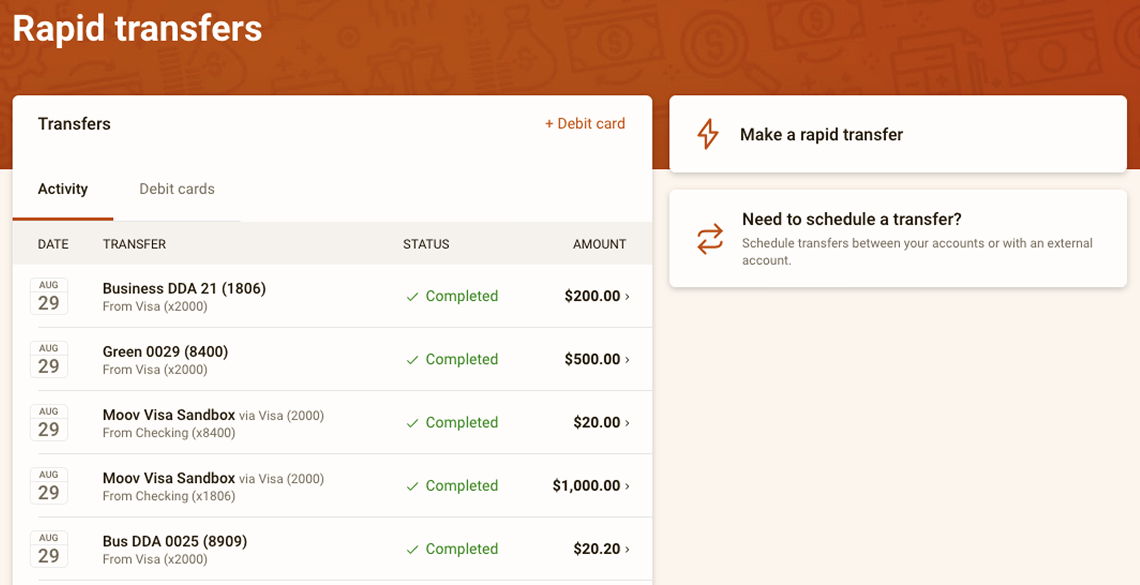
How It Works
On the Banno Platform, cardholders can link an external debit card to push or pull funds instantly for a range of purposes, like consolidating balances from digital wallets, funding a newly opened account, or good ol’ fashioned cross-institution transfers!
In other words, rather than waiting days for such transfers to process over traditional ACH rails, Jack Henry Rapid Transfers empowers your debit card holders to complete Me-to-Me transfers in mere seconds, letting them solve immediate access needs, well, immediately.
How to Enroll
If your financial institution hasn’t already enrolled with Moov, our partner vendor, you’ll need to do so before you can offer Jack Henry Rapid Transfers. To get enrolled, complete these steps:
- Review your core-specific pre-work using the Compliance & Onboarding guide for your platform – CIF 20/20, SilverLake, or Symitar.
- In Banno People, open the Settings menu, select Transfers, and then open the Rapid Transfers tab.
- Click Request Moov enrollment to generate your personalized onboarding link and begin the process.
No additional contracts or support tickets are required; however, should you run into any roadblocks or questions, our support team is happy to help!
For additional details, check out the Jack Henry Rapid Transfers doc on the Knowledge Base.
Unlock Real-Time Money Movement – Upcoming Webinar with Visa Direct
We’re hosting a webinar with Visa to show how Jack Henry Rapid Transfers™ is transforming real-time money movement. This session will explore how Jack Henry Rapid Transfers – enabled by Visa Direct – can help financial institutions meet rising consumer expectations for fast, seamless payments.
Stay tuned for registration details!
Separate Identity Profiles for Banno and Unified Identity Service
To best support the new Retail Organizations project, as well as support our Unified Identity Service users, we are reconfiguring our existing Profile and Security screens for Mobile and Online. This will allow end users to view and edit Banno-specific details separately from their identity and recovery information.
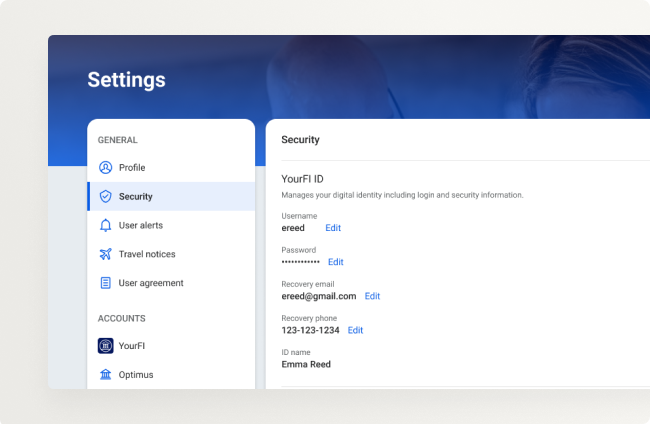
A key enhancement is the introduction of Recovery Email, Recovery Phone, and ID Name settings within Mobile and Online screens, separate from core or product-specific details. This allows for distinct contact information for account recovery and security versus alerts and notifications. Be on the lookout for these additional fields to be released – in Banno and Treasury Management – in mid-October!
Treasury Management Mobile Experience in the App Stores
Soon, you’ll be able to request that the Treasury Mobile Experience be made available in the app stores! This gives your Treasury app the common presence users are accustomed to, allowing for intuitive downloading and access. Even though present in Google Play (Android) or App Store (Apple), it is still a progressive web app, meaning once downloaded it will not require updates for new features or fixes.
Look for an SLA with more information on the request process!
Customizing the Treasury Mobile Experience Dashboard
Your end users have an exciting new feature available on the Treasury Mobile Experience! Now they can add, remove, and specify placement of their widgets on the Dashboard.
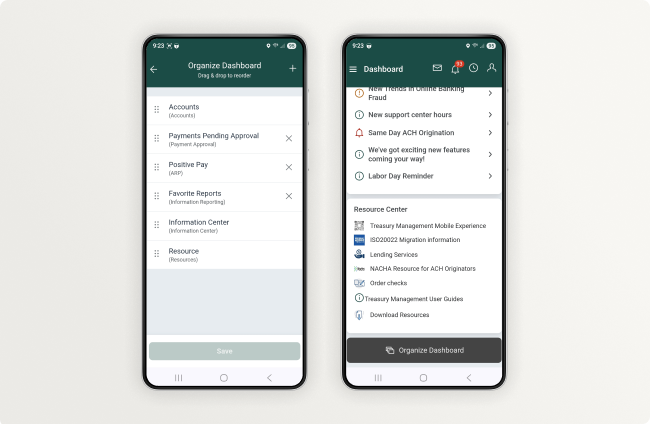
Just a quick tap of the Organize Dashboard button at the bottom of the screen will open the config where users can tap & hold, then drag & drop widgets to their preferred location. Tapping the plus sign will allow users to add additional available widgets.
Important Updates for Passkey with Treasury Mobile Experience
Impactful updates have been made to the use of passkeys with Treasury Management! Users can now authenticate with a passkey without having to first enter their username.
Information on this change is available on the Treasury Management site in the For Clients Portal.
Now Available! Positive Pay Check Exception Attachments in Treasury Management
Users can now add attachments to comments for check exceptions as well as correction forms.
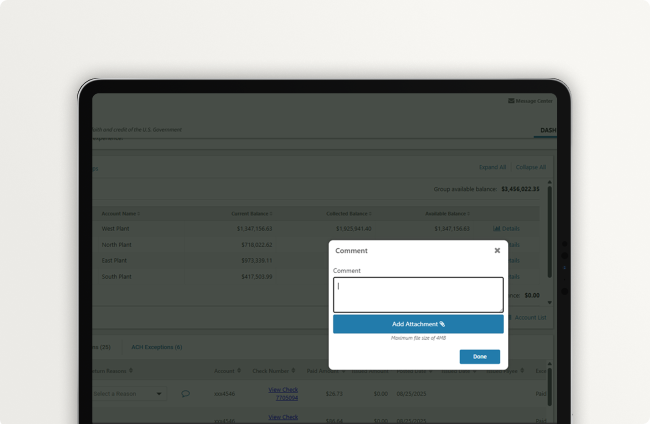
Banks have the ability to see attachments added to comments via the Positive Pay Check Exceptions back office report. Attachments added to correction forms can be viewed by the bank in the Message Center.
For more information on this new enhancement, check out the Quick Reference Guide on the Knowledge Base.
Toolkit Corner: Typical Auth Flows - Client Credentials Flow
When it comes to securing server-to-server communication, the OAuth 2.0 Client Credentials Flow is a trusted standard for backend authentication.
It’s purpose-built for scenarios where no user is involved – like automated jobs, system-level integrations, or privileged API access between trusted applications.
This flow eliminates the need for user credentials altogether, relying instead on signed JWTs and secure key pairs to authenticate and authorize access.
Explore the guide to understand how it works, when to use it, and how to implement it with poise and precision.
Updating Business User Details
Something special is on the horizon for our Banno Business customers on SilverLake and CIF 20/20 cores! Soon, business users will be able to update their own digital banking username, email address, and phone number directly within Banno without needing to contact your bank personnel. This will give your business users more control over their personal information and reduce the number of support tickets for your team. It looks like things are about to get a little easier.
Important: If your bank is already live with Banno Business alerts, please be aware that your business users have already been granted the ability to edit their email address and phone number.
Account Detail Configuration
We are excited to announce the release of our new Account Details Configuration feature for all financial institutions. This powerful new tool gives you direct control over the information your users see on the account details screen. Available now in Banno People (Settings > Accounts), you can customize the fields to best meet the needs of your institution and your accountholders.
When you have finalized your settings and are ready to make the new configurations live for your users, simply open a support ticket requesting activation.
Anchor Device Verification Rollout
If you’ve been eagerly awaiting the anchor device verification feature, which will enable you to block high risk actions while minimizing friction for legitimate users, know the wait is almost over! Early next month, a handful of early adopter institutions will roll it out to their accountholders, and we’ll watch it closely ahead of a broader rollout to all institutions. Note that you’ll begin seeing the Anchor device designation in devices lists soon as we prepare to make this feature available. This doesn’t mean the feature is enabled, rather that we’ve started assigning anchor devices.
You can look forward to having this setting at your fingertips very soon, so stay tuned for that final announcement!
Banno Business Alerts for Banks
Get ready to set your notifications, because a highly anticipated feature is finally here! We’re thrilled to announce that our Business Alerts will start to roll out this July for Banno Business banks on SilverLake and CIF 20/20. The feature will give your business users more control over their financial insights directly within Banno. This means no more waiting in suspense for key account activities like ACH, Wires, and Positive Pay exceptions, as they’ll soon be able to customize their alerts for these and more!
Keep an eye on your inbox, as you’ll receive a communication with the exact timing of your migration date. In the meantime, see the new Business Alerts doc and explore these FAQs for all the exciting details.
Improved Call-In Verification Is Rolling Out
As we announced last month, we're in the process of releasing a new way for you to verify your call-in users — removing the need to ask for a one-time passcode.
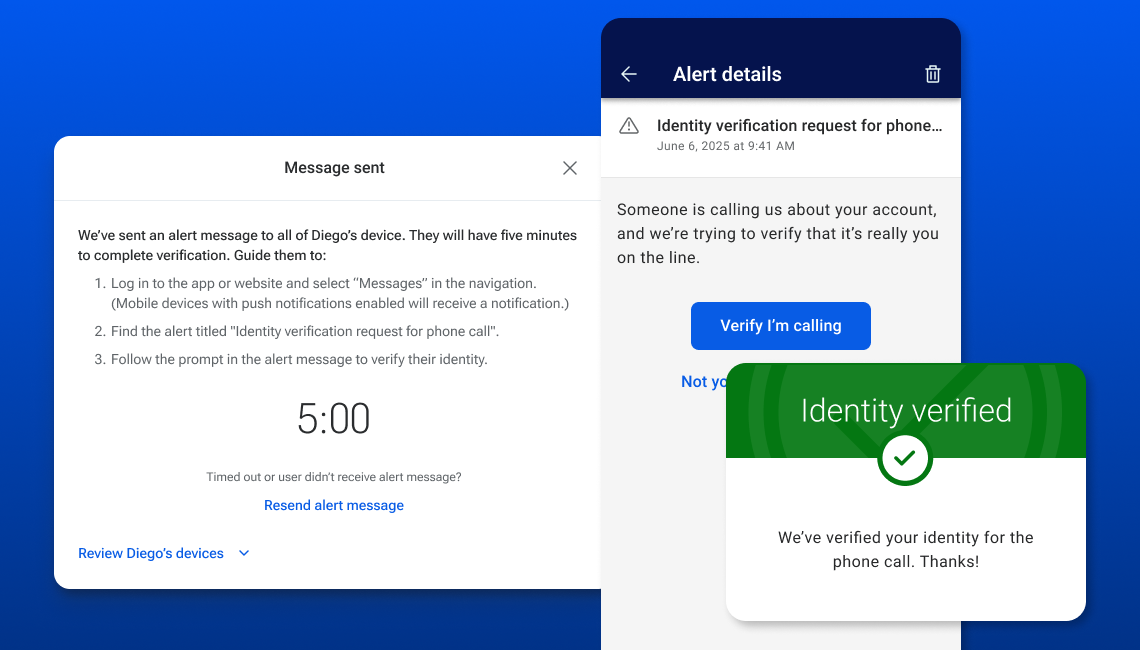
Instead of sharing a code over the phone, accountholders will be prompted to complete an in-app high risk challenge. Upon successful completion of the challenge, they’ll be verified and you’ll see that confirmation in Banno People. This new option works in tandem with our high risk action blocking features as well, as blocked devices won’t be able to complete the challenge. For more information on this and high risk action blocking, visit our Knowledge Base.
Once we have completed the rollout, this feature will replace the one-time passcode option to verify a call-in user in Banno People. There is no contract required for this feature. In July, we released this to an initial wave of early adopters. Next up, we will release it for the wave of early adopters who selected August 5 as their enablement date. Finally, we will enable the feature for all other institutions on August 19, 2025.
Documentation Updates
Catch up with the latest documentation on our Knowledge Base:
- Security: To avoid potential confusion due to duplicate content, we’ve streamlined the Security landing page and provided links to additional information presented in categorized articles.
- Permissions: Read all about numerous new permissions, now organized more logically, so you can find the info you need without needless digging.
- Business Alerts: See our newly added documentation for Banno Business alerts, including this set of frequently asked questions. Remember, this feature is rolling out in phases.
- Users & Groups: Read updated information, including how to edit and delete users.
- User Management: We’ve added information on pulling lists of Business users.
Important Reminder: Visit Help Center for how-to guides on all your Jack Henry products!
Enhanced Passkey Support
Your accountholders should now see new options displayed when selecting their preferred passkey method (for logging in and completing high-risk actions), regardless of whether the current device natively supports built-in platform authenticators.
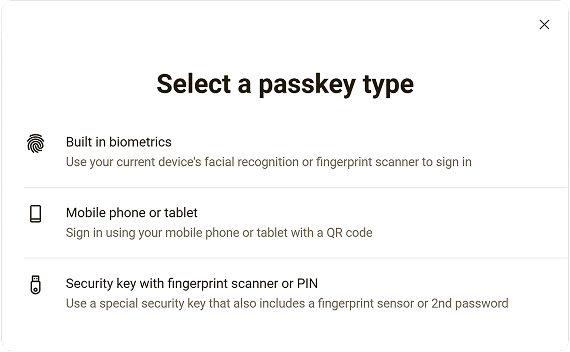
This change makes passkey functionality accessible to a wider range of users and their varying devices.
The original passkey implementation was primarily designed for built-in biometric authenticators and restricted the display of the passkey option to the same device where it was registered. That approach posed limitations for users who wished to manage multiple passkeys or access their accounts from various devices.
The new, refactored approach delivers a more flexible and user-friendly system, allowing users to register and manage multiple passkeys for their accounts – on Treasury Management (with Unified Identity Service) and Banno.
🎗️Forget-Me-Nots🎗️
Here are a few important things to remember this month.
Upcoming Events
Register now for these upcoming virtual meetups and events:
- Digital Banking Meetup: Fri., Aug. 8, 2025 at 11:00 a.m. CT
- Developer Office Hours: Tues., Aug. 12, 2025 at 11:00 a.m. CT
Note: This event was formerly named the Digital Toolkit Meetup. - Digital Security Meetup: Wed., August 13, 2025 at 3:00 p.m. CT
Stay in the Know!
To receive SLA emails for all things that matter to you, please head to our Subscription Manager and subscribe accordingly. Please also spread the word with your colleagues, so your whole team gets the respective SLAs that matter to each of you!
IdeaLab: Trial Period for New Process
You may be relieved to know that we’re overhauling our IdeaLab process to address your feedback and find a balance between structured submission and open innovation. To kick things off, we’re launching the 6-Month Idea Submission (6MIS) Trial.
The trial period aligns with our upcoming 6-Month Roadmap cycle and includes eight campaigns – 4|Sight™, Banno™, iPay Business Bill Pay™, JHA PayCenter™, PayRailz®, Symitar®, Synergy, Synergy eSign™ Suite.
Key Dates for the 6MIS Trial
Here are key dates you’ll want to remember:
- Idea Submission & Voting: August 4 – October 31, 2025
Submit your new ideas and cast your votes! All new ideas will populate in a dedicated “New Ideas: 6-Month Trial” stage. - Voting Only: November 3 – November 28, 2025
The idea submission window will be closed, but you can still vote on existing ideas to help us prioritize them. - Mod Review & Respond: December 1, 2025 – January 31, 2026
Our moderators will research and respond to ideas that made the top 10% of voting results. - Additions to the Roadmap: February 2026
The new 6-Month Roadmap we publish will reflect any new additions stemming from IdeaLab.
After the Trial
Once the trial run is over, we will actively seek feedback to better understand what worked well and identify areas for improvement. If you have any questions about this trial period or the new process we’re testing, please contact us at idealabadmin@jackhenry.com.
New Identity App Permissions
As a follow-up to last month's article about the new permissions available for Identity App, we want to let you know that your authorized administrators should now see those permissions available in the Identity section when assigning access and restrictions to a group.
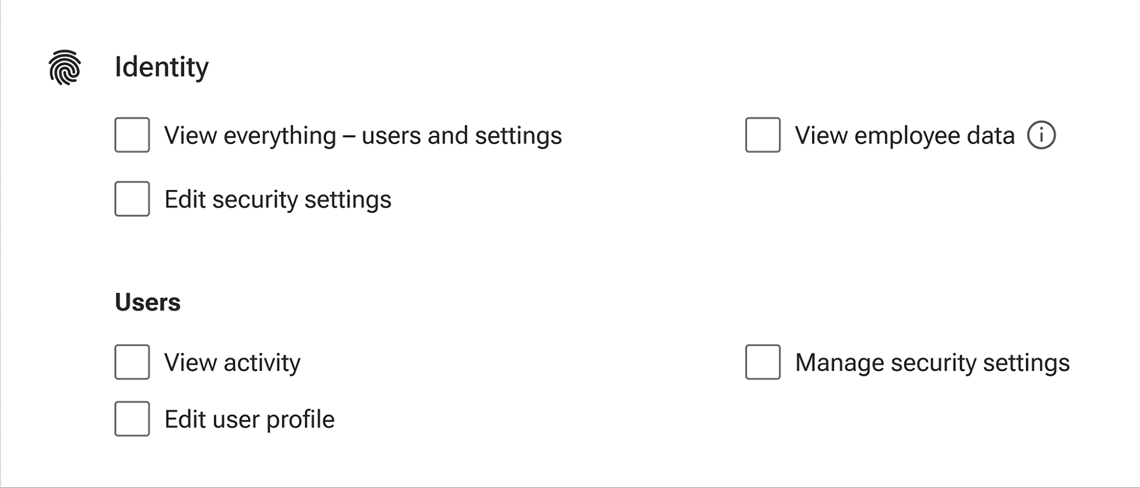
For more details on using these more-granular controls, check out the Permissions documentation on the Knowledge Base.
ISO 20022: 🎶 We're Still Standin'. Yeah, Yeah Yeah!
Well fam, the cutover to ISO 20022 is officially in the rearview! Everyone survived relatively unscathed. 😮💨 Before we turn our eyes to the road ahead, we want to acknowledge all the effort that your financial institutions, and sooo many dedicated Jack Henry folks, invested to make the transition an overwhelming success.
The switch to ISO 20022 was a pressure-packed, complex undertaking that involved many distinct yet interdependent components. Through intense focus and a deeply collaborative spirit, the changes unfolded as seamlessly as possible.
As Shanon McLachlan (our Senior VP and COO) said in his follow-up email, “we handled it the only way we know how at Jack Henry – as a team.” That One Jack Henry team includes you and yours! Together, our collective support teams did what they do best. They demonstrated remarkable agility and skill, resolving an impressive 1,308 cases across all four Jack Henry cores and Jack Henry Platform Wires product on day one.
We also recognize the impact that high volume of cases had on your business users and your support staff, and we really appreciate the partnership you all showed in working through each case together to ensure that we make things right for all, as quickly and (mostly) painlessly as we could.
All things considered, this colossal shift marks a serious win for us, the institutions we serve, and your business users. For that, we thank you!
Jack Henry 1071 Module™
Wait, a small business lending update in this Monthly Statement? Absolutely – because we know it's something that your compliance team is already thinking about.
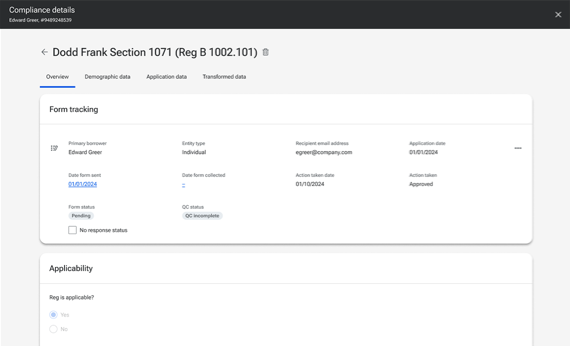
Meet our new Jack Henry 1071 Module, which helps any of our financial institutions meet the data collection and reporting requirements mandated by Section 1071 of the Dodd-Frank Act with a secure, user-friendly module that simplifies the compliance process for Jack Henry core clients.
Available to banks and credit unions using any Jack Henry core system, this comprehensive solution includes tools for digital data collection, controls that help you meet the CFPB’s “firewall” requirements, data scrubbing capabilities, and reporting features that help banks and credit unions with their 1071-related compliance requirements.
Despite the recent delay pushing back the implementation date of Dodd-Frank 1071 for Tier 1 banks and credit unions, there are a fair number of compliance teams just chomping at the bit to get a solution up and running to prepare for data collection. That’s why we’re excited to announce that we’re ready to begin contracting for our new Jack Henry 1071 Module™. Just reach out to lendinginfo@jackhenry.com or your account executive to get going.
Have LoanVantage™ and want to wait for the integrated Jack Henry 1071 Module for LoanVantage™ instead? Not a problem! Once we complete the LoanVantage transition to Jack Henry Identity in the Fall, we’ll have a quick beta period to prepare for production.
Save the Date: Jack Henry DevCon
We’re thrilled to announce the second-ever Jack Henry Developer Conference, happening at the Palace Arts Center in Grapevine, Texas on February 23 – 24, 2026.
This isn’t your typical conference – it’s designed specifically for developers, with cutting-edge technical sessions, hands-on workshops, and expert insights tailored to those who thrive on innovation and tech solutions. Whether you’re with a bank, credit union, fintech, consulting firm, or vendor, if you’re craving deep technical content, this is where you need to be!
But act fast. Registration is open now, and spots are filling up quickly. Don’t miss your chance to secure your seat at this amazing tech event!
Your Marketing: Made Simple and Powerful
You work hard to bring valuable solutions to your accountholders. But how do you make sure they see that value and actually use the tools you offer?
Here’s the thing: you shouldn’t have to be a full-time marketer to answer that question. That’s the idea behind the newly refreshed Jack Henry Marketing Center™ – a complimentary resource full of professionally designed assets that can help you get the word out. In the Marketing Center, you’ll find free, ready-to-use materials – like full campaigns, social posts, and banner ads – to make your marketing both simple to execute and powerful in its reach.
This means you can drive adoption and engagement for your technology, all without needing an extra budget or creative help.
Why does this matter? Because when more accountholders use your digital tools, their financial lives get easier and their connection to you gets stronger. See what’s new and create your campaigns today. All you need is your Jack Henry credentials to get started. Need help? Contact marketingcentersupport@jackhenry.com for assistance.
Finicity Connect Will Now Be Mastercard Data Connect
To enhance clarity and build on the trust of their globally recognized brand, Mastercard will soon be renaming their “Finicity Connect” service to “Mastercard Data Connect.” The primary impact will be updated text on the user interface, which will reflect the new product name. This transition is tentatively scheduled for the end of July.
Jack Henry Rapid Transfers™ Enrollment
A quick reminder: You can now enroll within Banno People to access Jack Henry Rapid Transfers! This feature makes transferring money between accounts faster and easier than ever. If you haven’t signed up yet, simply log in to Banno People, select Rapid Transfers from the main navigation and complete the enrollment steps.
Enjoy the security and speed of rapid transfers today – no more waiting for funds to move!
A Look Ahead: Retiring NetTeller® in July 2027
As previously announced to impacted customers (in the SLA sent on July 28, 2025), the end of an era is now in sight. For over two and a half decades, NetTeller Online Banking™ has been a cornerstone of digital services for many financial institutions on our SilverLake and CIF 20/20 cores. It has served as a vital bridge, connecting you with your accountholders and empowering their digital financial interactions.
As we continually evolve our platforms to deliver the most modern and intuitive experiences possible, we’re taking a significant step forward in our digital banking journey: On July 1, 2027, Jack Henry will officially retire all NetTeller offerings for SilverLake and CIF 20/20 banks. This retirement includes NetTeller Online Banking, NetTeller Small Business Cash Management, and NetTeller Commercial Cash Management.
Making this strategic move aligns with our commitment to a unified, modern, and forward-looking digital ecosystem. Many of you have already embraced the robust capabilities of the Banno Digital Platform, experiencing firsthand its ability to elevate your digital presence, enhance user satisfaction, and drive growth. We strongly encourage any financial institutions still leveraging NetTeller to begin conversations with your Digital Experience Sales Executive about migrating to the Banno platform.
Key Dates and Details
Here are two crucial things we want to make explicitly clear:
- July 1, 2027: On this date, all access to NetTeller front-end services will be turned off, and users will no longer be able to log in.
- Contract expiration: Your existing NetTeller and NetTeller Cash Management (if applicable) contracts will not be renewed and will expire on July 1, 2027.
Understanding the Transition
This retirement is primarily a front-end change for your end users. The underlying NetTeller subsystems and libraries that integrate directly into your core will remain active as they have been modernized and refactored as integral parts of your SilverLake or CIF 20/20 core. This change doesn’t affect Core Director, which will have a separate NetTeller retirement plan that we will communicate when the time comes. Additionally, this change does not affect the foundational elements of JHA Electronic Statements – Interactive™ (ESI), which will remain active and continue benefitting from ongoing enhancements.
Important: Though NetTeller and Cash Management are now technically in “maintenance mode” and will therefore no longer receive enhancements, rest assured that they will continue to be supported and receive any critical bug fixes. However, new feature development has ceased, and any IdeaLab submissions specific to these offerings will be closed.
Partnering for Your Success
Because Banno is deeply integrated with our core systems, data migration for your institution will be smoother, requiring less effort and fewer resources. This internal move ensures a faster, less complex deployment, bringing a superior digital banking experience to both your institution and your end users as quickly – and with as little disruption – as possible.
Your partnership is invaluable to us, and we are dedicated to making this transition as smooth as possible. Our teams are ready to support you with resources and guidance every step of the way as you explore and adopt the powerful capabilities of the Banno Digital Platform. For any questions or to discuss your migration path, please connect with your Digital Experience Sales Executive.
The entire Jack Henry Digital Banking team looks forward to innovating and growing with you beyond the July 1, 2027, NetTeller retirement and well into the future.
Queue Up for RTP Network
If you’ve been waiting to get in the faster payments game, wait no more! Adding the Real Time Payments (RTP) network now positions your institution to maximize key capabilities – developed in partnership with Moov on Merchant Acquiring – that will be going live within the Banno Digital Platform™ at some point this fall (exciting details to come at Jack Henry Connect).
Why is RTP Crucial?
Traditional ACH takes 1 to 3 business days to settle and results in painful cash flow lags for businesses. RTP delivers a near real-time pace that empowers them to pay suppliers faster, minimizes their short-term credit dependence, and promotes financial health.
Gain a Competitive Advantage!
One other reason RTP is crucial? It gives your financial institution a notable advantage over the competition! Providing instant access to funds will:
- Differentiate your institution
- Deepen customer loyalty
- Help you attract new small business clients
We strongly encourage you to enhance your payments offering by adding RTP now!
Reach out right away to discuss your options with a Sales consultant and learn more about our special incentive.
New Check Lookup Widget Now Available in Treasury Management
Effective July 28, a new Check Lookup widget is available to be added to your users' Treasury Management Dashboards.
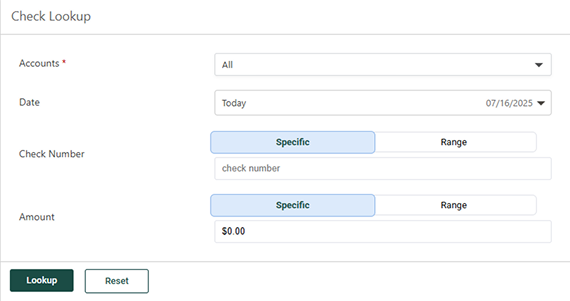
This widget lets users quickly find and view check transactions without having to sort through transaction lists or use the full transaction reporting functionality.
That's a Wrap, Folks! TM Mobile Experience Migrations Complete
We’re pleased to share that all migrations to the new Mobile Experience are complete!
The team has successfully migrated all Treasury banks (whether previously installed or newly onboarded) to the Mobile Experience. We appreciate your participation in bringing this to market and look forward to future enhancements being available!
Toolkit Corner: Typical Auth Flows - Authorization Code Flow
When it comes to securing access to sensitive financial data, the OAuth 2.0 Authorization Code Flow stands out as a trusted standard.
It’s built for scenarios where security matters most, like when a user logs in through a browser or mobile app and needs to grant access to a backend service.
This flow separates the user’s credentials from the external application, reducing risk and reinforcing trust.
Explore the guide to learn how it works, why it’s important, and how to implement it with clarity and confidence.
Checking Banno Platform Status
As announced in the SLA sent on June 18, all status updates will be communicated exclusively via the Platform status screen in Banno Admin, beginning on Monday, July 7, 2025. At that point, our Digital teams will stop publishing active status updates on the Banno Platform Status webpage. [Edited May 2026: The Banno Platform Status page has been deprecated.]
When we introduced the Platform status screen in Admin last August, we noted that our teams would keep both status pages updated. Over the past several months, we’ve expanded coverage across more products and services within the Banno platform, and we’re now ready to consolidate updates into one central location, eliminating any potential confusion on where you can check the status of our services.
Remember, you can easily access the Platform status screen in Admin by clicking the More menu (•••) and selecting Status. No special permissions are required. For further guidance, please reference our Platform status documentation on the Knowledge Base.
In the event that Banno Admin is temporarily unavailable, we will also provide updates through Service Level Announcement emails until access is restored.
A Glimpse into the Future of the Banno Support™ Product
The purpose of Banno Support is to help your financial institution provide fast, intelligent, and human-centered support, ensuring that managing customer interactions is more seamless and efficient than ever before. To that end, we’re thrilled to share a preview of significant upcoming changes designed to elevate your support experience and empower your teams ever further.
Unified Approach to Support
We’re developing a new, unified support platform that will serve as a central hub for all your customer interactions. This platform is being built to scale with your needs, from simple inquiries to complex case management, and is tailored specifically for the unique demands of banks, credit unions, and financial services teams.
Our philosophy for this new platform is a balanced blend of proactive and reactive support, offering both robust self-service options and efficient human assistance. Imagine in-app guidance, helpful AI nudges, and auto-suggested FAQs that empower your teams and end-users to find answers quickly. When human interaction is needed, our goal is to make it even more streamlined, whether through live chat, phone support, or a follow-up email.
Key Enhancements to Anticipate
These upcoming changes are designed with your efficiency and productivity in mind, so your team can resolve issues faster and provide even better service to your accountholders. Here are a few noteworthy advancements you can expect:
- Smarter support with AI enhancements
- Intuitive user interface and experience (UI/UX Overhaul)
- Streamlined conversation management
We appreciate your partnership as we prepare for these exciting developments. Look for more details in upcoming Banno Statements and Digital Banking Meetups, where we’ll delve into specific features and their benefits.
Disaster Recovery Exercise
As announced in an SLA we sent on June 11, we have a full-scale disaster recovery exercise scheduled for the weekend of July 26 and 27 and again on August 2 and 3. All services and functions of the Banno Platform (inclusive of Banno, Content Management System and associated front-end websites as well as all apps associated with login.banno.com), and the Geezeo Personal Financial Management product and Treasury Management customers on Unified Identity Service will be included in this exercise.
Starting at 11:59 p.m. CST on Saturday, July 26 and ending at 4:00 a.m. CST on Sunday, July 27, we will move the workload from Google Cloud Platform (GCP) US Central 1 region to GCP US East 4 region.
One week later, starting at 11:59 p.m. CST on Saturday, August 2 and ending at 4:00 a.m. CST on Sunday, August 3, we will move the workload back to the US Central 1 region.
Expected Impact & Preparation
As workloads shift and services are brought online, we expect the platform will experience intermittent disruption for the duration of the exercise. To reduce the chance of interruption, any traffic allow/deny lists that your financial institution or your vendors manage should be updated to include the source networks for Banno Platform traffic from both GCP regions listed in the June 11 SLA referenced above.
Note: Security best practices prevent us from listing these source network IP addresses here, so please refer to the related SLA. Heads up that this is the same information we communicated during the original migration to GCP last year, so your team may have already added the IP addresses to your traffic allow lists.
Documentation Updates
Catch up with the latest documentation on our Knowledge Base:
- Device management: See details on using anchor devices, a powerful piece of your modern security practices.
- High risk actions: View the current index of high risk actions, how anchor devices work with high risk actions, and more.
- Jack Henry Rapid Transfers FAQ: Read the latest questions and answers we’ve added to this extensive list.
- Product Collateral: Browse through all our most-recent product collateral docs.
Important Reminder: Visit Help Center for how-to guides on all your Jack Henry products!
Enterprise Password Requirements
Please be advised that starting July 2, 2025, the password requirements for Banno Admin are changing to include a 16-character minimum rather than the current 8-character minimum; the current 128-character max is not changing.
This change does not affect existing passwords, which your staff can still use when logging in to Banno Admin.
Here is the complete list of go-forward Banno Admin password requirements you can expect:
- Passwords must be between 16 and 128 characters long.
- Passwords must include at least one numeral.
- Passwords must include at least one lowercase letter.
- Passwords must include at least one uppercase letter.
- Passwords must include at least one special character.
While we’ve taken precautions to ensure that this change doesn’t disrupt your staff, our Support team is here to help if you encounter any unexpected issues.
New ESI Notices for ISO 20022 Wires
The new notices for ISO 20022 Wires are now available (for banks on SilverLake or CIF 20/20) to enable for ESI enrollment. Actual notice activity won’t be a reality until July 14, but you can make these available now for your users to select for enrollment.
For more details on these notices, please visit the For Clients Portal.
🎗️Forget-Me-Nots🎗️
Here are a few important things to remember this month.
Upcoming Events
Register now for these upcoming virtual meetups and events:
- JH Digital ISO 20022 webinar: Wed., July 02, at 10:30 a.m. CT
- Developer Office Hours: Tues., July 08, 2025 at 11:00 a.m. CT
Note: This event was formerly named the Digital Toolkit Meetup, but that name no longer covers all the topics our Developer Relations team addresses during the call! - Digital Banking Meetup: Fri., July 11, 2025 at 11:00 a.m. CT
- Digital Security Meetup: Wed., August 13, 2025 at 3:00 p.m. CT
Stay in the Know!
To receive SLA emails for all things that matter to you, please head to our Subscription Manager and subscribe accordingly. Please also spread the word with your colleagues, so your whole team gets the respective SLAs that matter to each of you!
Introducing Guest Conversations – for Elevated, Early Engagement
Many of you have expressed the need to directly engage with current and prospective accountholders on your public-facing websites. We hear you, and some of our best and brightest have been exploring the solution. Today, we’re excited to announce an upcoming feature designed to showcase your outstanding service with every visit to your website: Guest Conversations.
This public version of Conversations will bring the best elements of your staff’s natively integrated case management tool to your website, without requiring the end user to authenticate before receiving the attention they deserve. By providing immediate, human-centered support during those critical moments when potential accountholders are exploring your offerings, Guest Conversations will meet crucial goals – reduce drop-off rates and boost engagement from the jump.
What is Guest Conversations?
Guest Conversations is an integrated chat solution built directly into your public-facing marketing sites. It lets individuals who aren’t logged in – or who may not have an account yet – ask questions and receive seamless support. Think of it as extending your personalized service to every visitor, the moment they interact with your website.
If your financial institution leverages the power of JHA OpenAnywhere™, we’ve got more great news. Can you guess? Yep, that’s right, we’re building a Guest Conversations integration for OpenAnywhere, too!
Key Benefits for Your Financial Institution
This new feature brings a host of advantages, designed to streamline your operations and enhance the prospective customer journey:
- Boost engagement & reduce drop-off
- Seamless integration
- Simplified & focused scope
- Unified workflows
- Reduced vendor sprawl
Looking Ahead
Look for more details on Guest Conversations in upcoming Banno Statements, where we’ll share deeper dives into specific functionality and the benefits for your financial institution!
High Risk Action Blocking Updates
We've been busy with our suite of high risk action blocking features, with multiple enhancements rolled out or in the process!
Auto-Trust New Devices Using FIDO Tokens or Passkeys
When accountholders register a new device using the same FIDO token or Passkey that they use on an existing, unblocked device, the new device will be automatically unblocked from performing high risk actions. Earlier this month, we released this functionality to everyone for all blocking settings.
New Labels in the Devices List
Also released in early June, the devices list on a user’s profile in People now displays which devices are anchor devices (regardless of setting, as knowing your users’ more trustworthy devices can help in multiple ways) as well as which devices are Restricted – a designation indicating the device was previously removed from the user’s profile (remove with caution!), and the result is that the device cannot become an anchor device, nor will it be automatically unblocked by the waitlist setting. Initially, the Restricted label appeared even if you weren’t blocking new devices, but as of June 26, it only appears if one of the blocking settings is enabled.
High Risk Action Blocking Reports
We’ve been hard at work to get this data in your hands, and it’s almost here! Soon, you’ll be able to head to Banno Reports > Create request to access the full list of blocking events, plus the users and devices they’re associated with.
Anchor Device Verification
We have expanded our beta for anchor device verification and are preparing to roll it out more broadly. Keep an eye out as this setting will become available to everyone in the coming weeks!
New Permissions for Identity App
We are working diligently to add new permissions to the Identity App, so you can take a granular approach when granting your staff access to view and/or manage settings related to authentication and security functionality. We recently released View Activity (May 28) and Manage Security Settings (June 10) permissions, which your authorized administrators can manage via Users & Groups.
Your employees with the View Activity permission for Identity can see activity events related to an end user’s Identity profile, and those with the Manage Security Settings permission for Identity can manage the security-related settings on an end user’s Identity profile, including Default 2FA tiers.
We are also targeting the addition of View Employee Data permission during July. Admins with this permission can view all data for other employees at your institution.
For more information related to permissions and entitlements, please review our Knowledge Base for definitions.
ISO® 20022: Conversion Weekend Expectations for Banno, Treasury Management, and NetTeller
We’re just a couple weeks away from the Federal Reserve’s ISO 20022 implementation date of July 14. With that, we wanted to share their conversion weekend timing. Friday July 11, 2025 at 7 p.m. ET, the current FAIM wire format will no longer be available. When the Federal Reserve opens again on Sunday, July 13 at 9 p.m. ET (business date July 14), the new ISO format supersedes the old FAIM format.
Important: In preparation for this major shift, remember that we urge you to inform your end users they can use the print/save option (described in the January 2025 Statement) to save their existing templates, which cannot be accessed after the July 14 cutover to the ISO 20022 wires format.
Finally, for the very latest details on our ISO 20022 work, you can join our Banno Business, Treasury Management, and NetTeller Cash Management™ product teams for the JH Digital ISO 20022 webinar on Wednesday, July 2 from 10:30 - 11:30 a.m. CT. If possible, we recommend connecting with your colleagues for a “watch party,” as capacity for the webinar is limited to 1,000 attendees.
Don't Miss Out: Moov Enrollment + Live Office Hours!
If you haven’t started the onboarding process with Moov yet, now is your time. Enrollment is now available directly within Banno People, making it easier than ever to get ready for exciting new features like Jack Henry Rapid Transfers™ and Merchant Acquiring.
For a refresher on how to get started and where to find helpful resources, check out the May Digital Statement.
Improved Onboarding Experience
To shine a brighter light on the path for all you early onboarders (smart move, btw! 🎓 ), we’re moving the enrollment link, which you’ll soon reach in just a few short steps:
- In Banno People, click the new Rapid transfers dropdown and select Settings.
- Near the top of the Rapid transfers settings screen, click Request Moov enrollment.
Note: Your unique enrollment link will load pretty quickly – typically within 15 – 30 seconds. - Once it loads, click the [Your Financial Institution] enrollment link, and then complete the set-up steps.
New: Live Office Hours with the Product Team
Need a better understanding of how Jack Henry Rapid Transfers works? Got outstanding questions? Join our live office hours hosted by the product team! These sessions are a great opportunity to get a deeper look at the product, ask questions, and share any concerns directly with the team.
Spots are limited, so be sure to register using the link below before they fill up. This is your chance to address any items that may be blocking your progress – and ensure that you’re set up for success ahead of launch. Please sign in to your Jack Henry University account and enroll for the office hours. The single enrollment gives you access to attend any (or all) of the following sessions:
- Monday, July 7 at 12pm CT
- Wednesday, July 9 at 2pm CT
- Monday, July 21 at 12pm CT
In the meantime, please give us a shout if your financial institution has any questions about Jack Henry Rapid Transfers, Merchant Acquiring, or our partnership with Moov.
Mobile Free-Form Wires Available July 14
As a reminder, the TM Mobile Experience will support free-form wire entry effective July 14. This new feature will be made available to all Treasury Management customers with the migration to ISO 20022 Wires that same day.
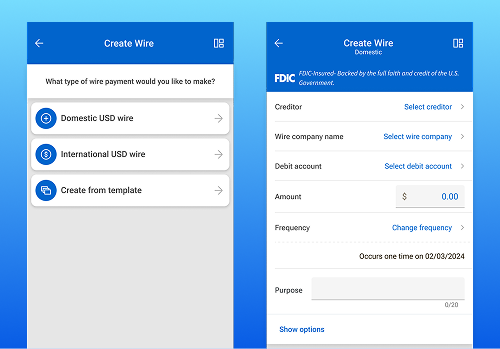
Transfer Templates for Treasury Mobile Experience
The ability to create new and manage existing transfer templates is now available (as of today, June 30) for all Treasury Management banks!
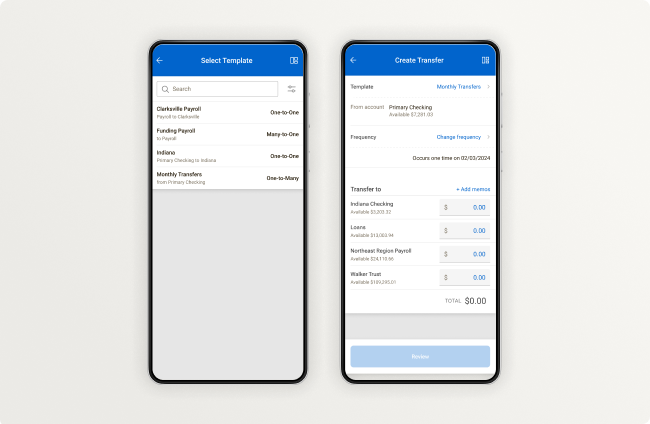
Template changes made in mobile will be reflected on desktop. A list of all transfer templates will be available, as well as freeform entry of one-to-many and many-to-one transfers, complementing the existing one-to-one funds transfer.
Toolkit Corner: Connecting Customer Identities with Other System Identifiers
Connecting user data across different systems can be a tricky task.
Our Identity Token is designed to simplify this process, giving you a straightforward way to match a user with their data wherever it lives – whether that’s within Banno’s own Consumer API, a hypothetical loan application, or your internal and external systems.
To help you get started, we’ve put together a guide that walks through the core concepts and essential steps.
Explore the guide to learn how you can map customer identities to your existing systems.
Password Reset UX Enhancements for Unified Identity Service
End users with Treasury Management and Unified Identity Service now have a more intuitive experience for resetting passwords.
Whether they initiate the process in Banno Online or Treasury Management, after completing the steps to reset their password, now your end users will see a success message (seen above) directing them to return to their login screen, where they can enter their new credentials to open the app they initially intended to open.
This improvement was released on June 11, and no configuration on your end is necessary.
A New Way to Verify Call-In Users
For those of you looking to improve the security and efficiency of call-in verification, read on!
As fraudsters become increasingly proficient at socially engineering 2FA codes and one-time passcodes (OTPs) from your account holders, it becomes crucial to emphasize that such things should never be shared over the phone. Instead of asking your users for OTPs when they call you, you’ll soon be able to send a message to their devices (along with a push notification where applicable), prompting the user to complete a high risk authorization. Upon completing the high risk challenge, they’ll be verified and you’ll see that confirmation in Banno People. This new option works in tandem with our high risk action blocking features as well, as blocked devices won’t be able to complete the challenge. This allows you to truly say: “We’ll never ask you for codes over the phone” – and ditch the nuance “except when you call us.”
Once enabled, this feature replaces the OTP option to verify a call-in user in Banno People. There is no contract required for this feature; just complete this short form (four quick questions!) to choose a rollout date earlier than August 19, when we will enable this for all institutions.
Warning Codes for Credit Unions
In what will surely be welcomed news for credit unions, we’re pleased to announce that we’re tackling the need to control certain functionality on the Banno Platform with Warning Codes! To ensure that we build controls for the right warning codes, we need to capture your expert insights. If you or other knowledgeable people at your credit union would like to help guide our decisions and shape this solution, please take a few minutes to share your feedback with us via our Warning Code Feedback survey.
We’re moving as quickly as possible to deliver this feature – likely later this summer. Once it’s ready, we will release the feature for all our credit unions – including but not limited to those of you on Banno Business. No additional contract is needed, and we will communicate roll out timing and (if necessary) configuration details beforehand. As usual, please stay tuned to upcoming Statements for updates.
Account Details Configuration
Soon, all Banno customers will gain the ability to customize existing account details in Banno People. This new feature lets you configure and rename fields for each account type, giving you complete control over what accountholders see. The configuration page will be available soon, and changes won’t go live until your institution enables the feature, allowing you to prepare your settings in advance.
Documentation Updates
This month, we made a handful of notable usability improvements to the Knowledge Base. You’ll notice that a number of reveal sections (the expandable dropdowns) for content have been removed throughout the site. We’ve moved this information into separate pages and/or into unified FAQs at the bottom of each page. Then, we opened up the remaining sections to improve navigability, searchability, and page flow.
We also added callout notices to several features to better connect those features with their relevant cores and products. Finally, we enhanced our responsive designs, making the Knowledge Base more readable on mobile devices.
Make sure you catch the latest documentation updates on the Knowledge Base as well:
- ACH guide This doc now includes additional guidance for setting up an ACH company.
- Moov Compliance & Due Diligence FAQ: This FAQ has been updated with a wealth of new information about our upcoming Moov offerings.
- Moov landing page: Our Moov feature docs have new full FAQ pages, with additional information about all upcoming feature offerings.
- High-risk actions: The high-risk actions index now includes recently implemented actions.
- Platform Status: This article now includes more information about status.banno.com and more clarity on the various statuses.
Important reminder
Visit Help Center for how-to guides on all Jack Henry products.
EDI Transaction Details in Banno
Get ready to see EDI (Electronic Data Interchange) transaction details right in Banno. We’re excited to announce that we’re starting to beta test this highly anticipated feature, and we expect to make it available on CIF 20/20 and SilverLake in the near future!
If your bank currently uses our EDI transaction details feature in NetTeller, your business users will seamlessly experience these same details in Banno Online and Mobile (once released). For any transaction with available EDI data, we’ll display a clear indicator on the transaction list, allowing users to easily open the transaction details and download the EDI details file. Plus, we’re enhancing the search feature in Banno so that users can quickly filter their searches to pinpoint transactions that contain EDI data.
Note: While this feature is designed with Banno Business users in mind, the functionality will also be available for any retail accounts that return EDI transaction details from the CIF 20/20 and SilverLake cores.
Reminder to Set Up Your Employee Data Permissions
If your institution limits employee visibility of other employees in Banno People, hopefully you saw that the new View employee data permission was rolled out last month. You can see this permission within Users & Groups along with the other People permissions.
The legacy permission will be honored until June 30, 2025, which will be here before we know it, so ensure that your employees who need to view other employees’ info have this new permission.
Note: After June 30, users with only the legacy permission may not be able to view other employees’ data.
Pro tip: If you don’t have the list of users who need this permission handy, head to Banno Reports, request the Permissions report, and within the CSV file check out the “View employee data (legacy)” column to know who currently has the permission. This will make it easy to grant the new permission to those same users.
Delayed FDIC Display Compliance
With summer nearly in full swing, we want to take a moment and remind our bank customers of the decision by the Federal Deposit Insurance Corporation (FDIC) to delay the compliance date for “requirements related to the display of the FDIC’s official sign on insured depository institutions’ (IDIs) digital channels” to March 1, 2026 with “plans to use the additional time to propose adjustments to the regulation,” as stated in the FDIC Board of Directors Approves Delay of Compliance Date For Certain Provisions in Sign and Advertising Rule press release.
Given the FDIC’s potential to propose additional adjustments to the regulations, we will not be releasing any of the related display updates until further guidance is provided – at which point we will communicate roll out plans here in the Statement.
🎗️Forget-Me-Nots🎗️
We have a handful of important reminders for you this month.
Upcoming Events
Register now for these upcoming virtual meetups:
- Digital Toolkit Meetup: Tues., June 10, 2025 at 11:00 a.m. CT
- Digital Banking Meetup: Fri., June 13, 2025 at 11:00 a.m. CT
- Digital Security Meetup: Wed., August 13, 2025 at 3:00 p.m. CT
You can also join one of our upcoming forums: Cybersecurity & Fraud + Digital Banking Forums
Finally, as described in the “ISO 20022” article in this Statement, you don’t want to miss the JH Digital ISO 20022 webinar on Wednesday, July 2, from 10:30 - 11:30 a.m. CT.
Android Health Apps Declaration
As you read in the April Statement, your Android Developer admin needs to complete the Health Apps Declaration (via the Android Play Console) to ensure that we can publish new versions of the Banno Mobile app on your behalf. While the title ‘Health Apps Declaration’ may seem counterintuitive, completing the form is required by Android. Please see last month’s announcement for details and instructions.
ISO 20022
As we work on wrapping up development on the upcoming Federal Reserve ISO 20022 compliance changes, we will be starting beta testing with some of our financial institutions across all cores. We want to ensure the new system functions correctly and seamlessly with your operations when the full compliance changes take effect. We are committed to providing a smooth transition and appreciate your partnership as we prepare for these important updates.
Upcoming ISO 20022 Webinar
To hear the latest details on our ISO 20022 work first hand, join our Banno Business, Treasury Management, and NetTeller Cash Management™ product teams for the JH Digital ISO 20022 webinar on Wednesday, July 2, from 10:30 - 11:30 a.m. CT. If possible, we recommend connecting with your colleagues for a “watch party,” as capacity for the webinar is limited to 1,000 attendees.
Additional ISO 20022 Resources
If your financial institution is on SilverLake, CIF 20/20, or Symitar, please visit the ISO 20022 Resource Center on the ForClients Portal for additional details about ISO 20022.
Reminder to Complete Your Moov Onboarding to Unlock Jack Henry Rapid Transfers™
Don't forget that onboarding with Moov is now available directly through Banno People! This marks your opportunity to accelerate access to upcoming features like Jack Henry Rapid Transfers and Merchant Acquisition as soon as they launch.
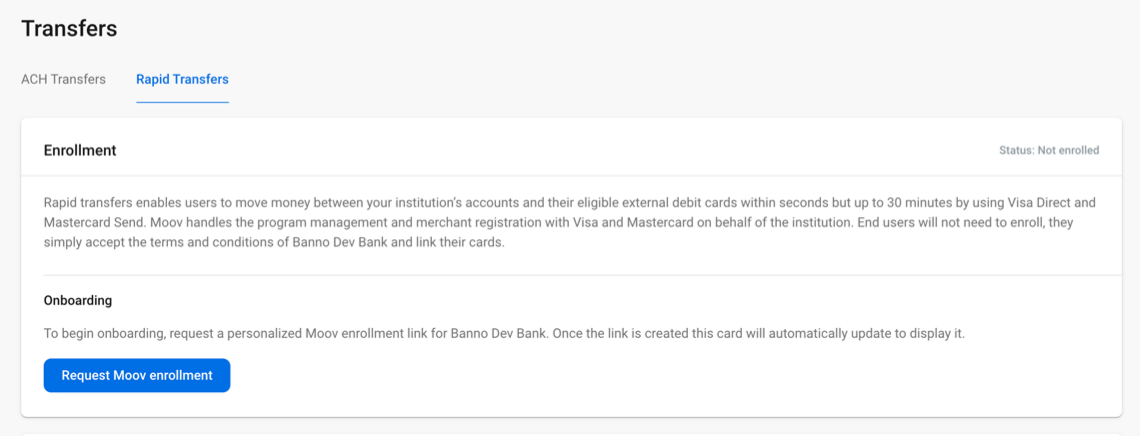
How to Enroll with Moov
To enroll, complete these steps:
- Review your core-specific pre-work using the Compliance & Onboarding guide for your platform.
- In Banno People, go to the Settings menu, select Transfers, then open the Rapid Transfers tab.
- Click Request Moov enrollment to generate your personalized onboarding link and begin the process.
Why Act Now?
Enrolling with Moov ensures your financial institution is ready to offer Jack Henry Rapid Transfers and Merchant Acquisition to your customers immediately upon release. No additional contracts or support tickets are required to get started.
If you missed the “Resources Roundup” SLA we sent on May 16 and you need more information, here is the comprehensive list of resources we’ve published for Jack Henry Rapid Transfers:
- Information overview
- Compliance & onboarding resources
- Onboarding and Due Diligence on the ForClients Portal (including the core-specific guides listed in the steps above)
- Compliance & Due Diligence FAQ
- Digital Banking Meetup on May 9
See resources from the latest meetup, featuring a live demo of Jack Henry Rapid Transfers + an important industry update from Lee Wetherington: - Meetup recording
[Edited May 2026: Link deprecated due to outdated content.] - Meetup slide deck
[Edited May 2026: Link deprecated due to outdated content.] - Digital Banking Meetup on April 11
View resources from the Special Moov Edition meetup with Ben Metz and Wade Arnold: - Meetup recording
[Edited May 2026: Link deprecated due to outdated content.] - Meetup FAQs on Jack Henry Rapid Transfers
[Edited May 2026: Link deprecated due to outdated content.]
Stay ahead by completing your Moov onboarding today - so you’re ready the moment Jack Henry Rapid Transfers goes live! If you have additional questions or need help, please contact our support team.
Reduced High Risk Friction for Users with FIDO Tokens or Passkeys
For those of you taking advantage of the high risk blocking features we’ve had in place for a few months, we’re rolling out a new feature that we think will reduce friction for your more security-conscious accountholders. If you hear regularly from accountholders who clear cookies or use private browsers, this may be a way you can guide them to adopt safer practices and keep your institution safe by ensuring that this healthy friction remains enabled.
Once this has rolled out, when accountholders register a new device using the same FIDO token or Passkey that they use on an existing, unblocked device, the new device will be automatically unblocked from performing high risk actions. When this occurs, an activity event is published, so you can audit effectively.
With a little of your guidance, this update can help those accountholders mentioned above to reduce their own friction by adopting these more-secure, inherently phishing-resistant methods. This feature affects all blocking modes and will begin working within the next few days. There’s no support case nor contract required.
Finally, we just want to mention that beta testing for anchor device verification is wrapping up, and that will be rolling out to everyone very soon. More to come on that!
ACH Notification of Change and ACH Return Notices
Two new ACH notifications are now available for Treasury Management! ACH NOC and Return notifications are now ready for your bank to enable via Treasury Management Back Office.
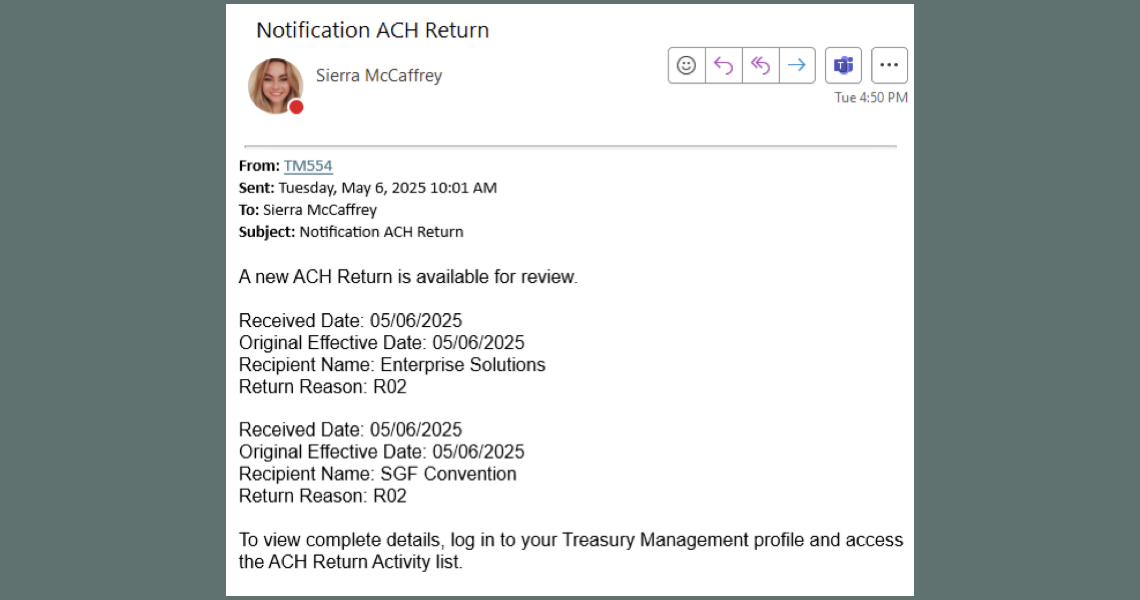
Once enabled, your entitled users can enroll in the methods you’ve made available. You can learn more about this impactful enhancement here on the For Clients Portal.
Stop Payments in Treasury Mobile Experience
The ability to place a stop payment on a specific check or range of checks will soon be available in the mobile experience!
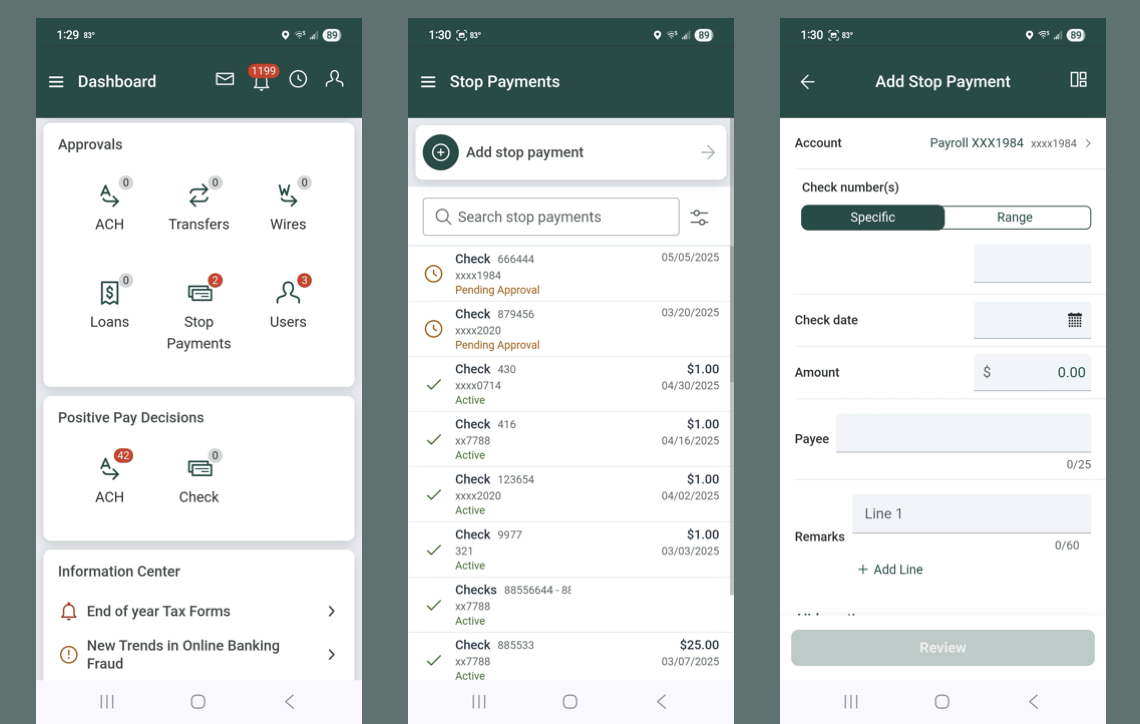
We’ll communicate via SLA when this feature is released. This enhancement will also allow for mobile approvals of stop payments using the Approvals widget, as well as the ability to search for stop payments using the advanced filtering options.
View-Only Access for Treasury Management Super Users
Gone are the days of having to toggle a Treasury Management user from a super user to a regular user just to see what they have access to!
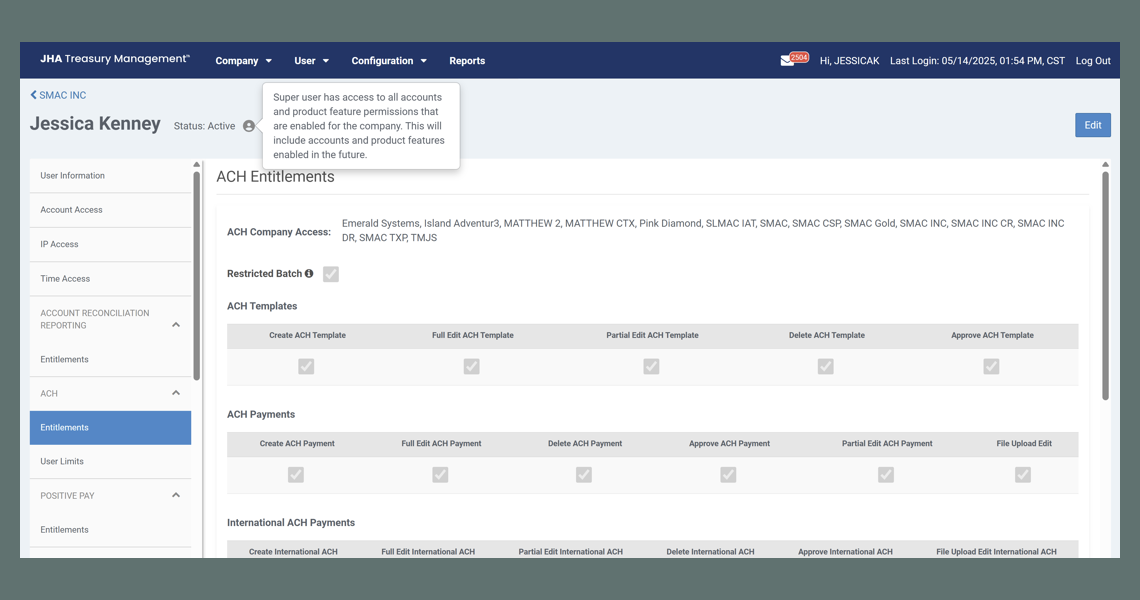
Available now (as of May 20), bank administrators and Company admins can see everything the super user has access to without having to remove that setting. New icons and messages have replaced the Super User notation that previously displayed on each entitlement section, as your admins likely noticed. Read more about this change on the For Clients Portal.
Toolkit Corner: Authentication Framework Concepts
We’ve tidied up our OAuth and OpenID Connect documentation to get you to the good stuff faster.
For the foundational concepts that apply across the board for Jack Henry’s APIs, head over to jackhenry.dev/authentication-framework/concepts/.
When you’re ready to see how the Banno Digital Toolkit specifically implements those ideas, you’ll find all the implementation details at jackhenry.dev/open-api-docs/authentication-framework/getting-started/.
Less searching, more building!
User Type Labeling Poll Results
After extending our User type labeling poll last month, we have received many more responses and have now landed on the following go-forward labels.
- Consumer = Non-commercial customers or members.
- Business = Commercial customers or members.
- Households = Groups of customers or members.
Next up, we will begin consistently using the terms above for in-app UI labels and messaging for the Banno Digital Platform – starting with net-new projects and, over time, working to update previously released UI labels and messaging.
Note: This article does not apply to JHA Treasury Management.
Though this process will take time, we are committed to establishing consistency across the board.
Try removing a filter to broaden your results.
Here to Help
have questions?
If you have any questions about anything you have read here, please contact our Support team, or visit the For Clients portal for release notes posted ahead of mobile releases.
Latest Product News
join the club
Subscribe now and receive a round up of the monthly updates on the latest features and enhancements!